Bombay YMCA - Branch Filter development in Member
By Aditya Das on February 28, 2023
Intermediate*** ADD BRANCH IN WEB FORM (STEPWISE DOCUMENT) ***
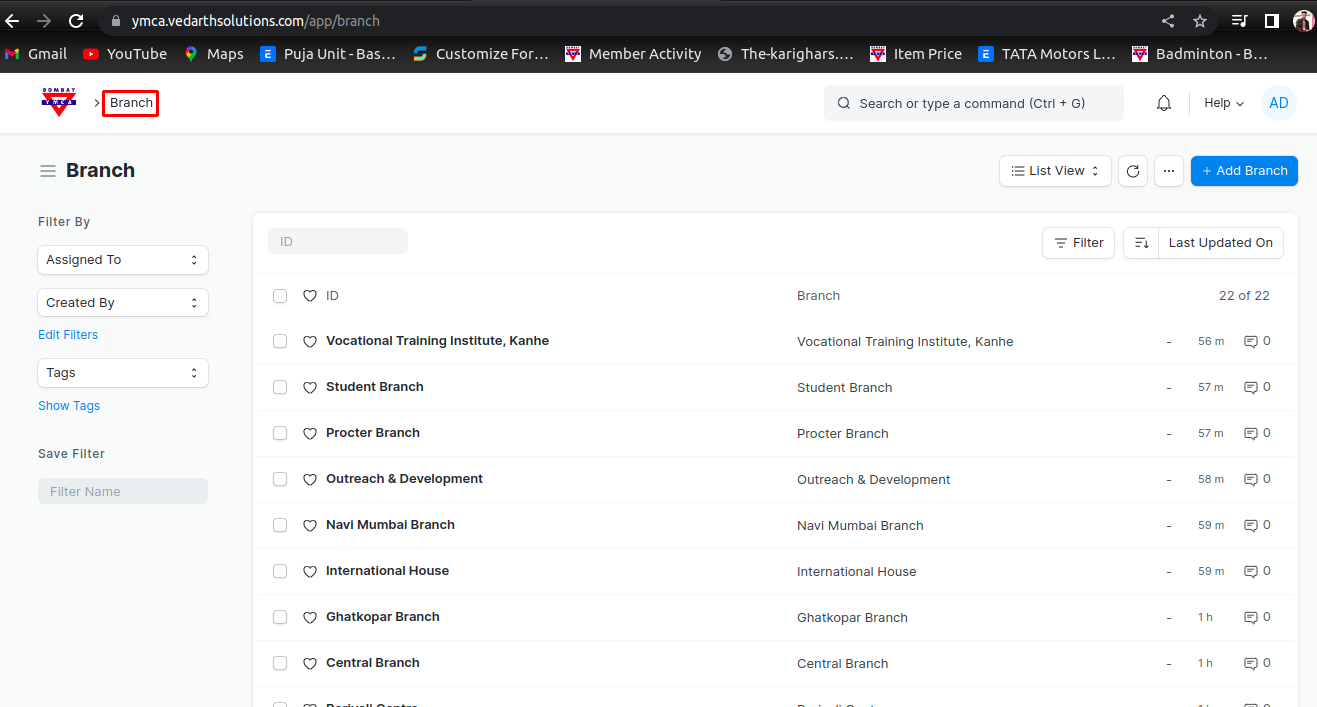
1) Go to Branch
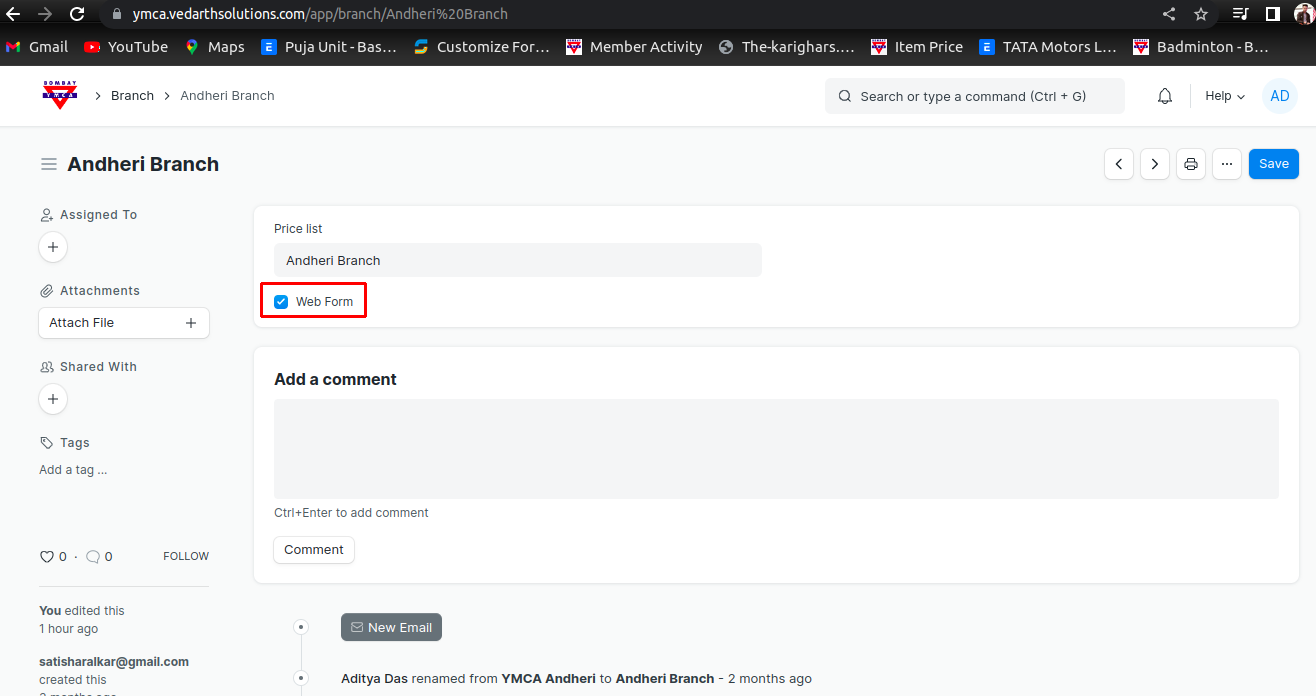
2 ) If you want add Branch in web Form then add a new Branch, In branch selelct webform option
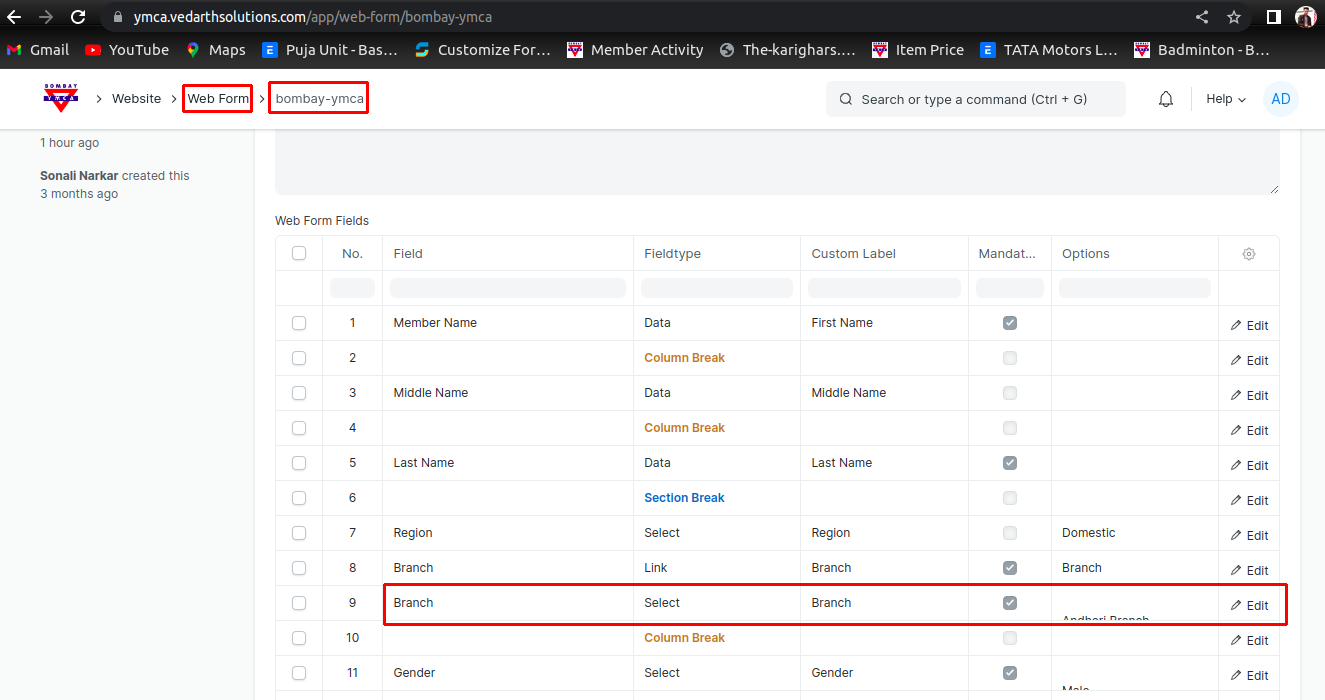
3 ) Then Go to Web Form - selelct Bombay YMCA web form - Edit Branch Option
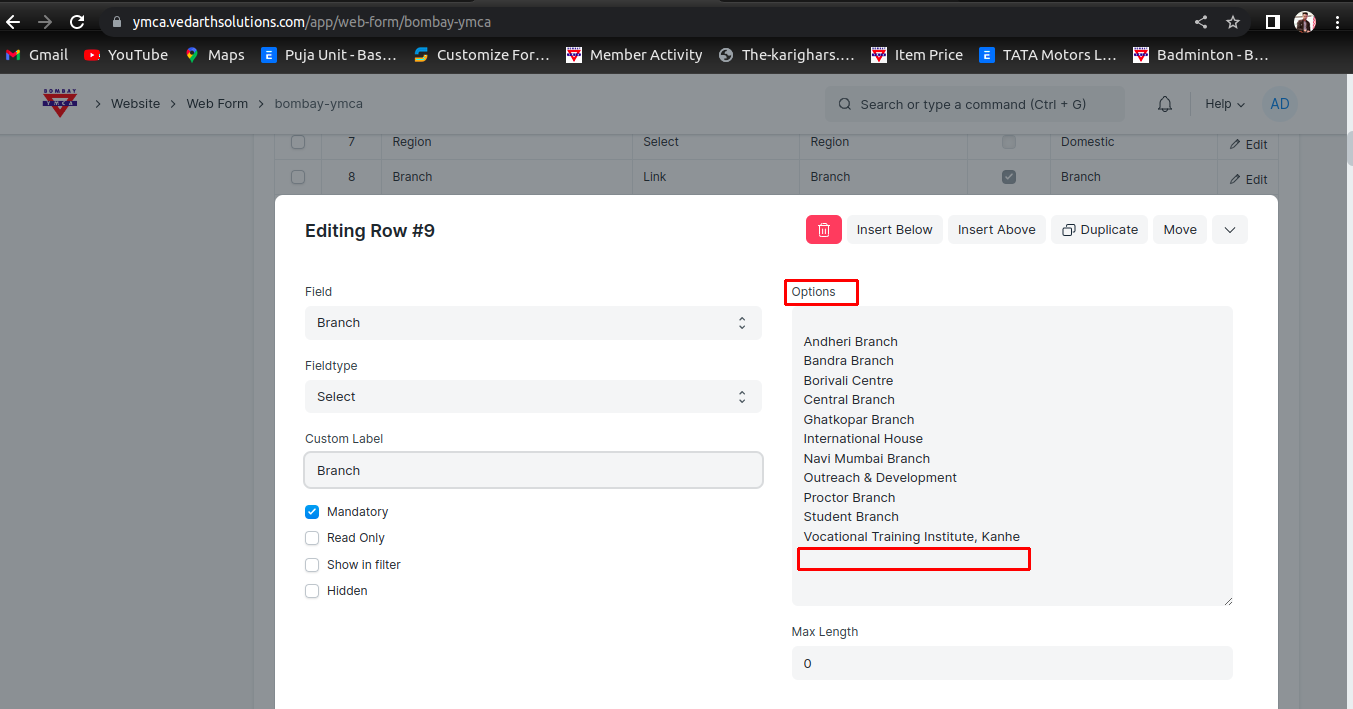
4) In edit Option add a New Branch
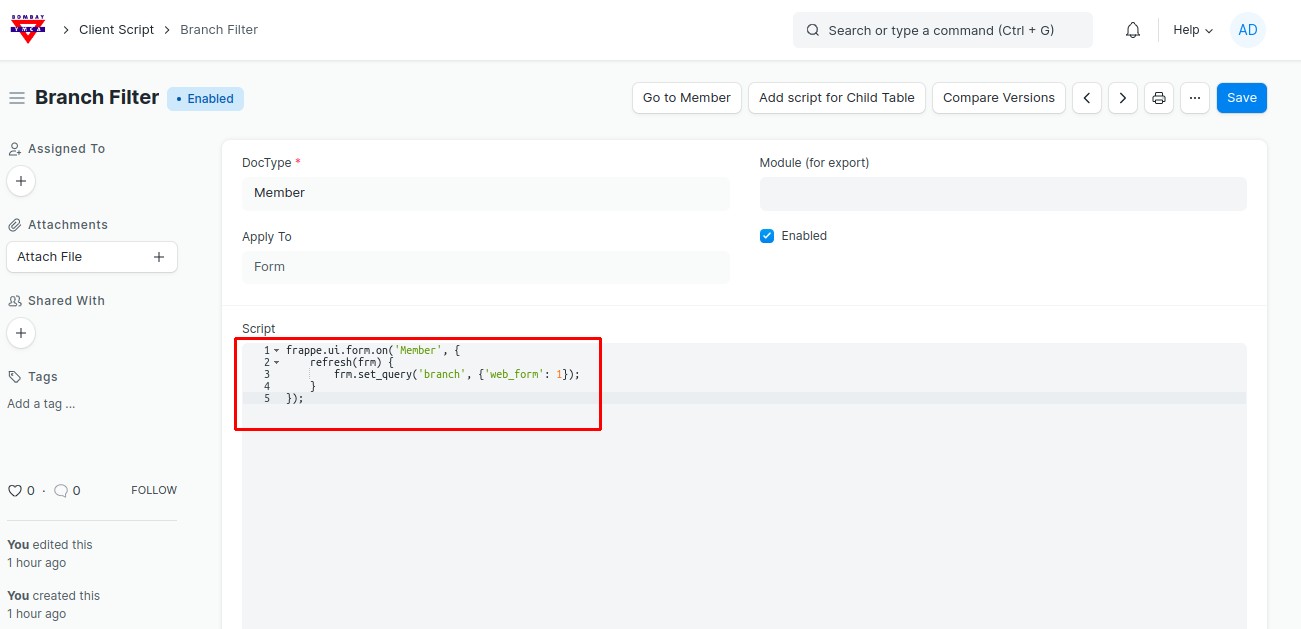
5) Code Using for Branch Filter in Member
*** End Of Document ***
Was this article helpful?
More articles on Technical Document