Bombay YMCA - Working Men - Room Booking Process
By Satish Aralkar on March 26, 2023
IntermediatePrerequisites :
- Hostel Application is approved.
- Membership is created
- Room / Bed is available in respective branch
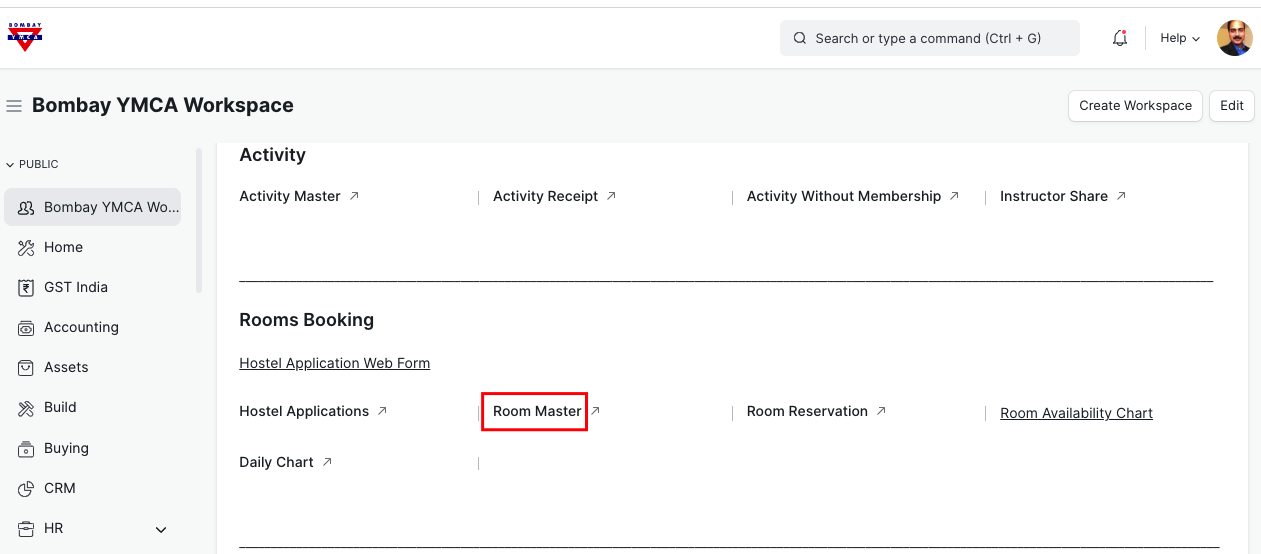
Go to Room Master
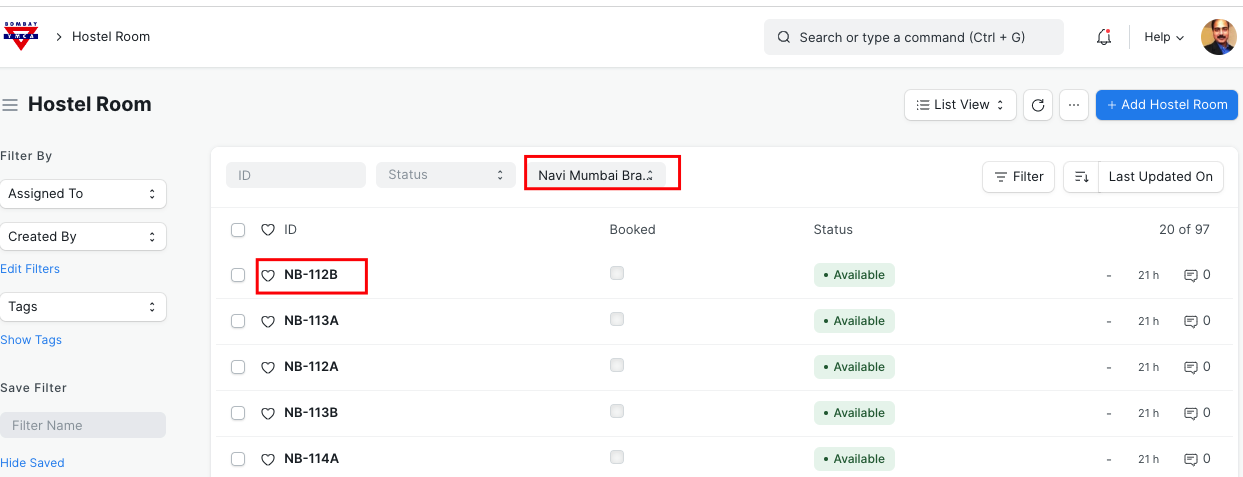
Select Branch to check Room /Bed availability status
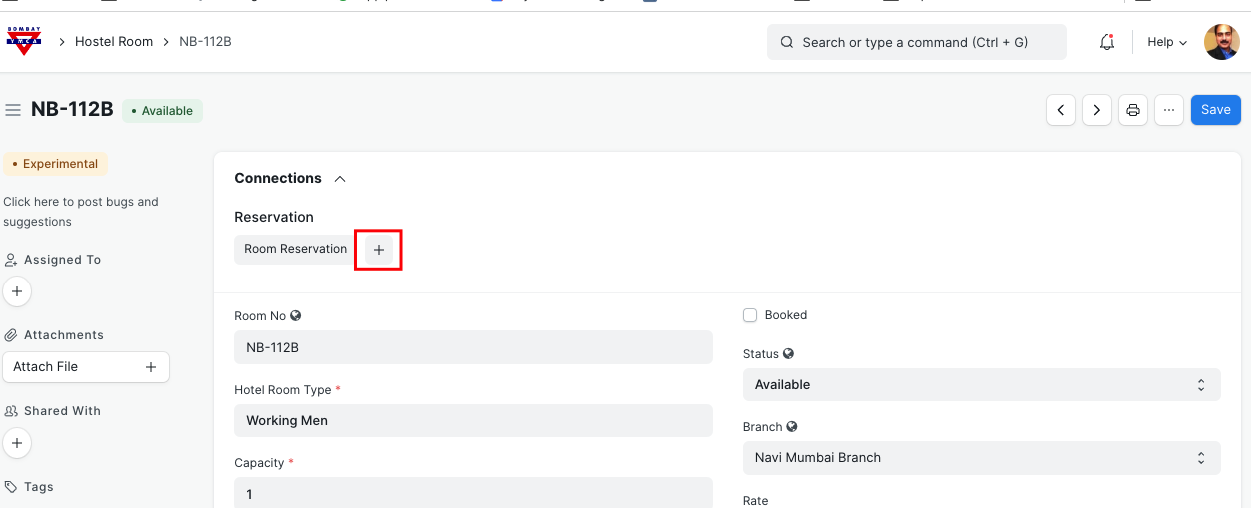
Click on Room and add Room Reservation
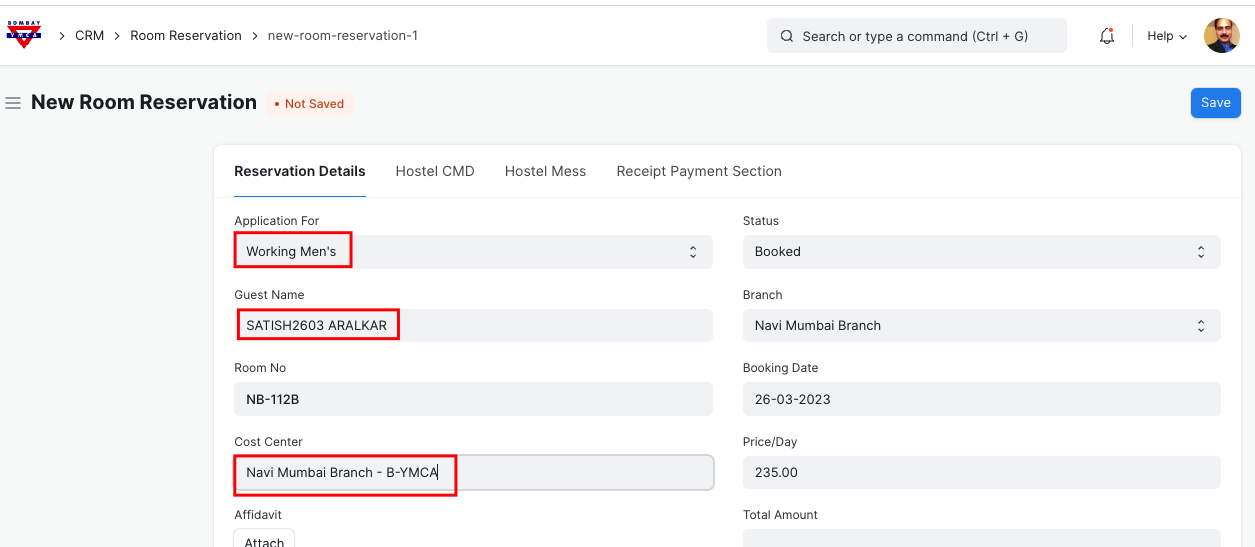
Select information as below on Room Reservation form
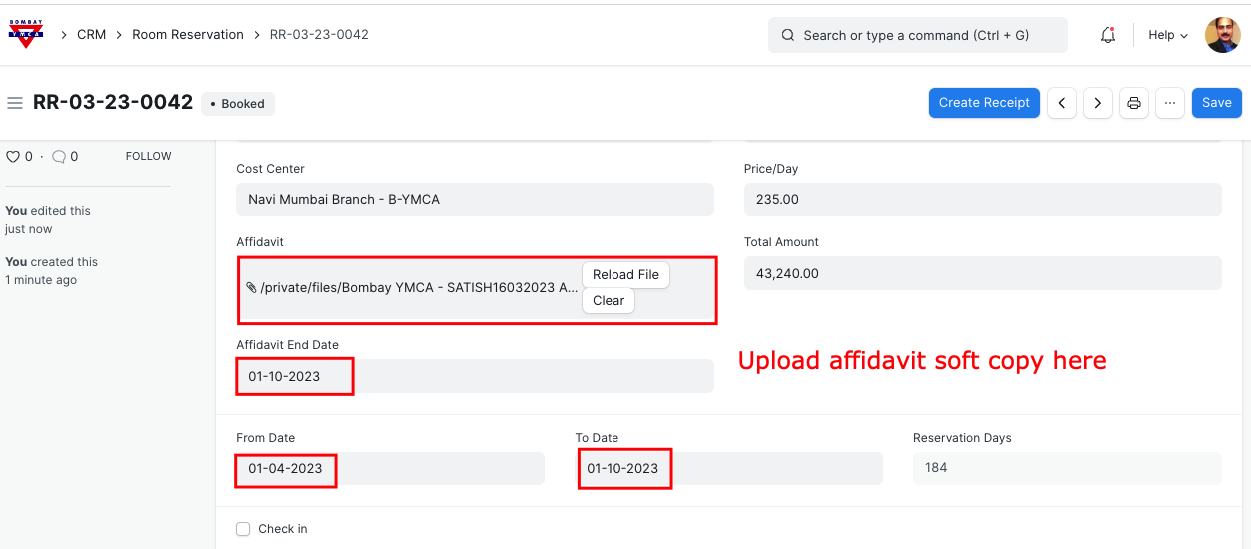
Update "From Date" and "To Date" for Reservation
"Check In " is application when candidate checks In.
Save.
CMD Section:
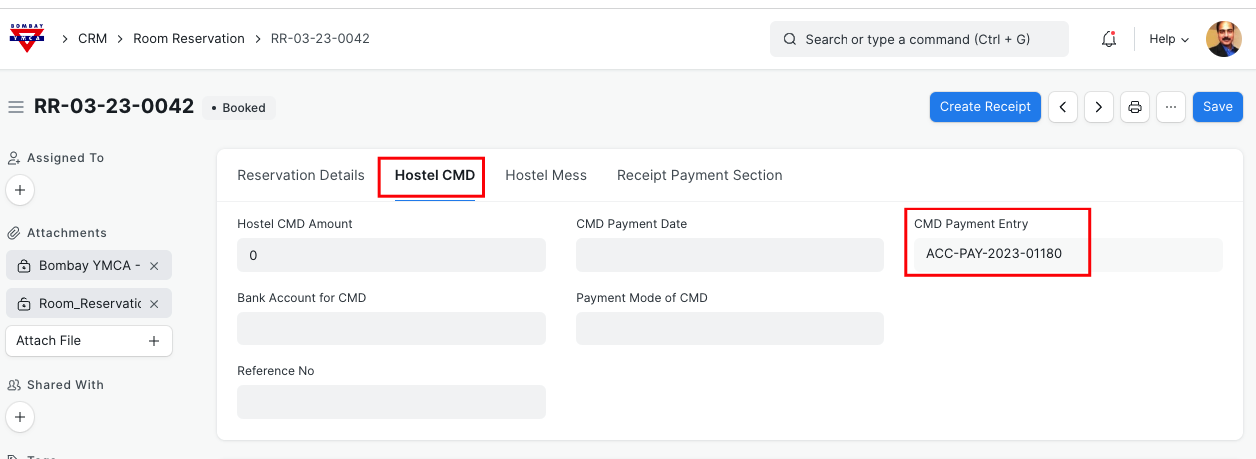
Go to CMD tab and take the payment of CMD.
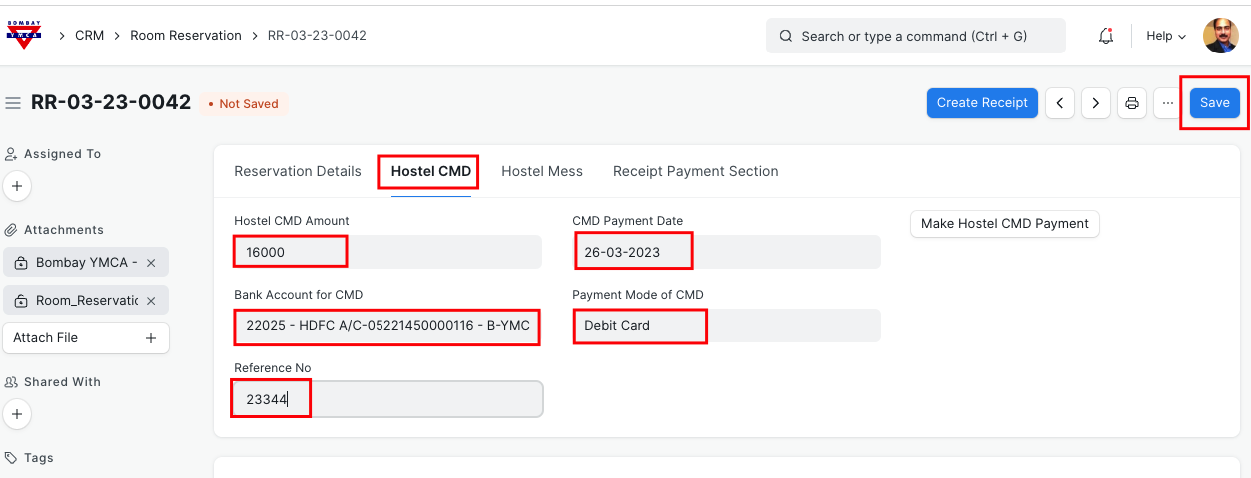
After Save, click on "Make Hostel CMD Payment.
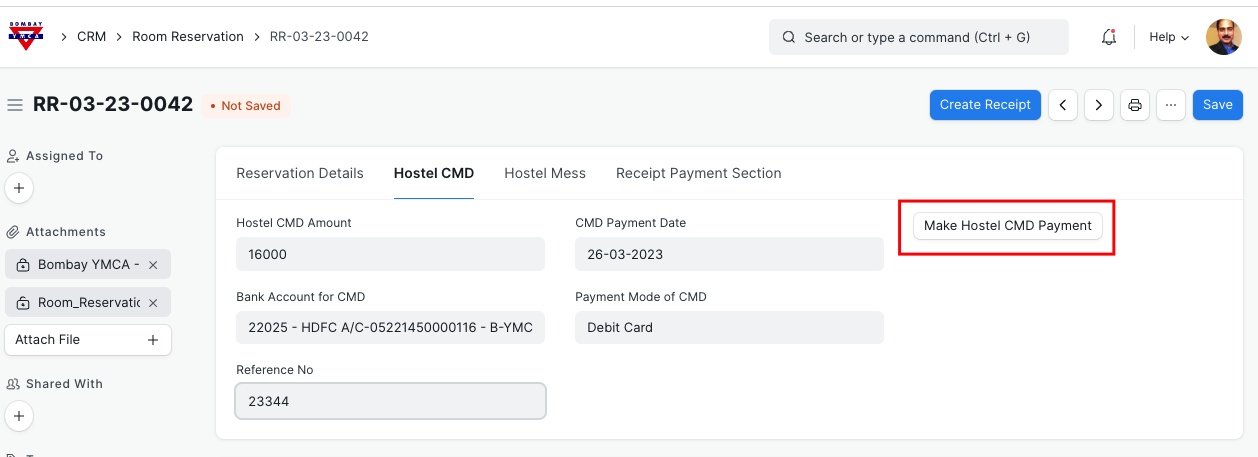
This will make the CMD payment entry in respective account.
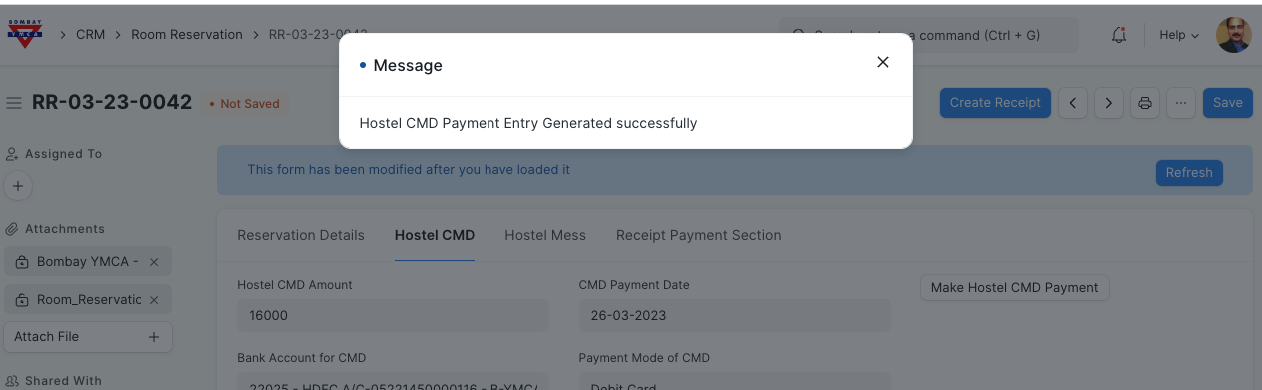
You will get the Hostel CMD Payment entry reference number
Go to "Hostel Mess" tab
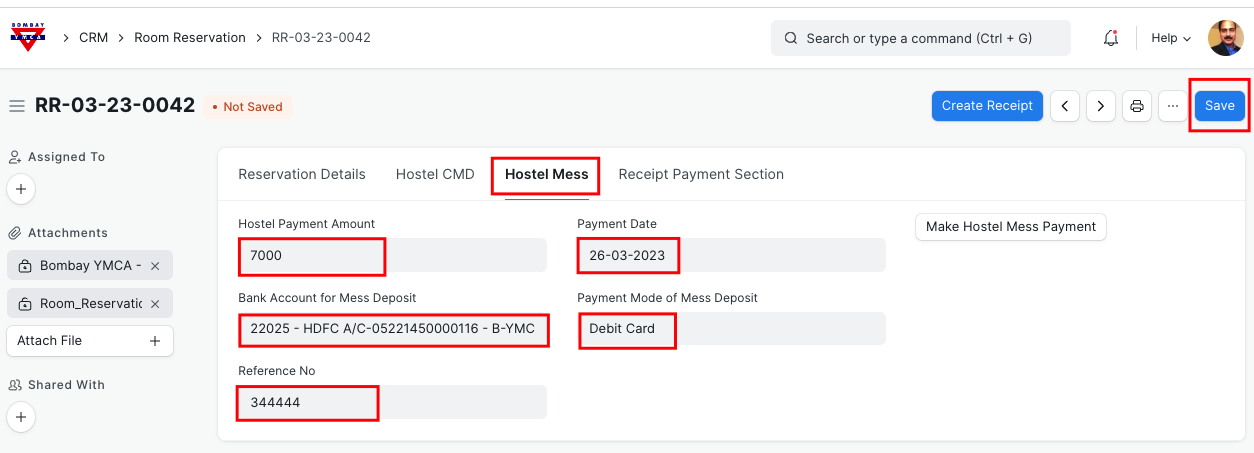
Enter all the required data and Save.
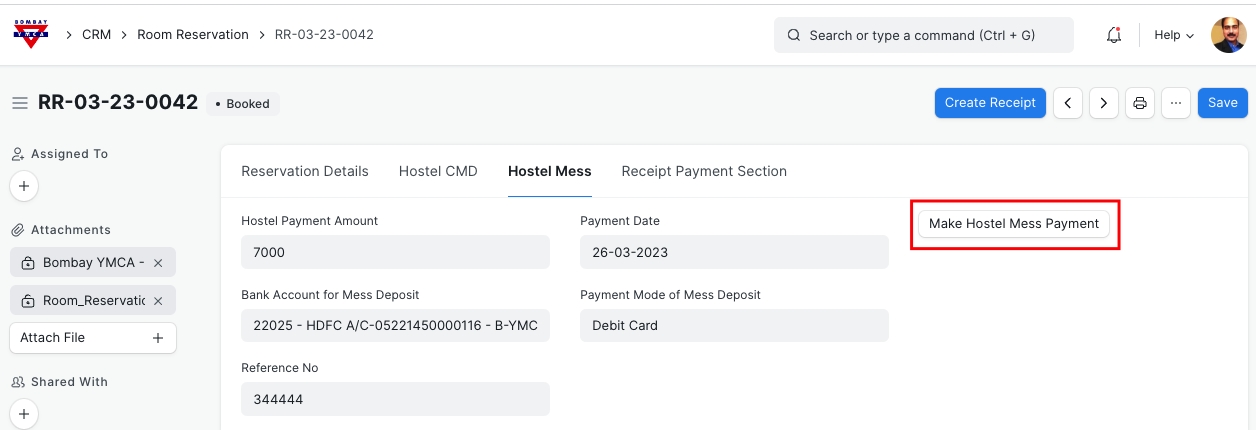
Then click on " Make Hostel Mess Payment"
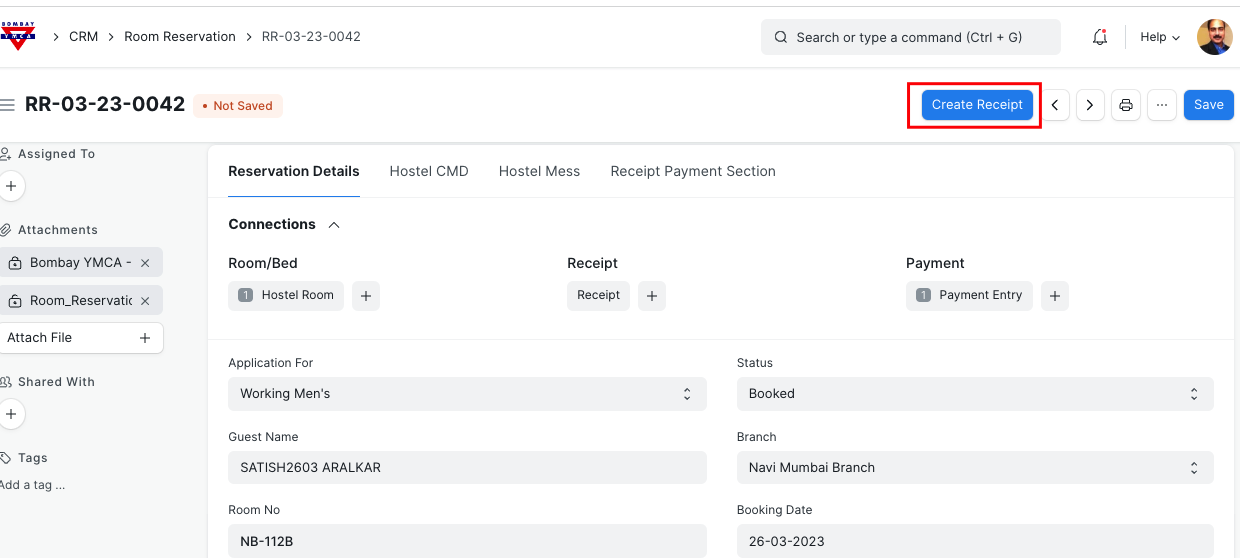
Monthly Receipts:
Go to Room Reservation record and click on "Create Receipt"
Then click on " Gets Items from Room Reservation"
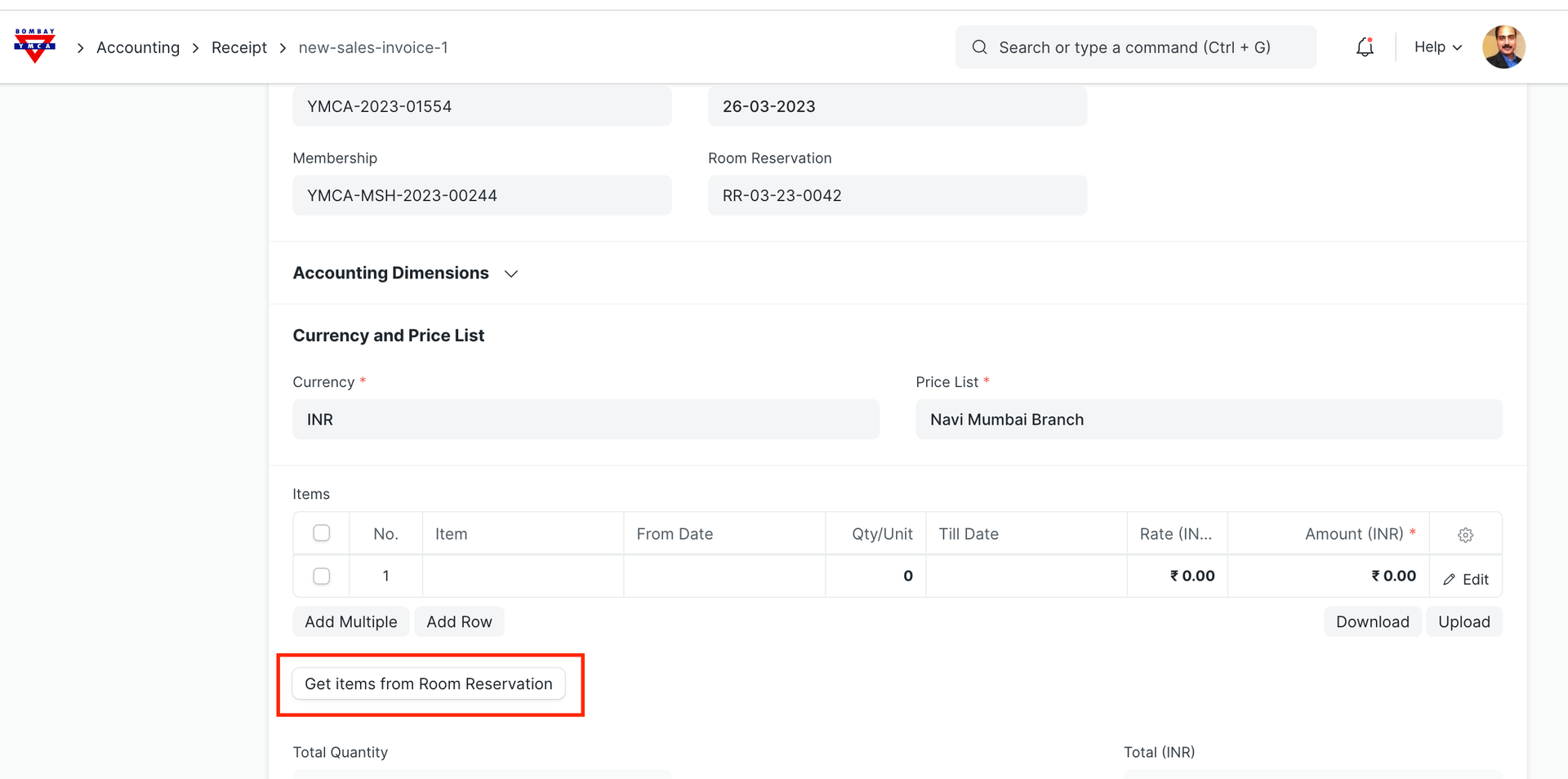
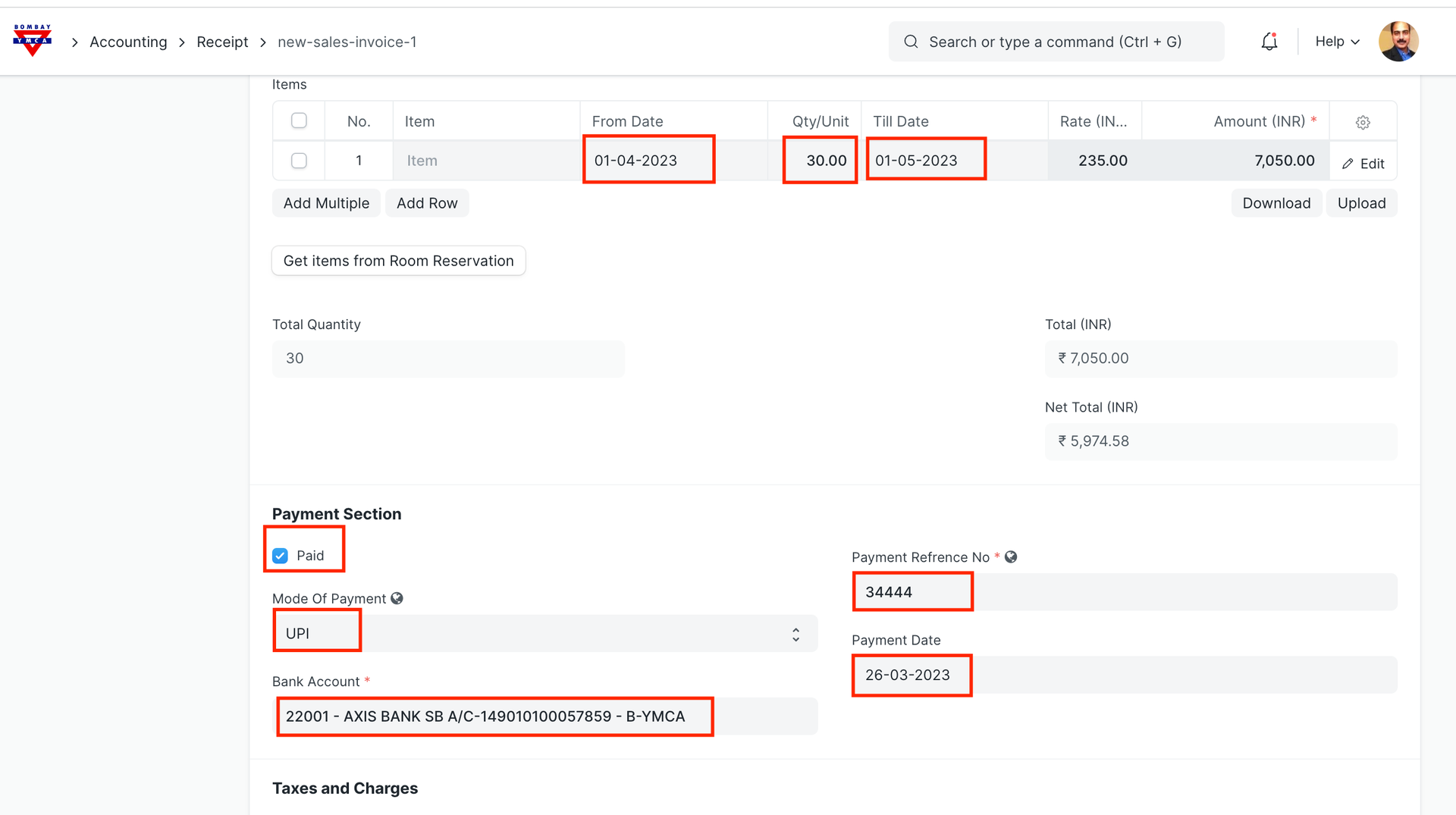
Update all above information and Save.
Tax section will be updated automatically.
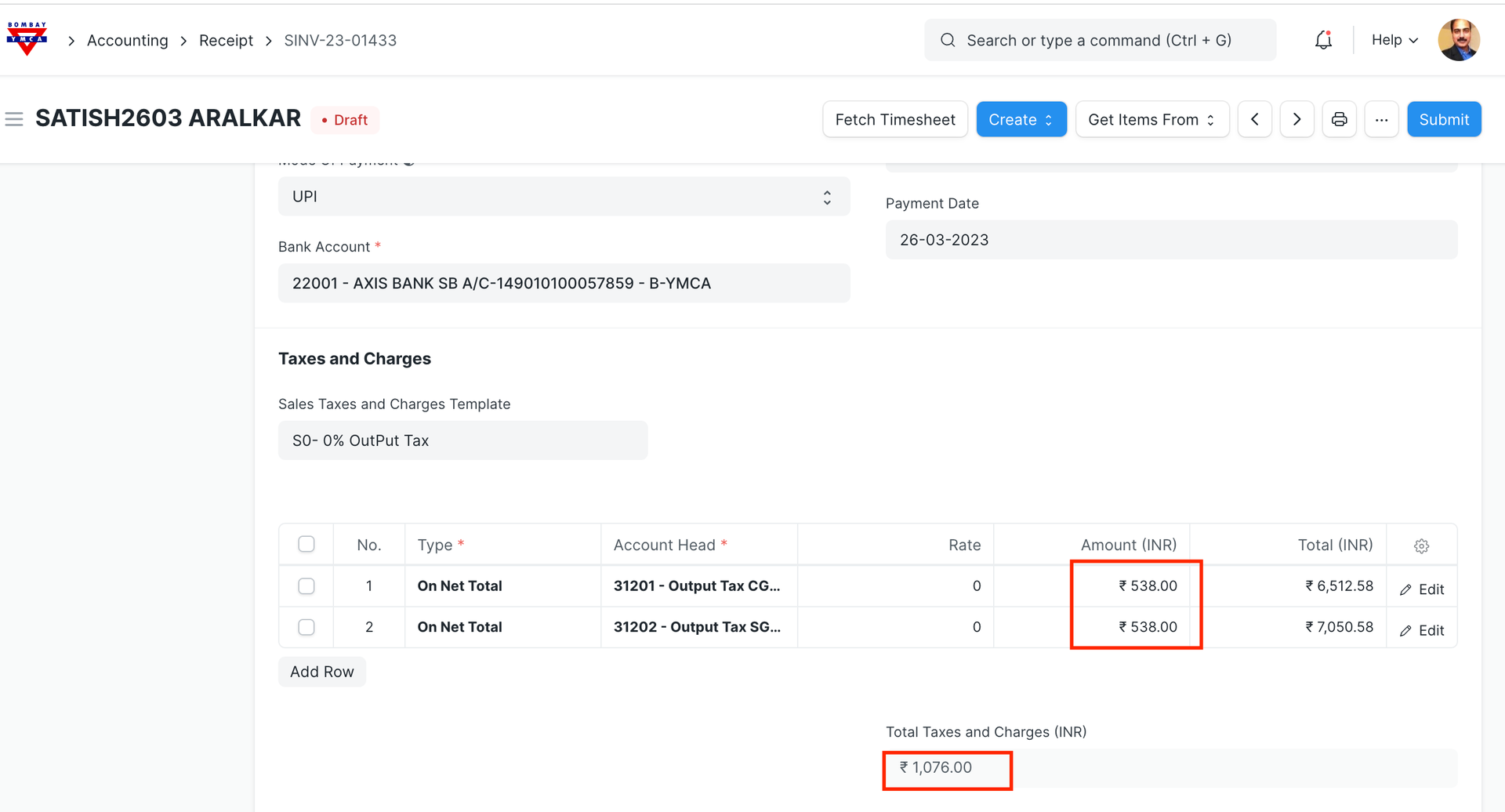
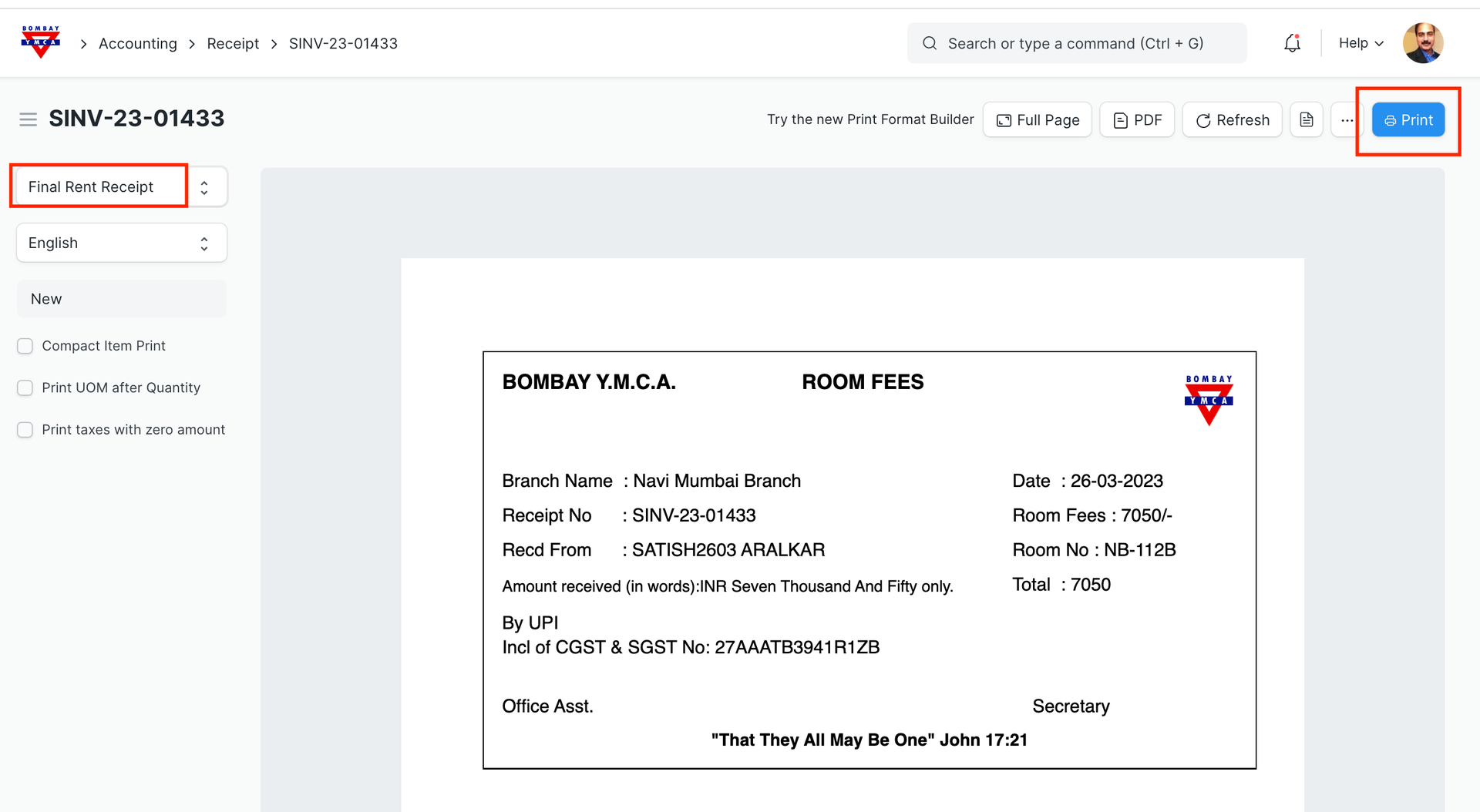
Once Receipt is submitted, you can take a print
Also you can you can update "Payment Records" in Room Reservation
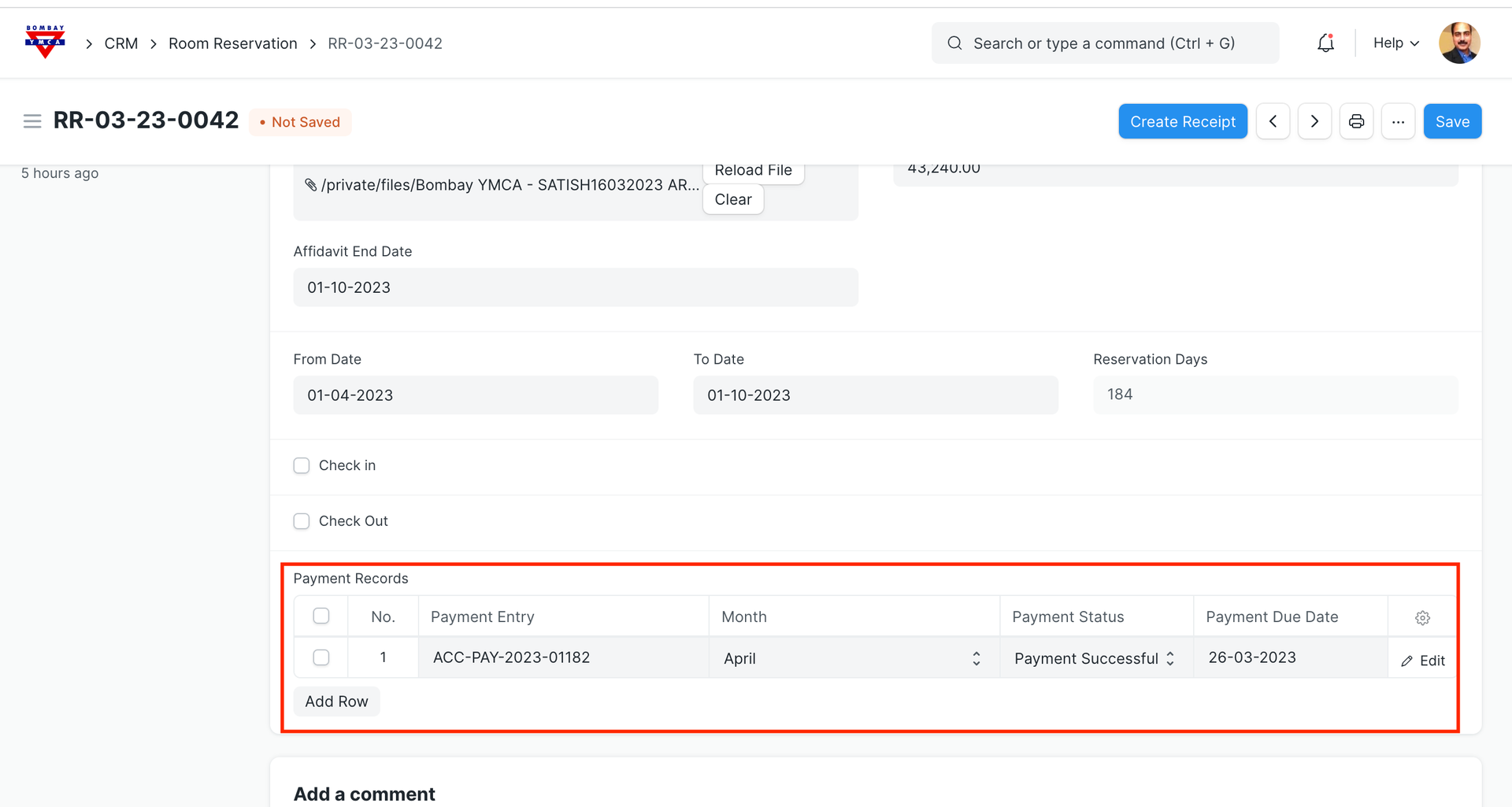
Above section will be used to send the reminders for payments.
*** End of Document ***
More articles on Room Booking