Bombay YMCA - Student Hostel Reservation Process
By Balaji Shinde on June 5, 2023
Intermediate1) Prerequisites :
- Hostel Application is approved.
- Membership is created
- Room / Bed is available in respective branch
Go to Room Master
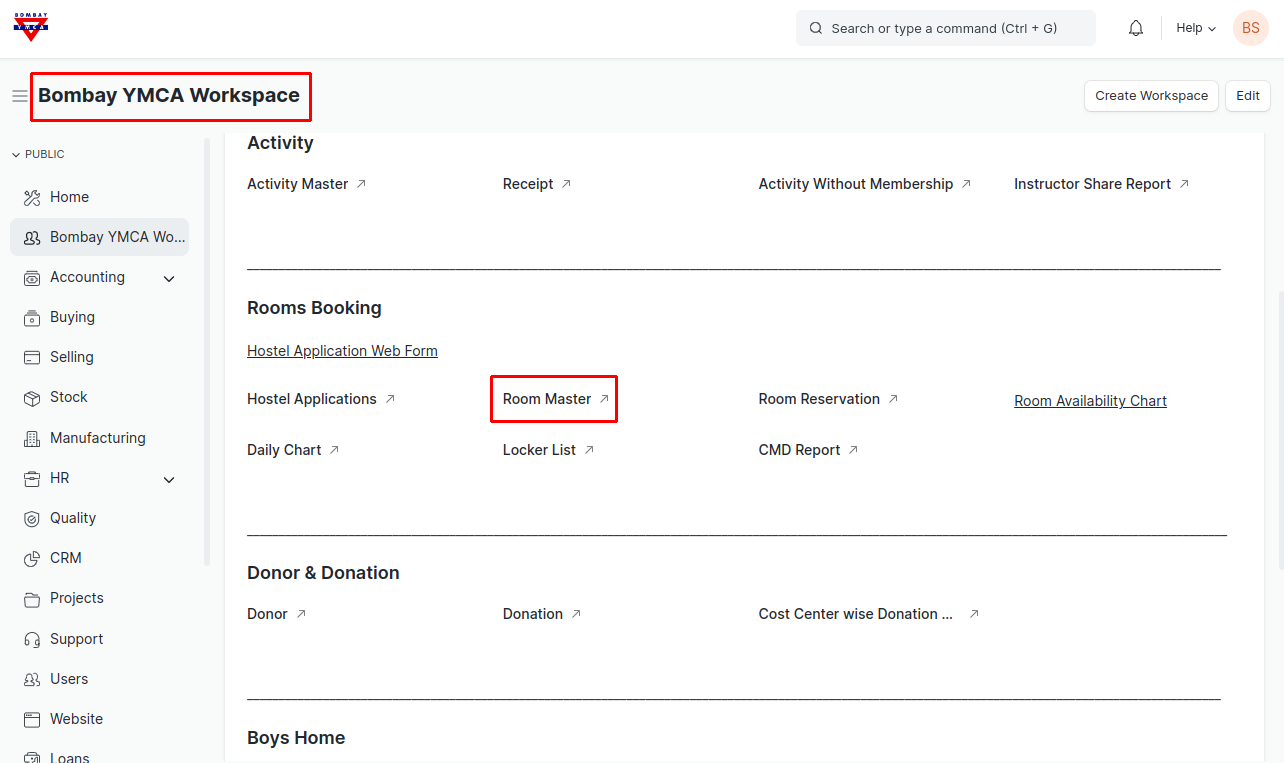
2) Select Branch to check Room /Bed availability status
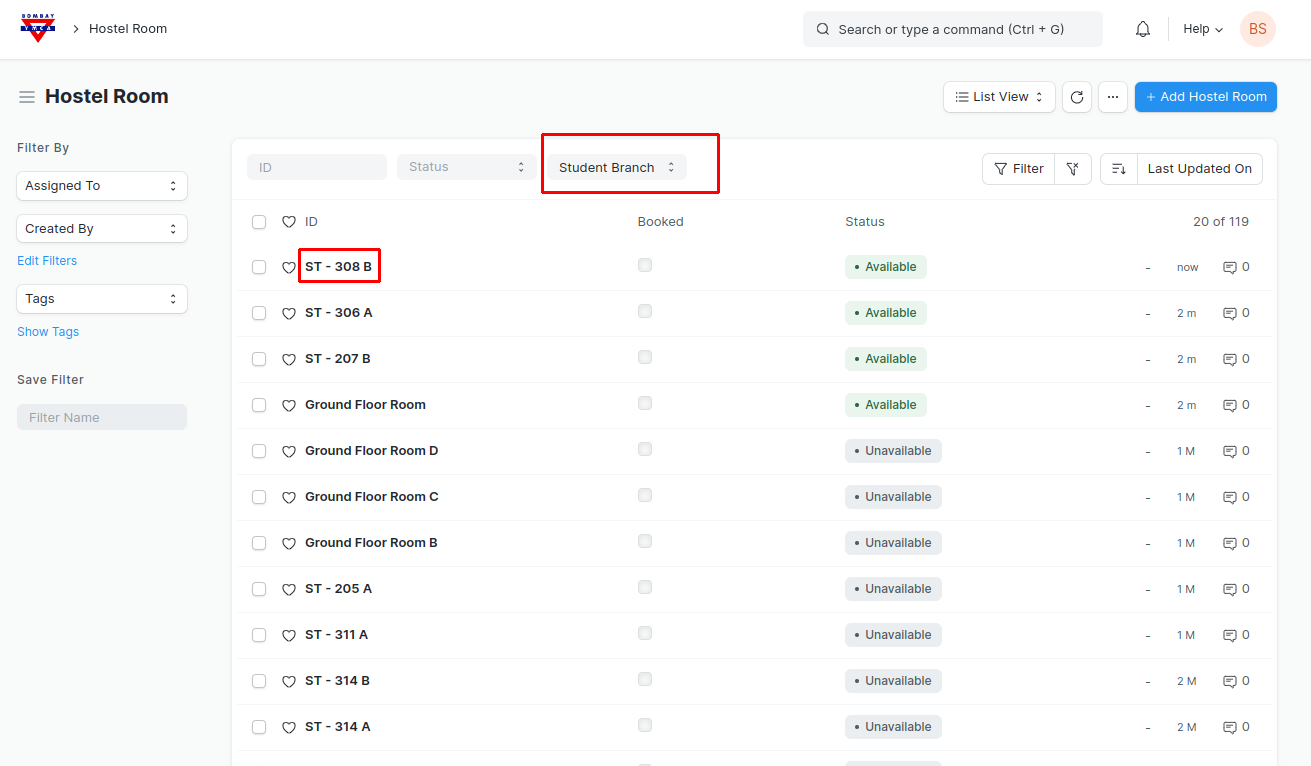
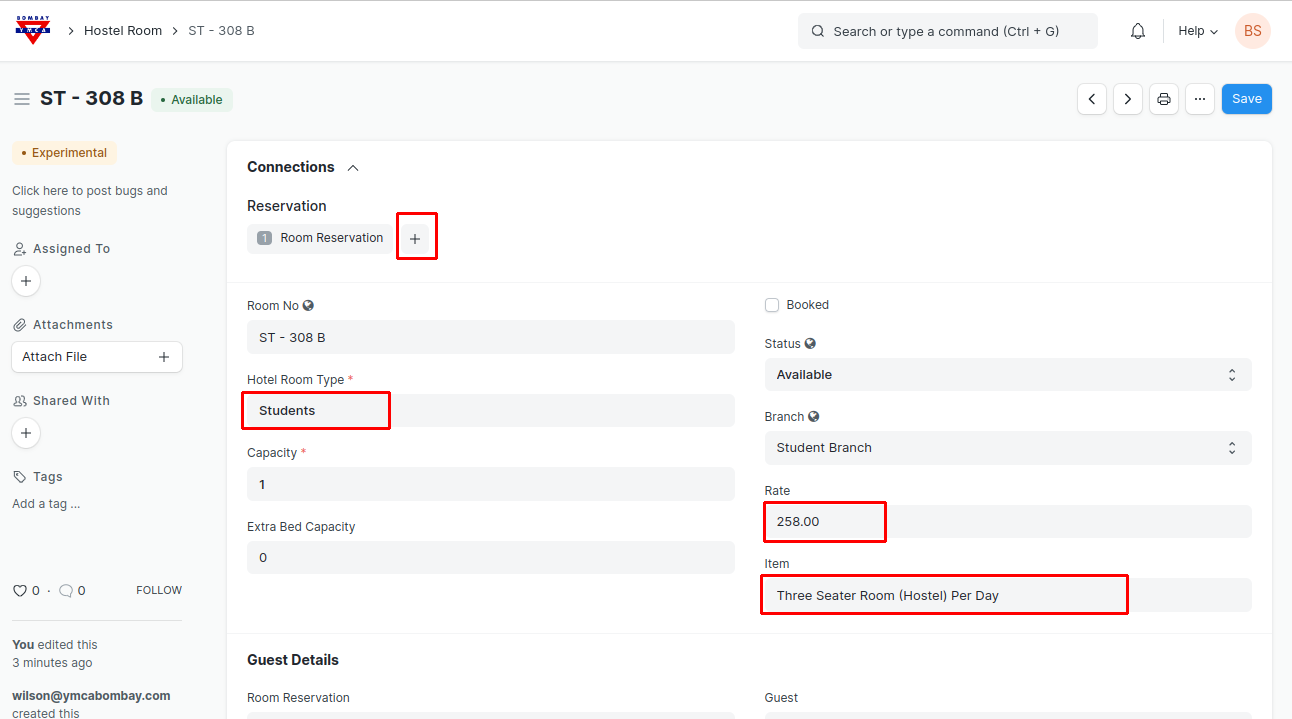
3)Click on Room, check or add item (i.e. Room Occupancy ) and Rate and add Room Reservation
4) Select necessary information as in Room Reservation form
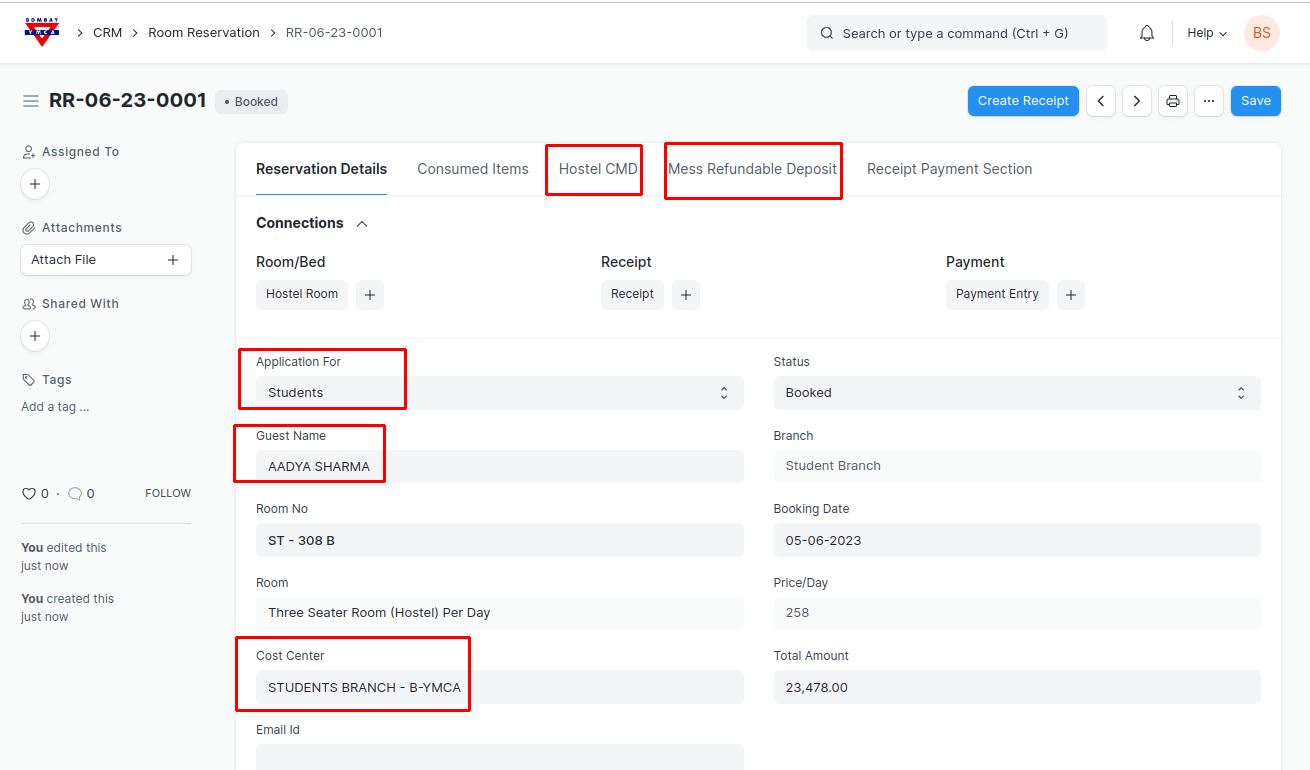
Update "From Date" and "To Date" for Reservation
"Check In " is application when candidate checks In.
Save.
CMD Section:
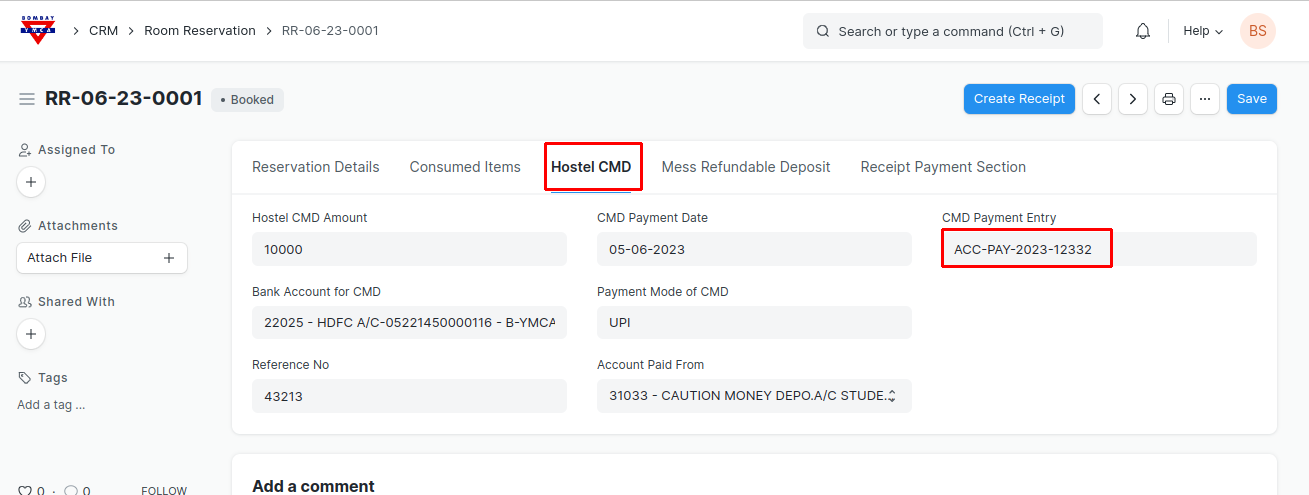
Go to Hostel CMD tab, add payment details as shown below and save.
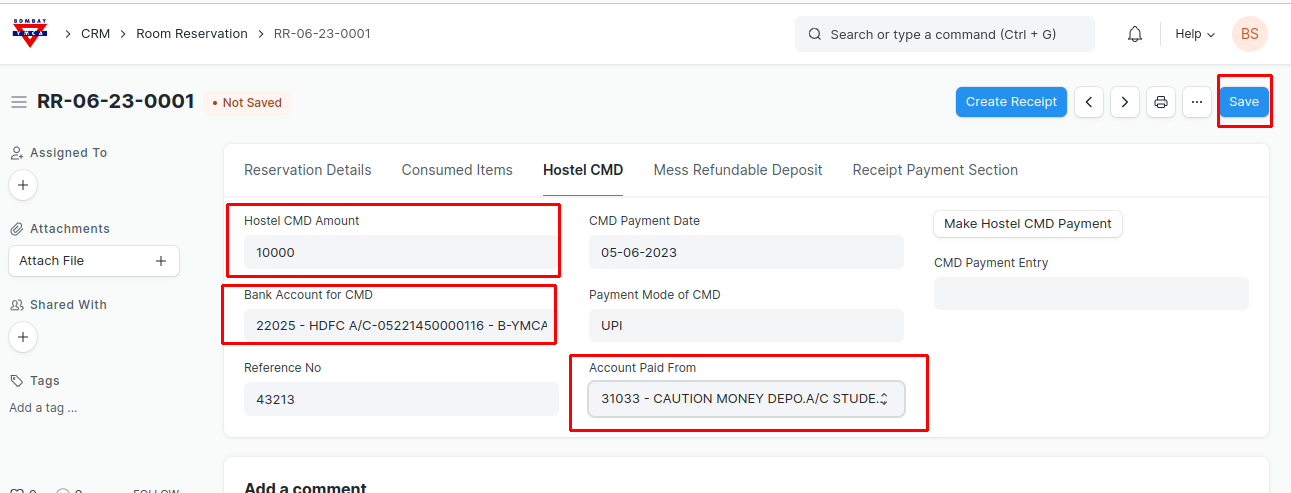
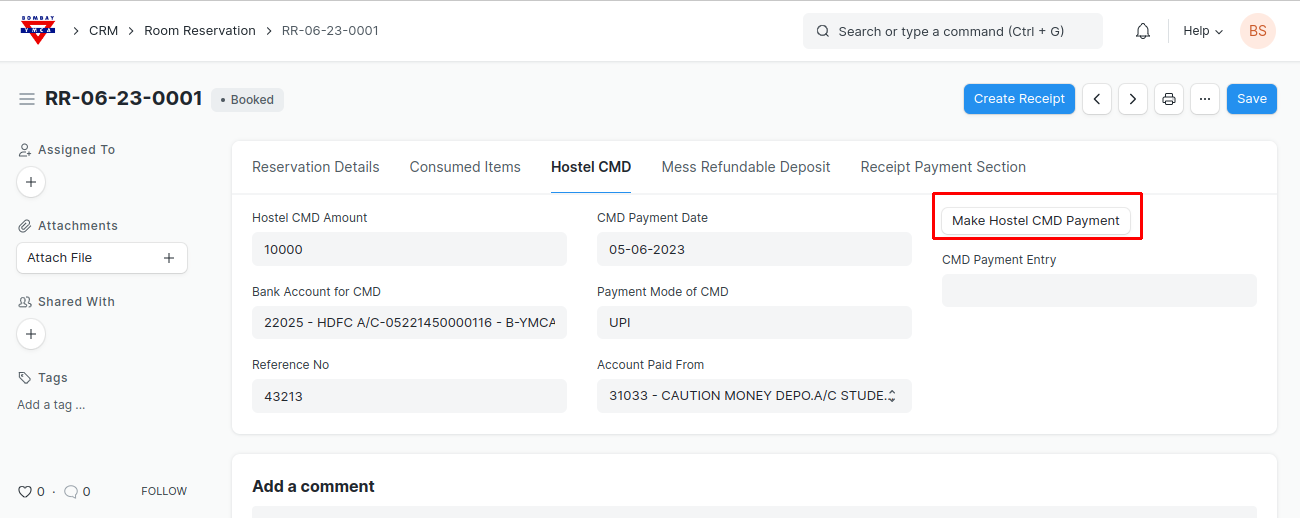
After Save. Click on "Make Hostel CMD Payment" button. Advance/Deposit Payment entry will get generated automatically against the respective guest.
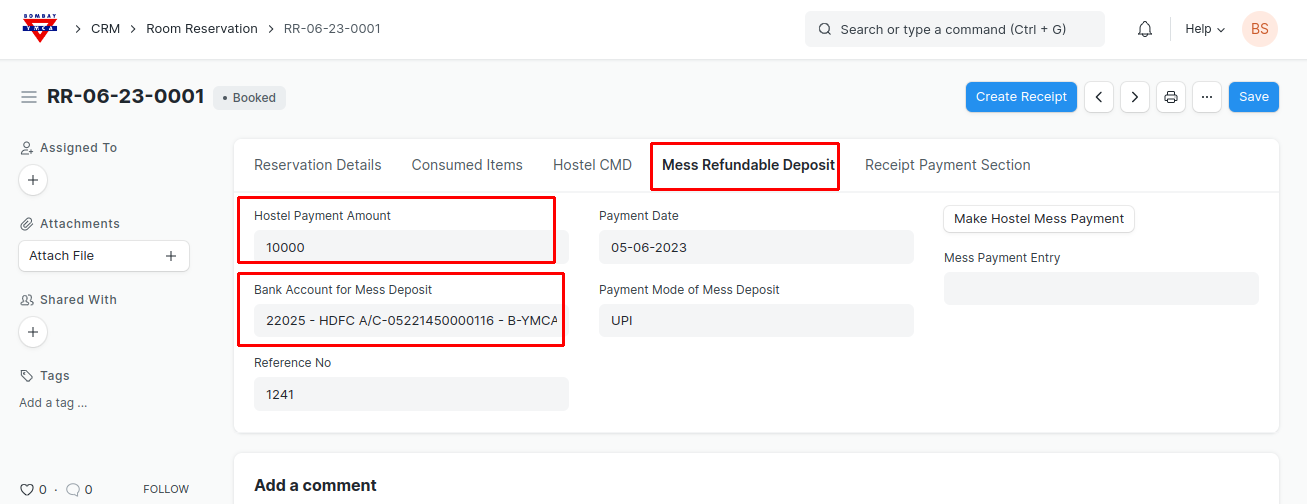
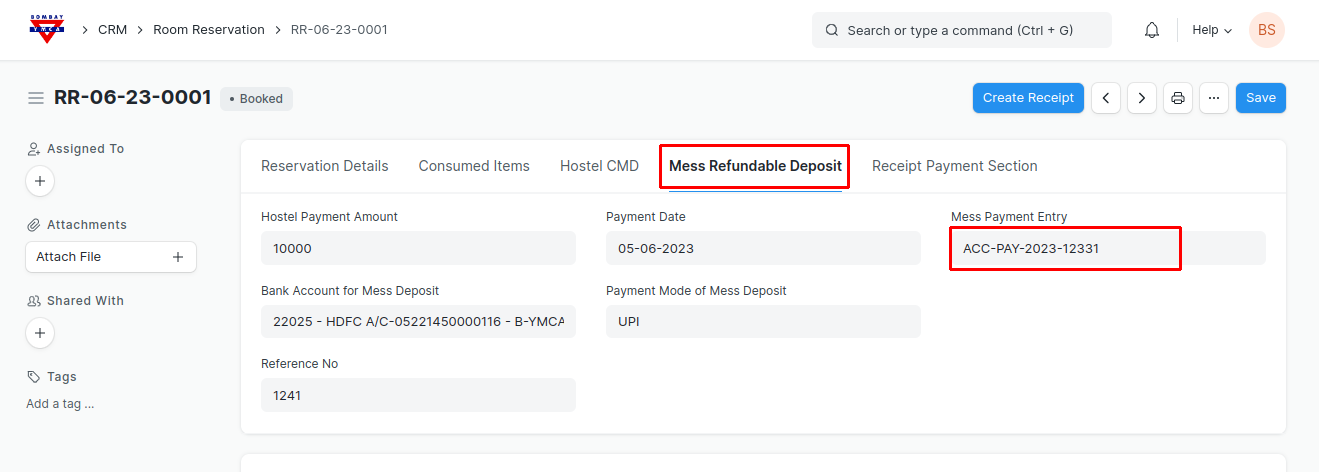
Same Process for the Mess Deposit. Go to "Mess Refundable deposit". Add payment details and click "Make Hostel mess Payment" button to make payment.
This will make the Mess payment entry in respective account.
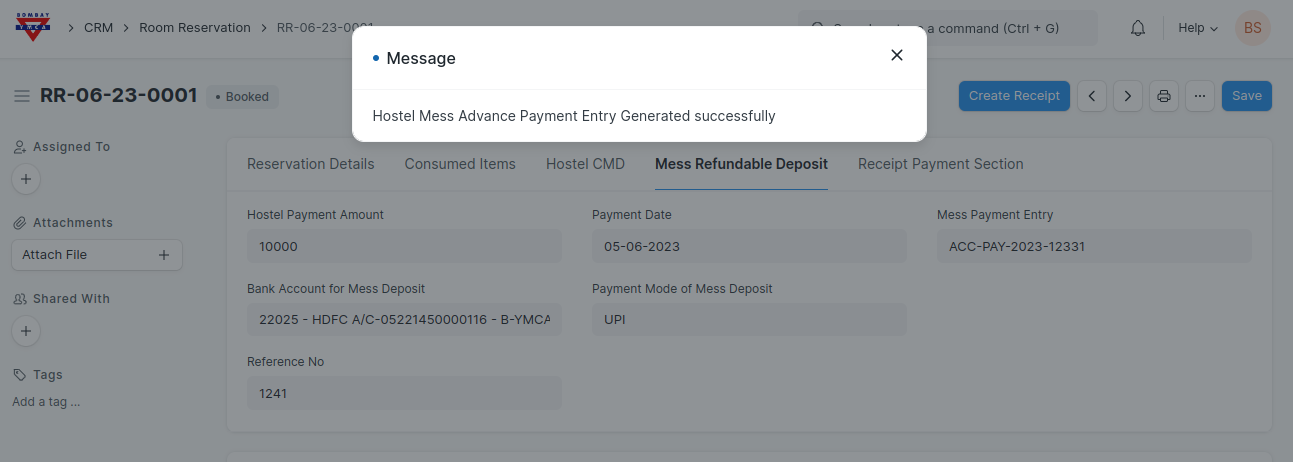
You will get the Hostel CMD as well as Mess Deposit Payment entry reference number in respective tabs.
Monthly Receipts:
To create Receipt against this Room Reservation
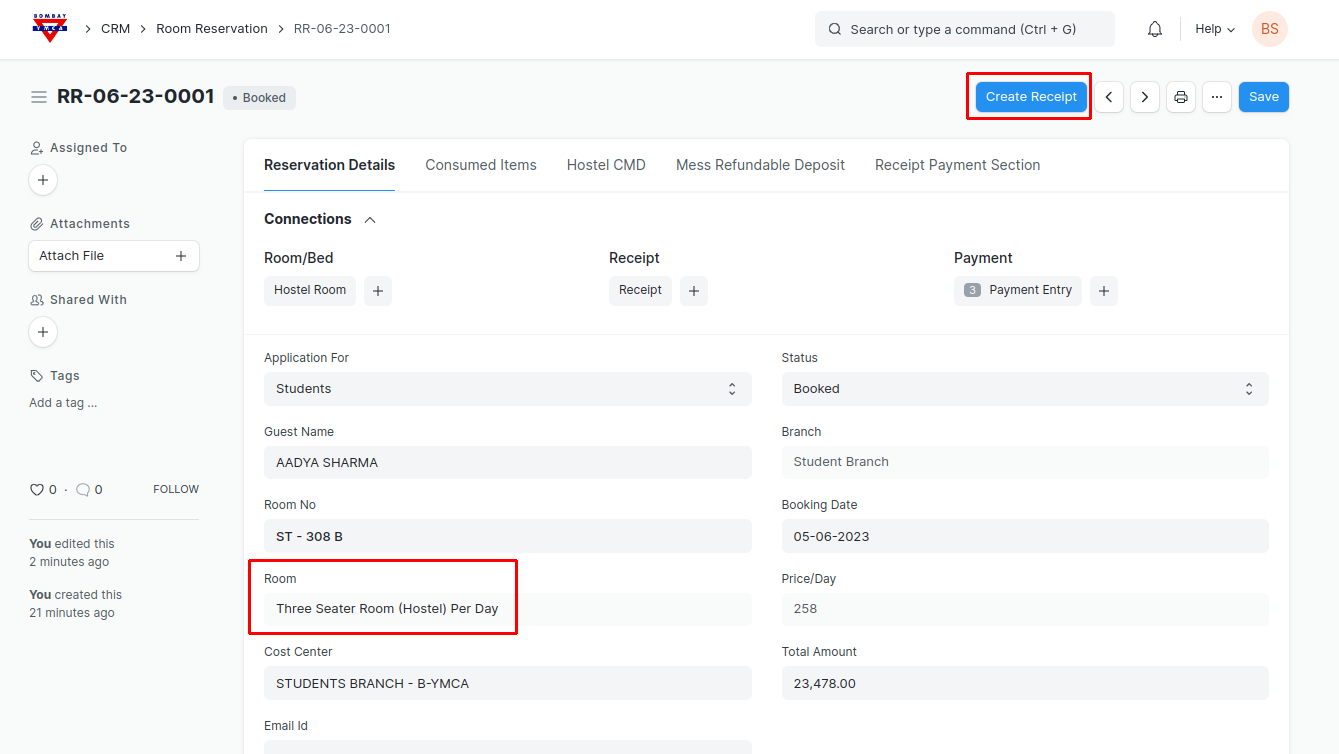
Go to Room Reservation record and click on "Create Receipt".
Clicking on "Create Receipt" you will redirected to the Receipt form.
Note: Before creating room receipt please check Room Occupancy (Room) is added, if not added go to respective room in Room master and add item in the respective room then it will automatically get fetched in respective Room reservation.
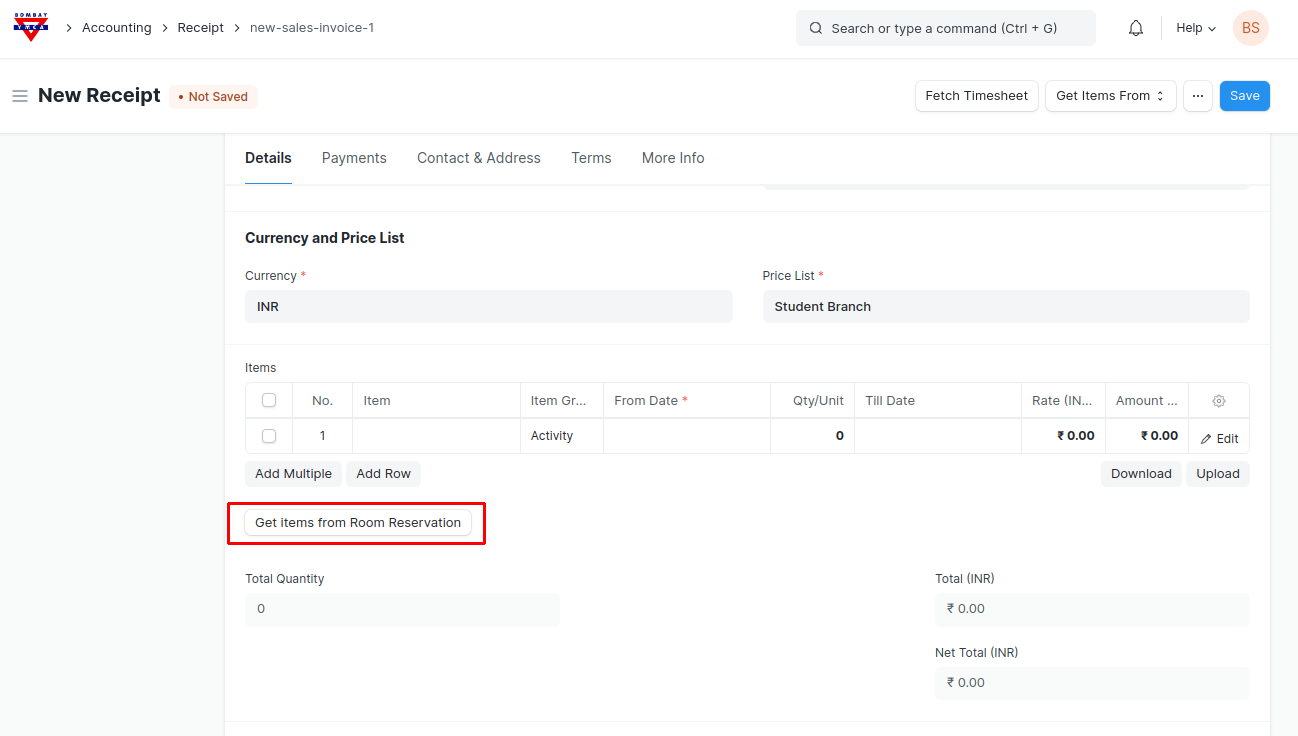
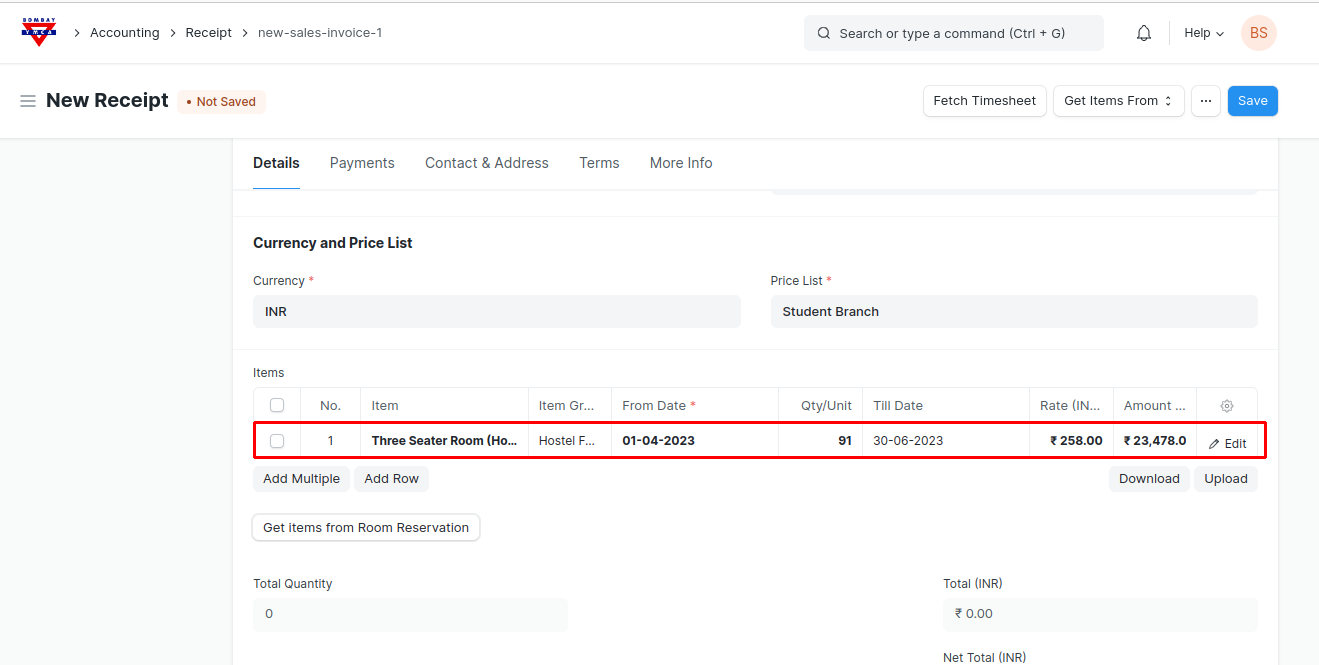
Check necessary details in receipt form and click on "Get items from Room Reservation" Button to get room details from Respective Room reservation.
- You can edit "From Date", "To Date" and "Quantity" according to you if want to change.
- "Rate" and "Amount" cannot be editable in Receipt. If want to change rate, change it in respective Room master that linked to the room reservation.
Add payment details in "Payment Section" and save.
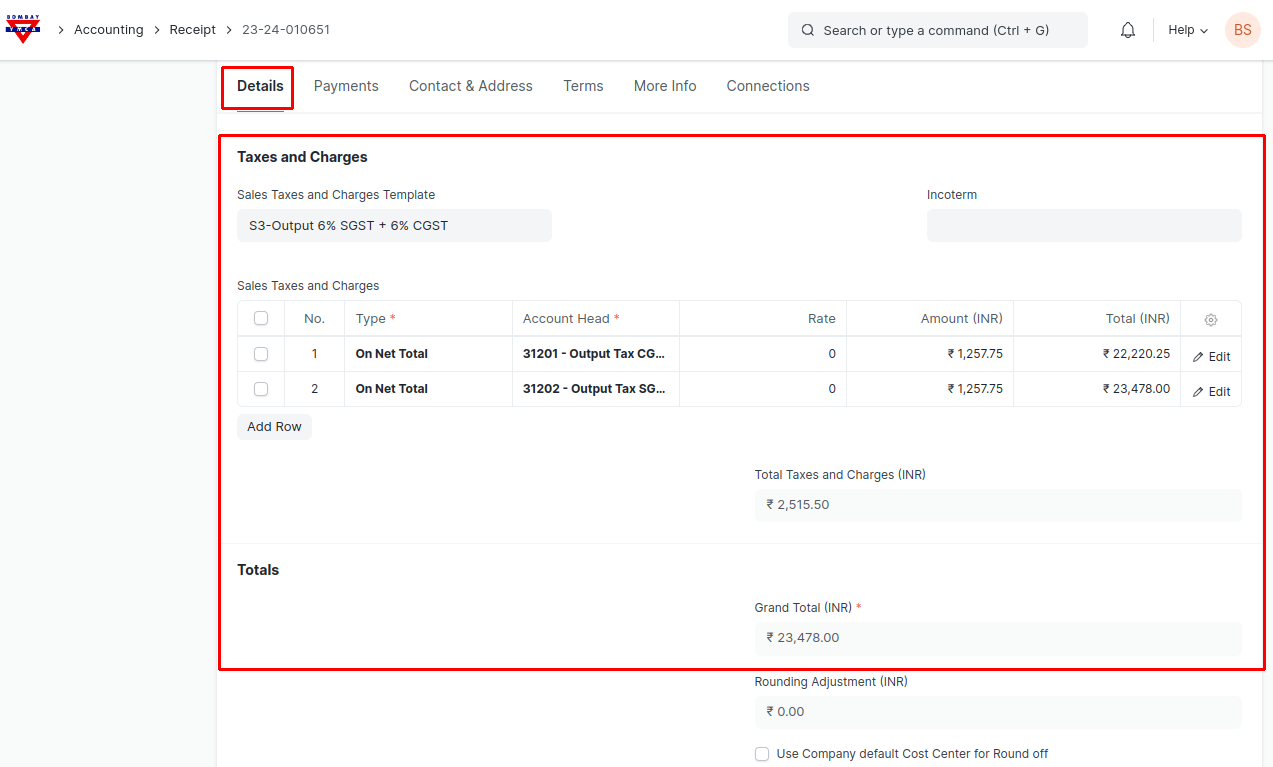
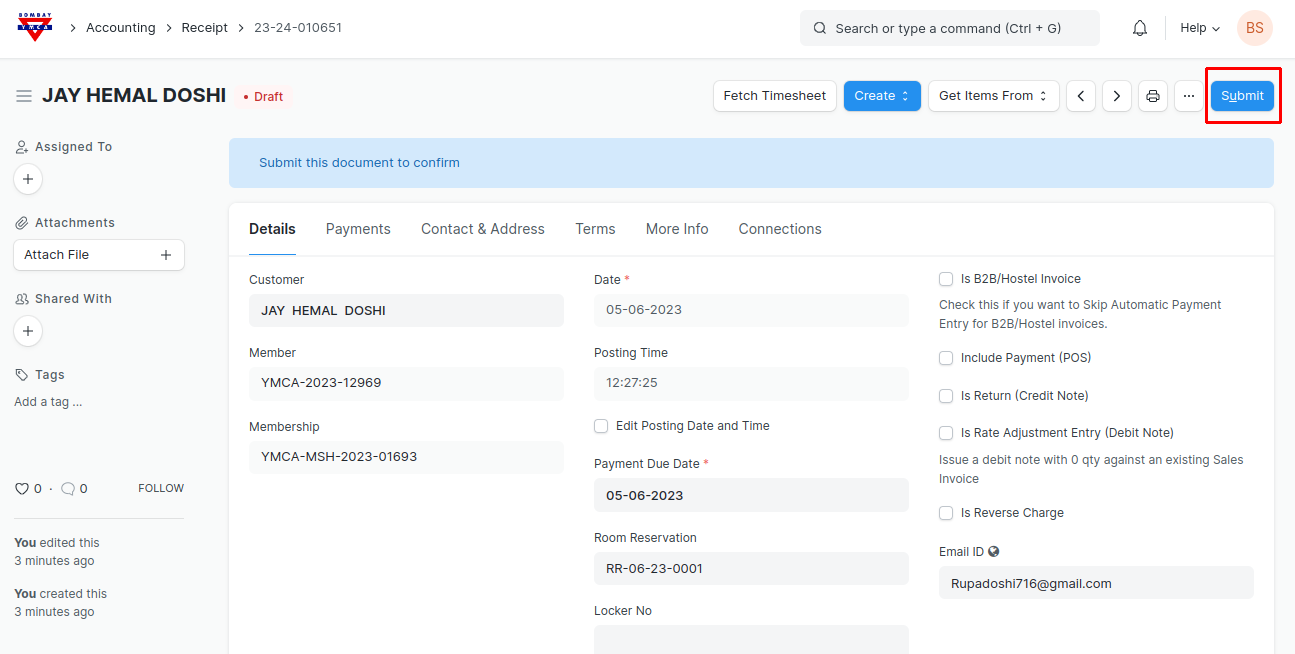
Check all the Tax details and Totals and Submit the form. Payment entry will get generated automatically against this Receipt.
*** End of the Document***
More articles on Room Booking