Bombay YMCA - Guest Room Booking and Creating Receipts
By Satish Aralkar on March 23, 2023
IntermediatePrerequisite - Ensure that candidate has taken membership and Receipt is created for membership.
Room Master creation:
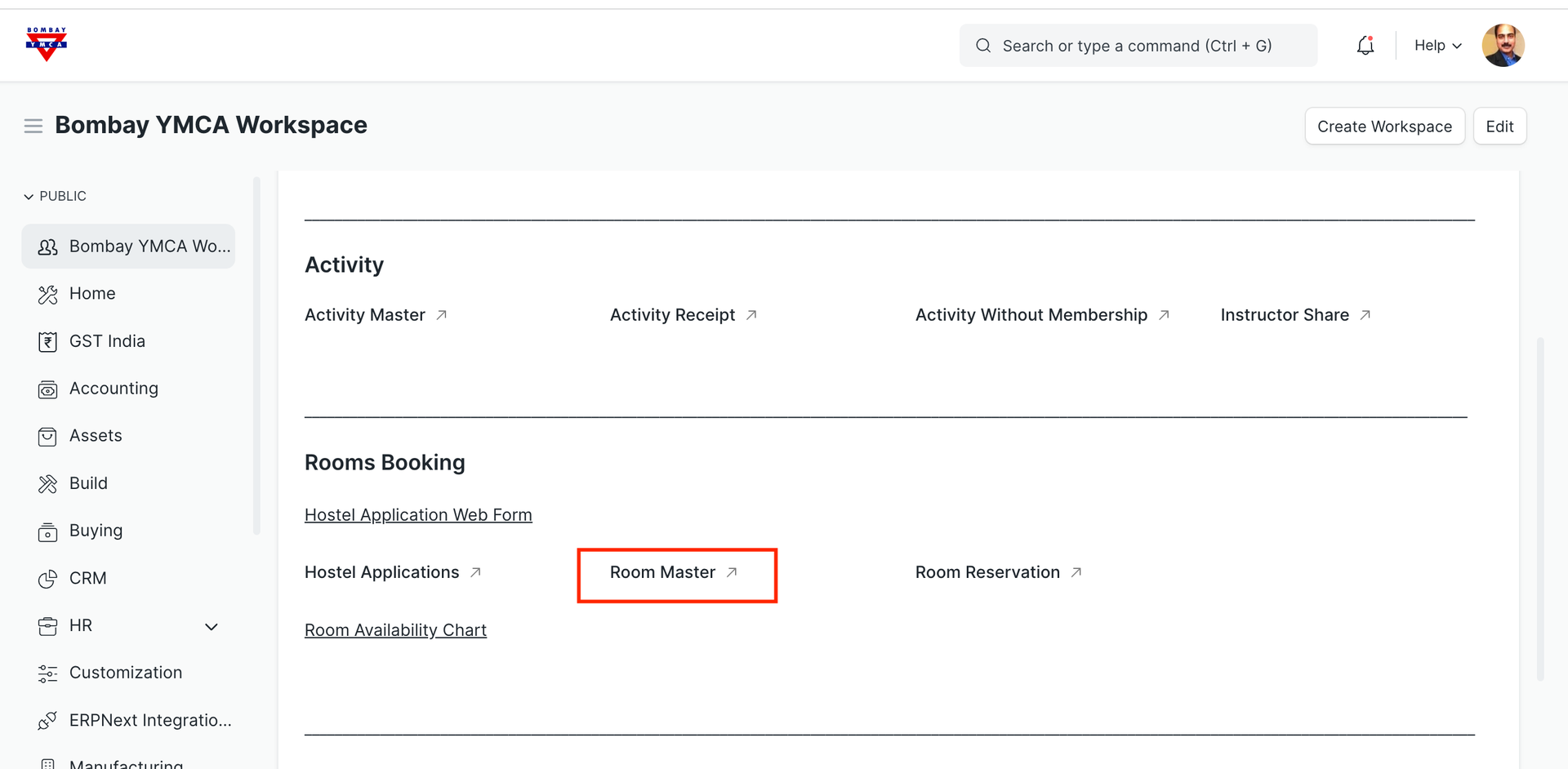
Click on "Room Master"
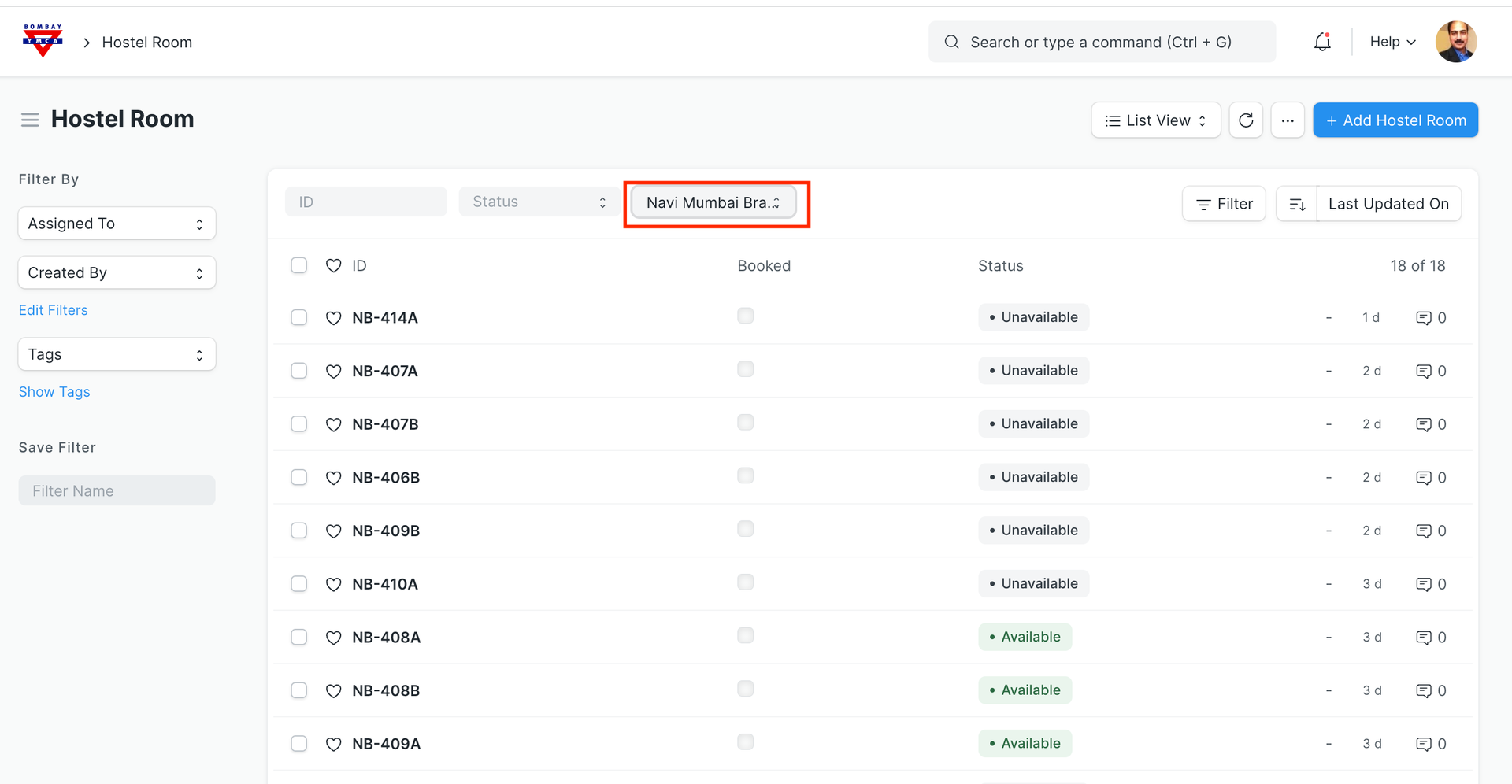
From the filter selection, select your Branch to check the room availablity.
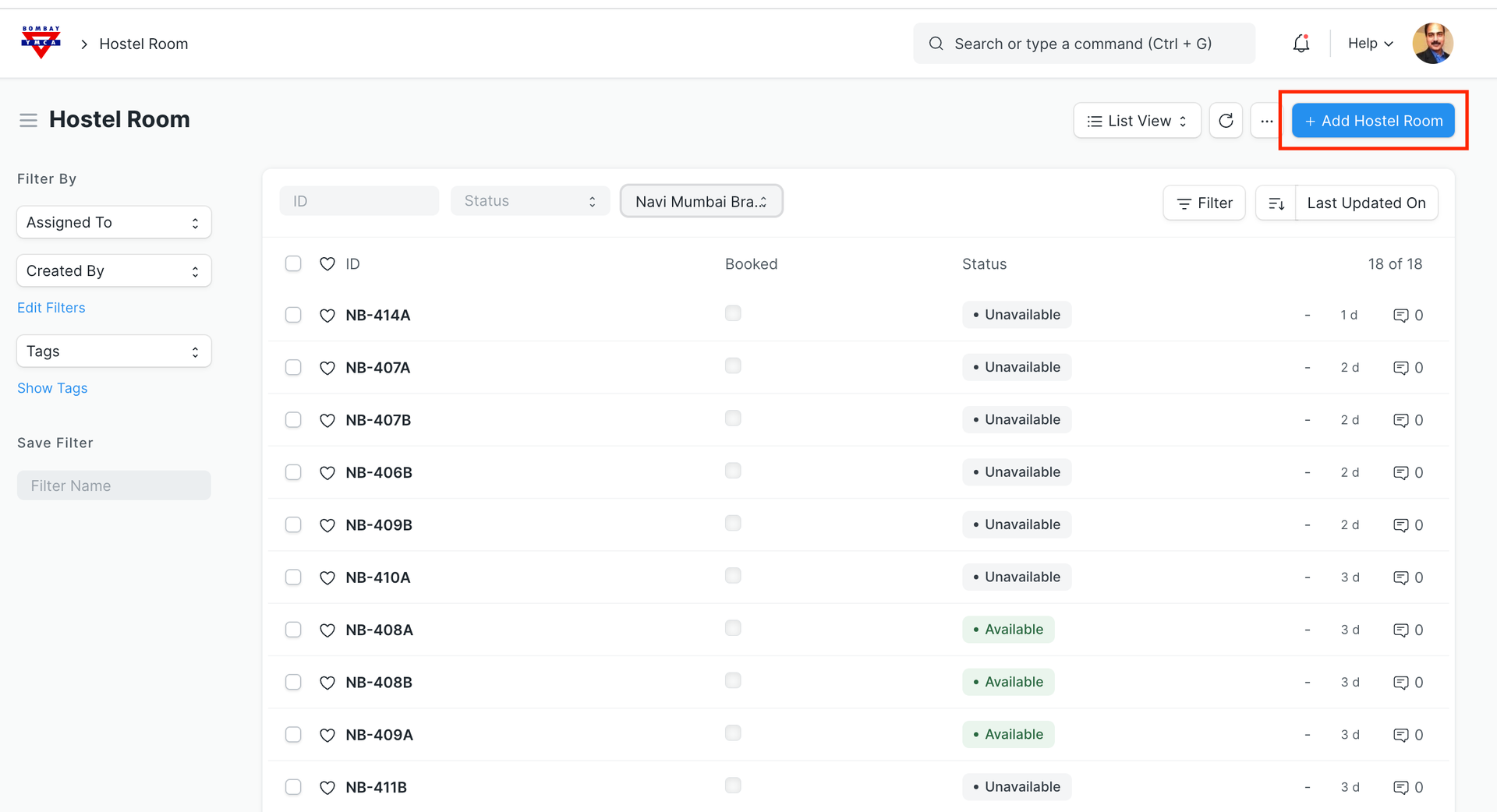
If you don't find your room in list, create new room. Click on "Add Hostel Room"
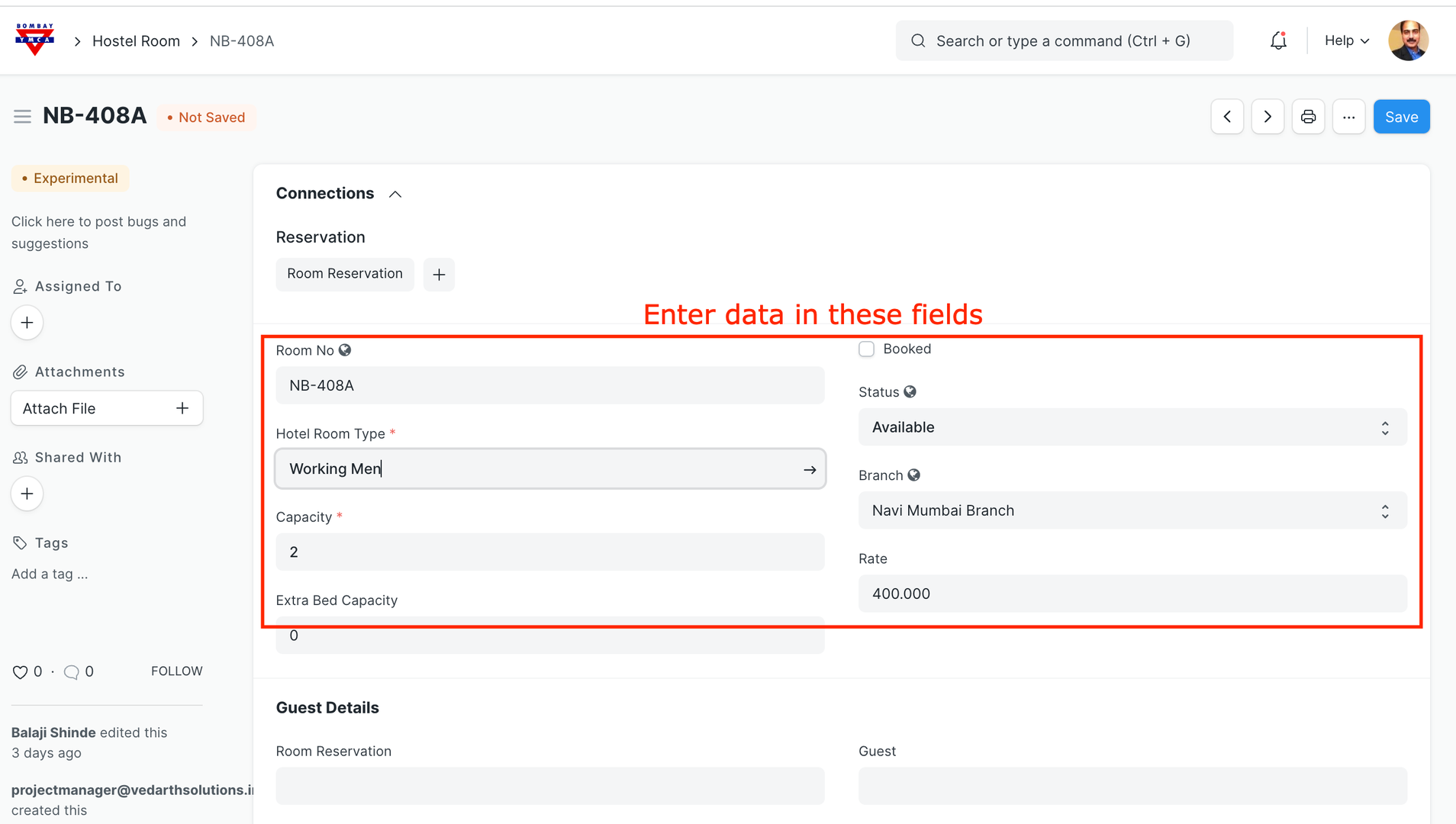
Click on Save.
You have created new room. You will find the status of this room as "Available"
Now we have to assign this room to guest.
Go to room master and click on "Room Reservation" +
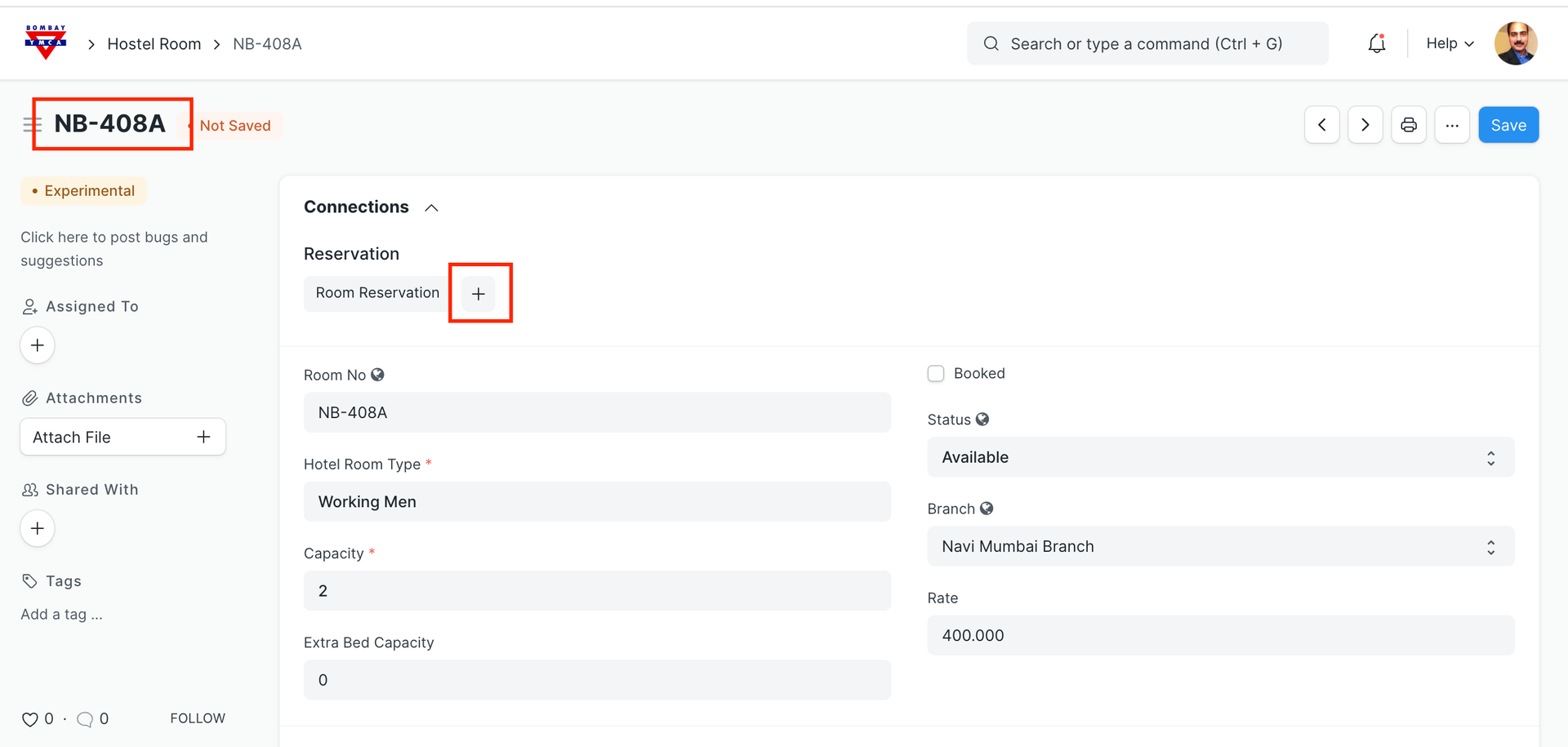
New window will open as below.
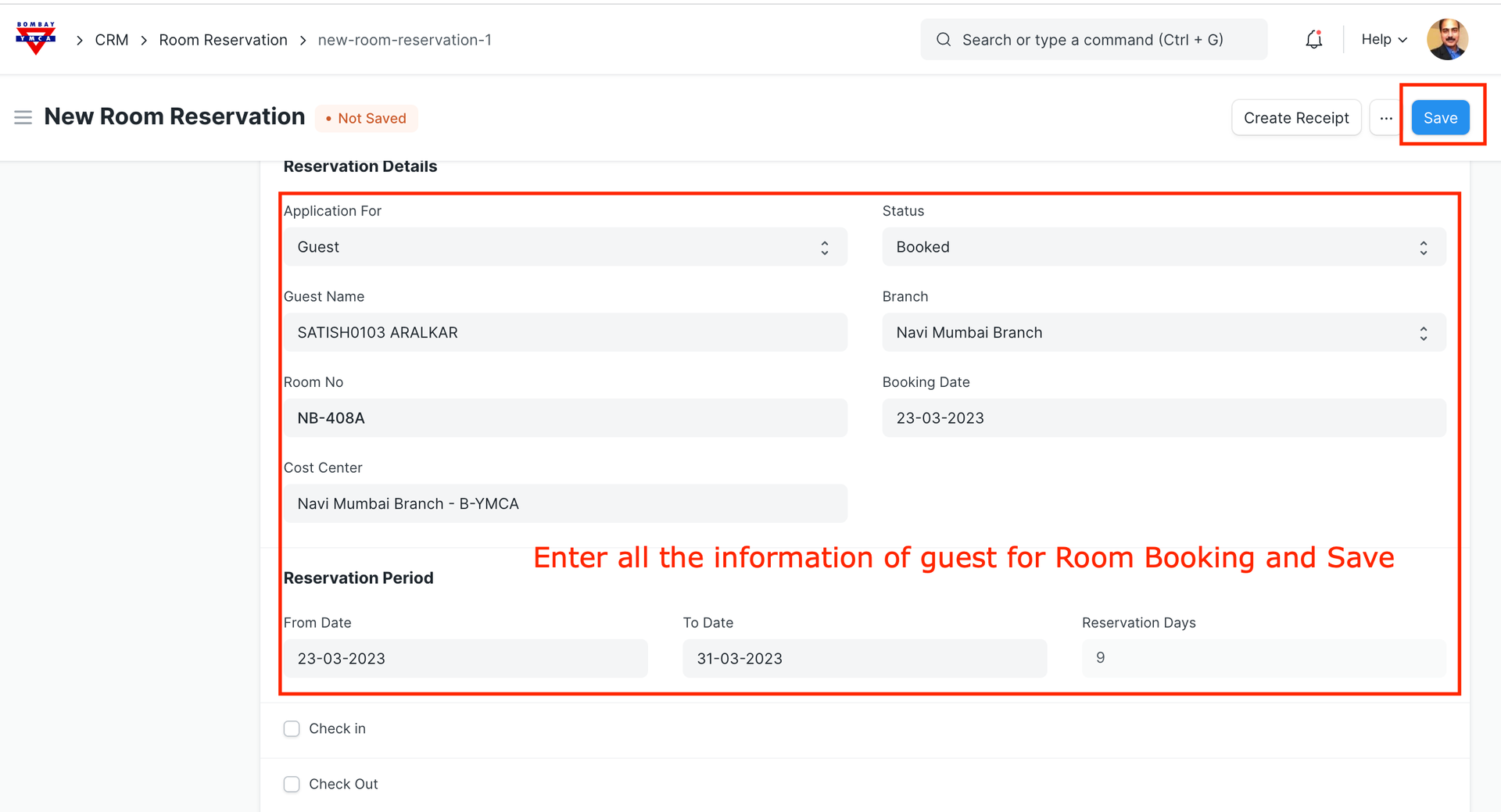
Save.
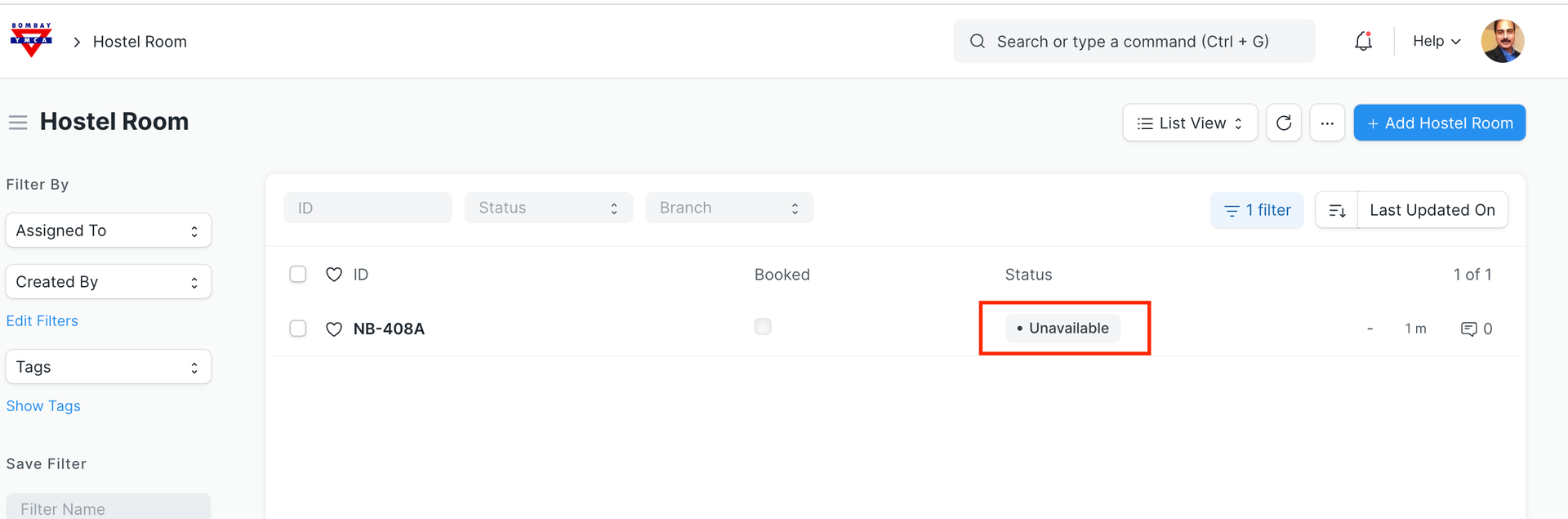
Room status will be "Unavailable"
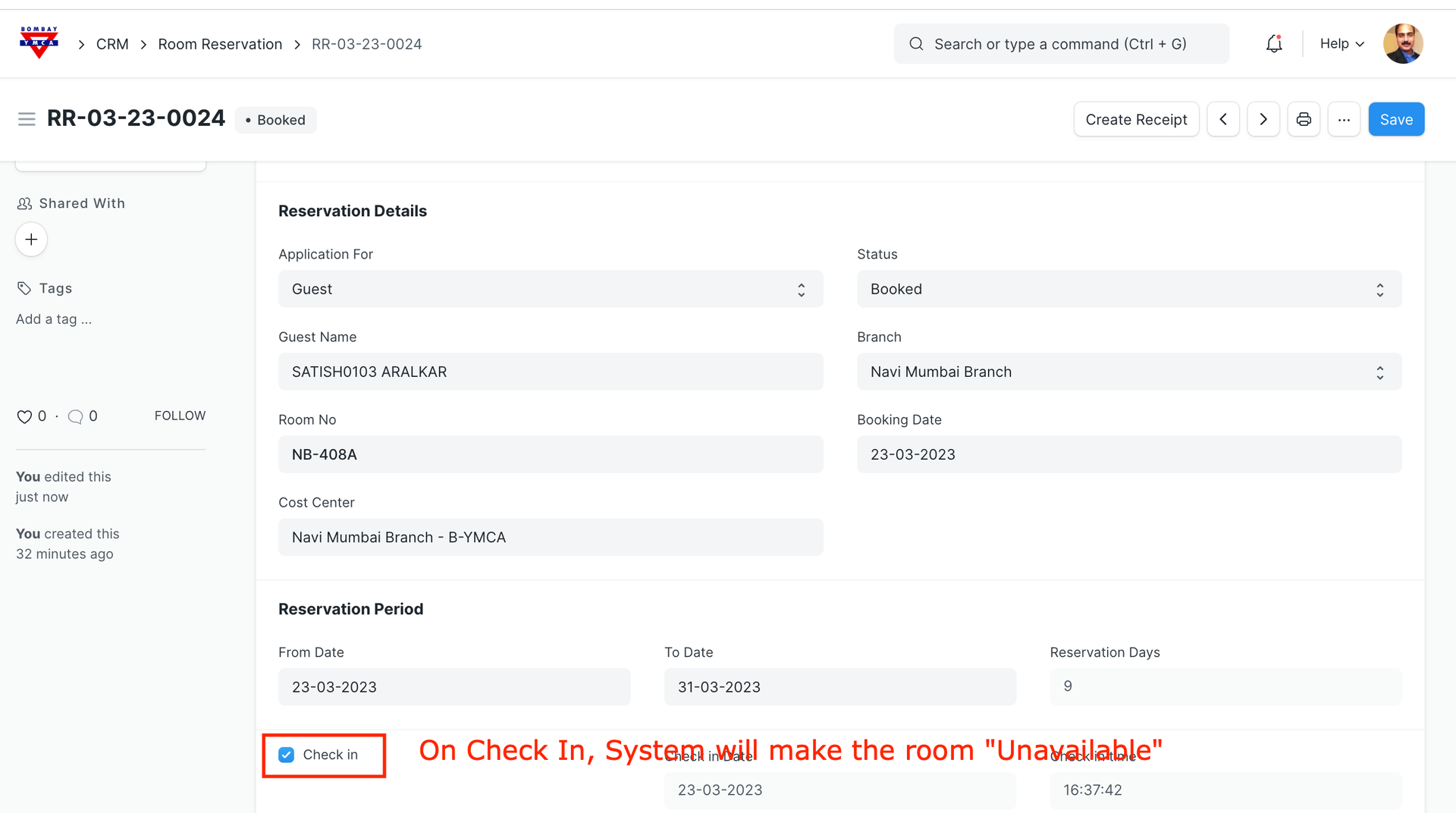
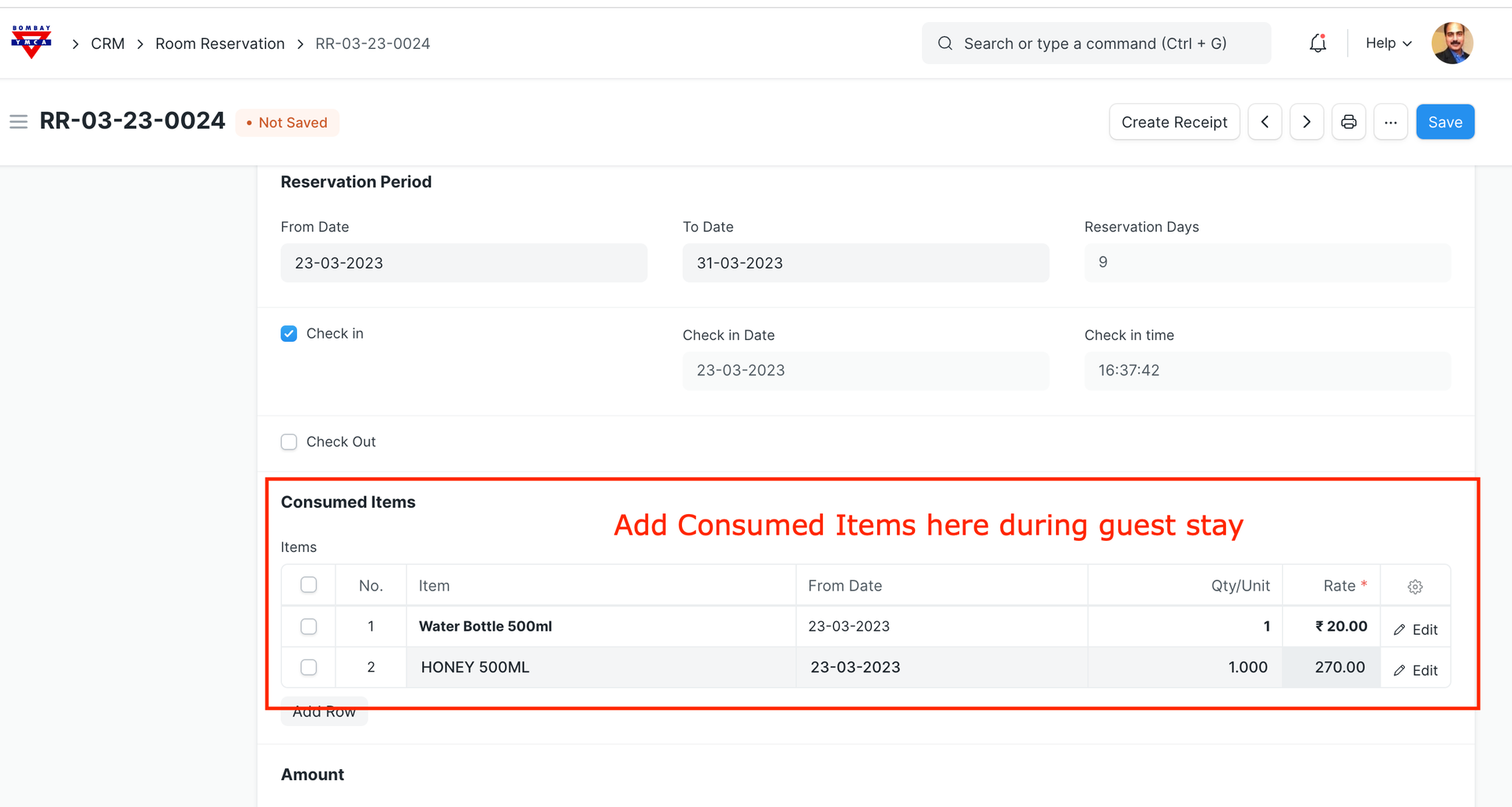
Enter Cost center and Branch and save data.
Click on Check-out and "Create Receipt"
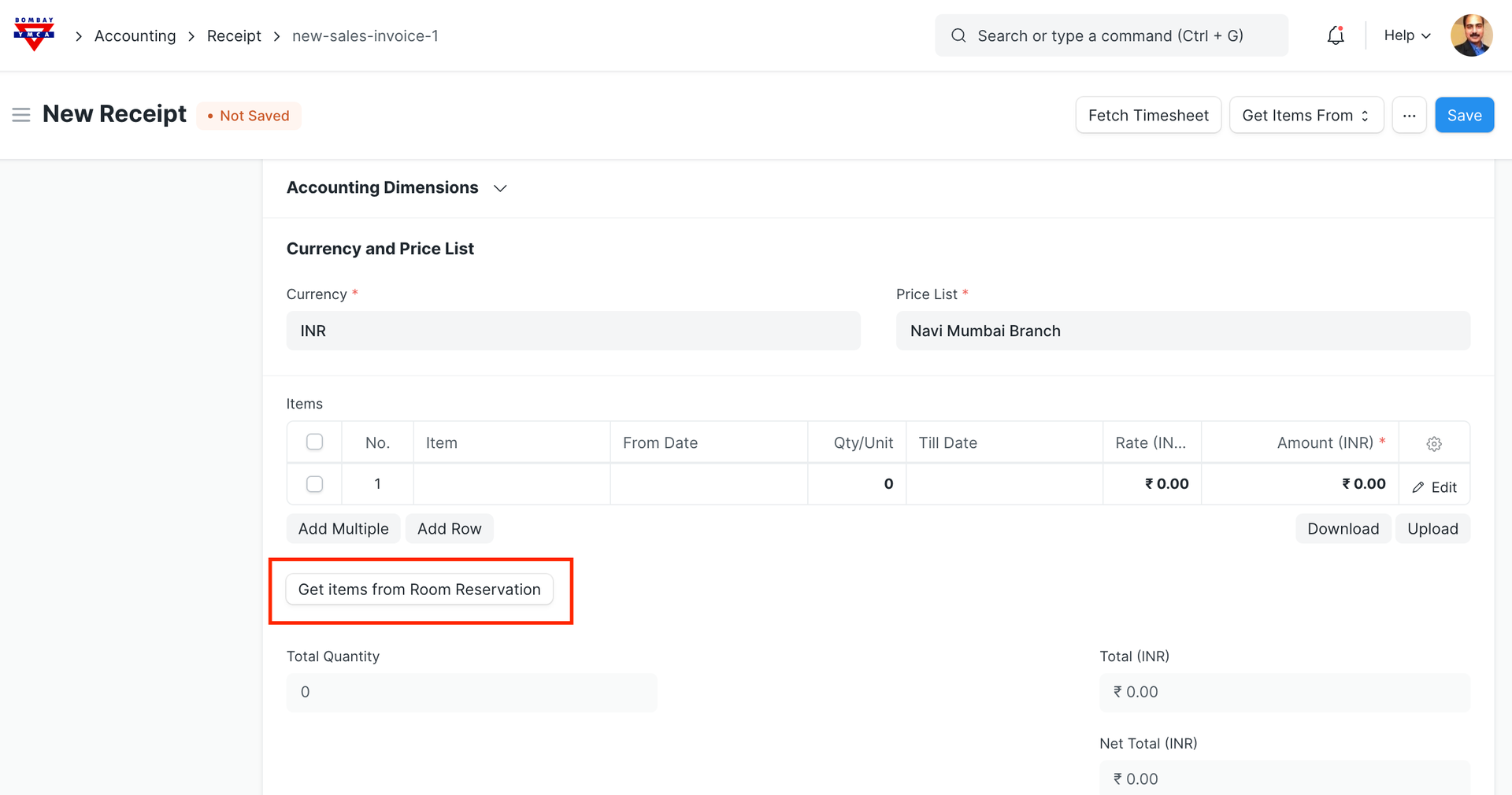
New window will open, click on "Get Items from Room Reservation"
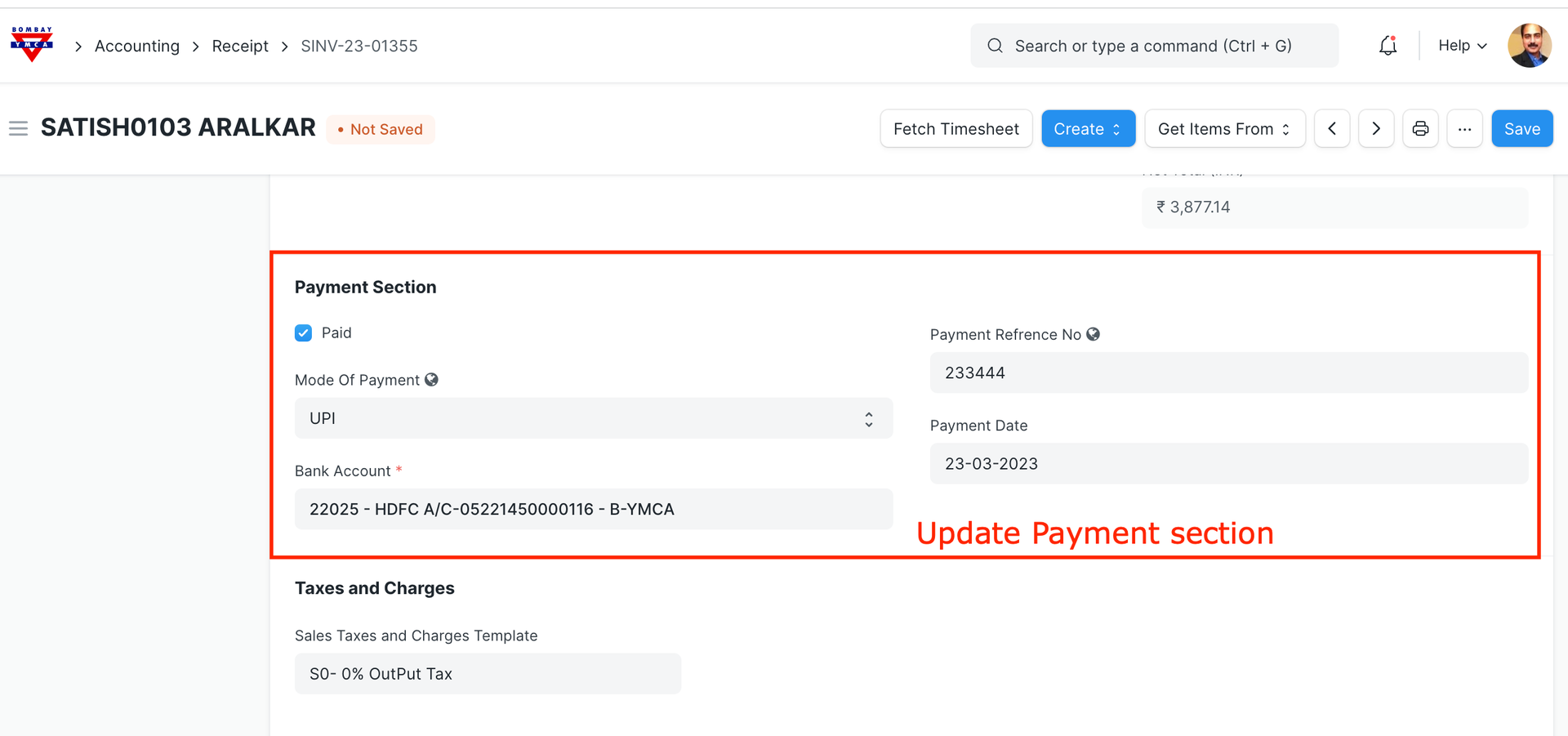
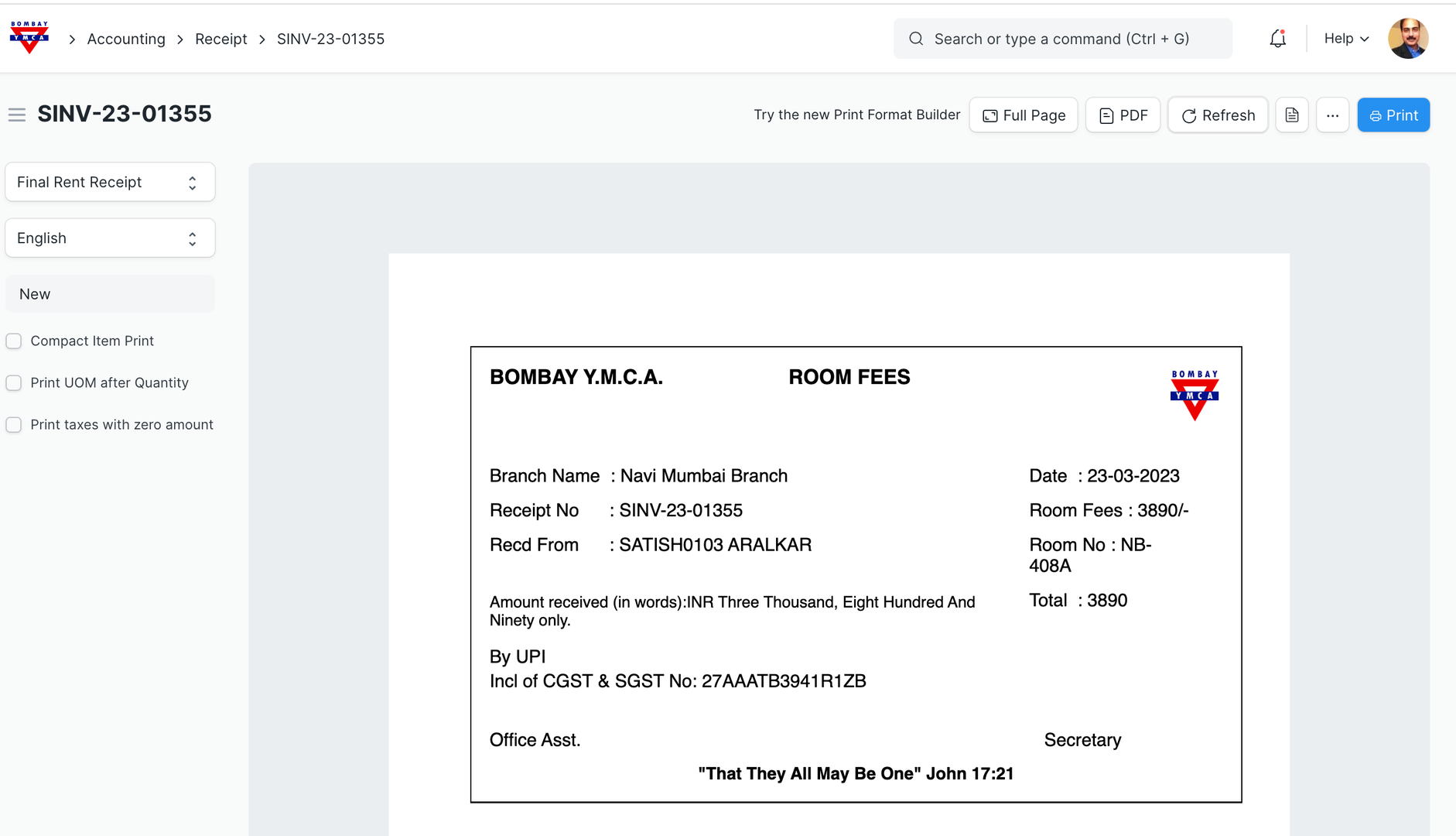
Submit Receipt and take a print.
*** End of Process ***
Was this article helpful?
More articles on Room Booking