Bombay YMCA - If member is first Customer and later join YMCA Membership
By Balaji Shinde on May 17, 2023
Intermediate- To Disable the Existing Customer. Go to the Customer In the Customer Master
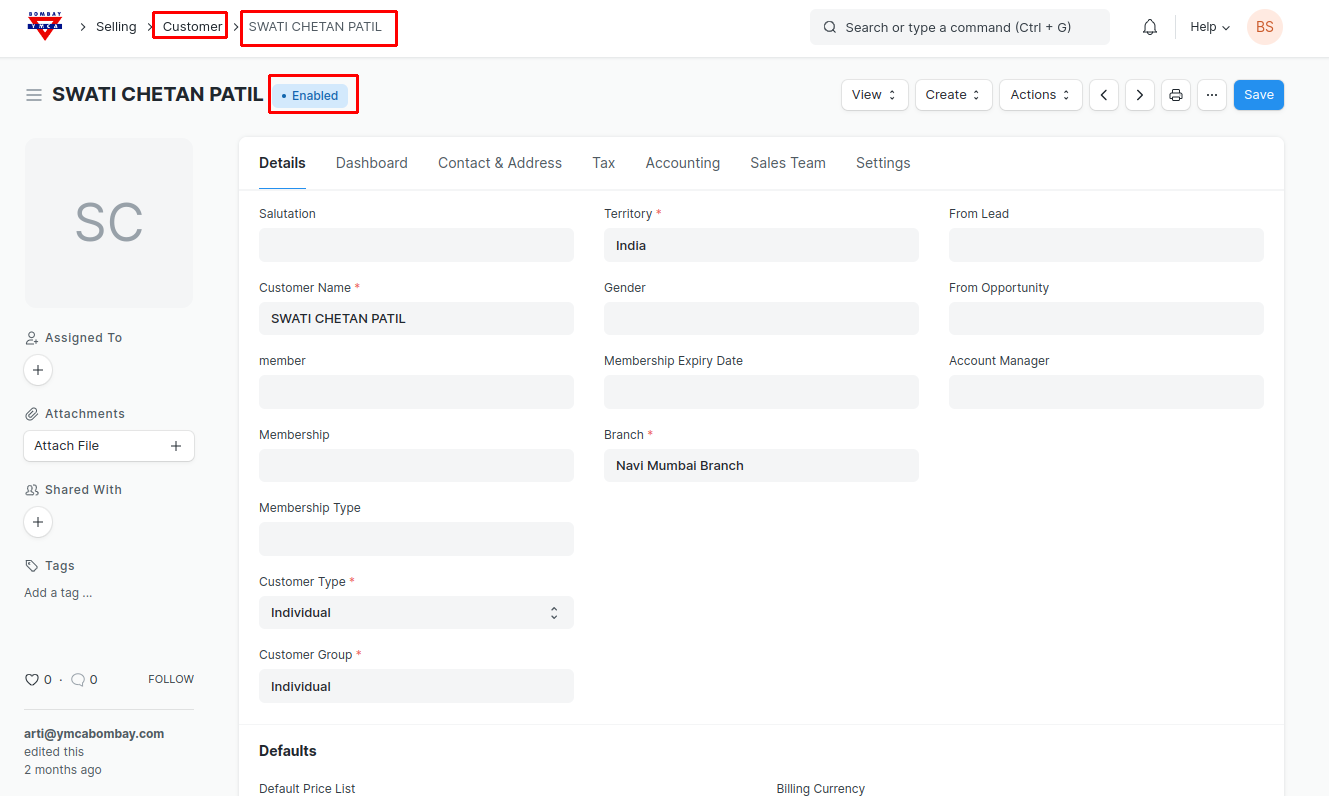
- In the Customer go to Settings Tab and check the Disable checkbox to disable the Customer and Save.
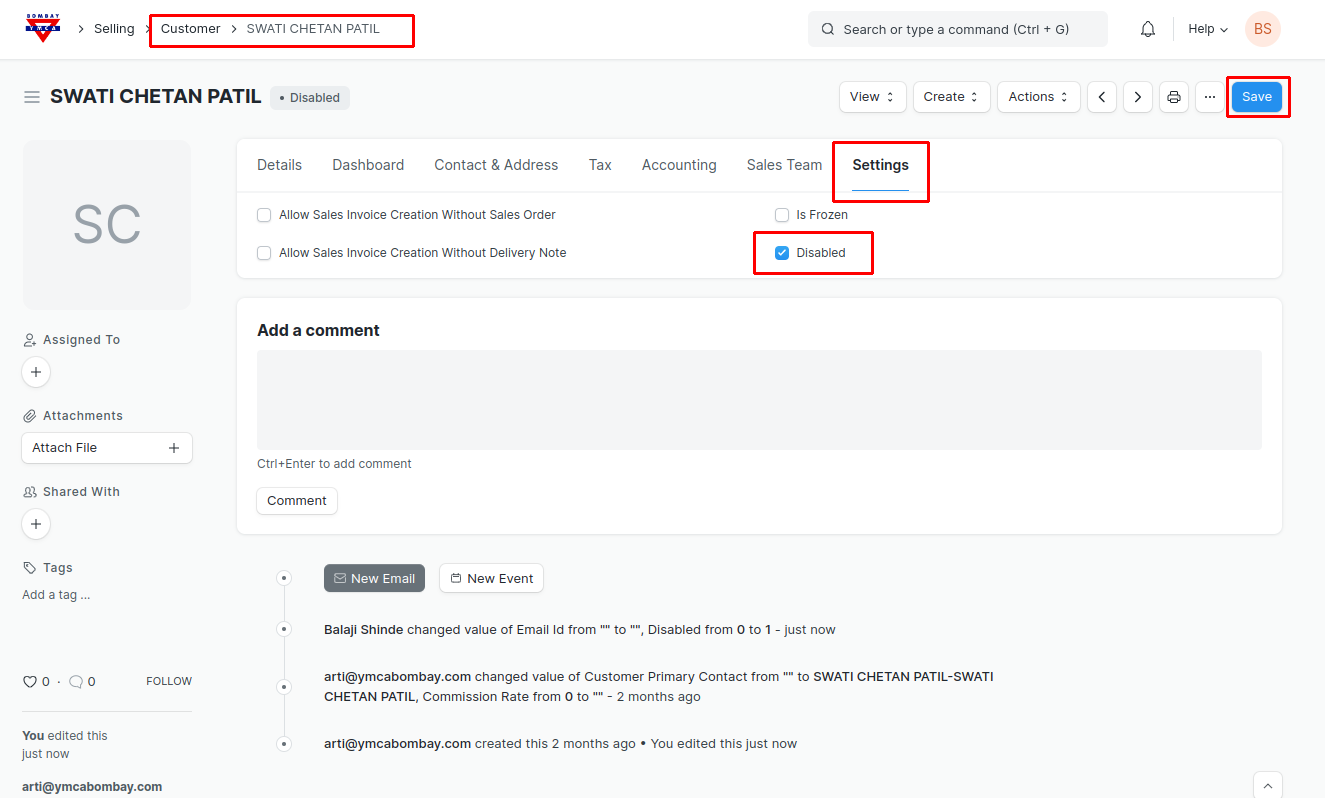
***Existing Customer Will get Disabled.***
Once the existing Customer is Disabled You can Create the new Customer.
1) If member is first Customer ( created for swimming) and later wants to join YMCA Membership, He/she will have to fill the Membership application form from website.
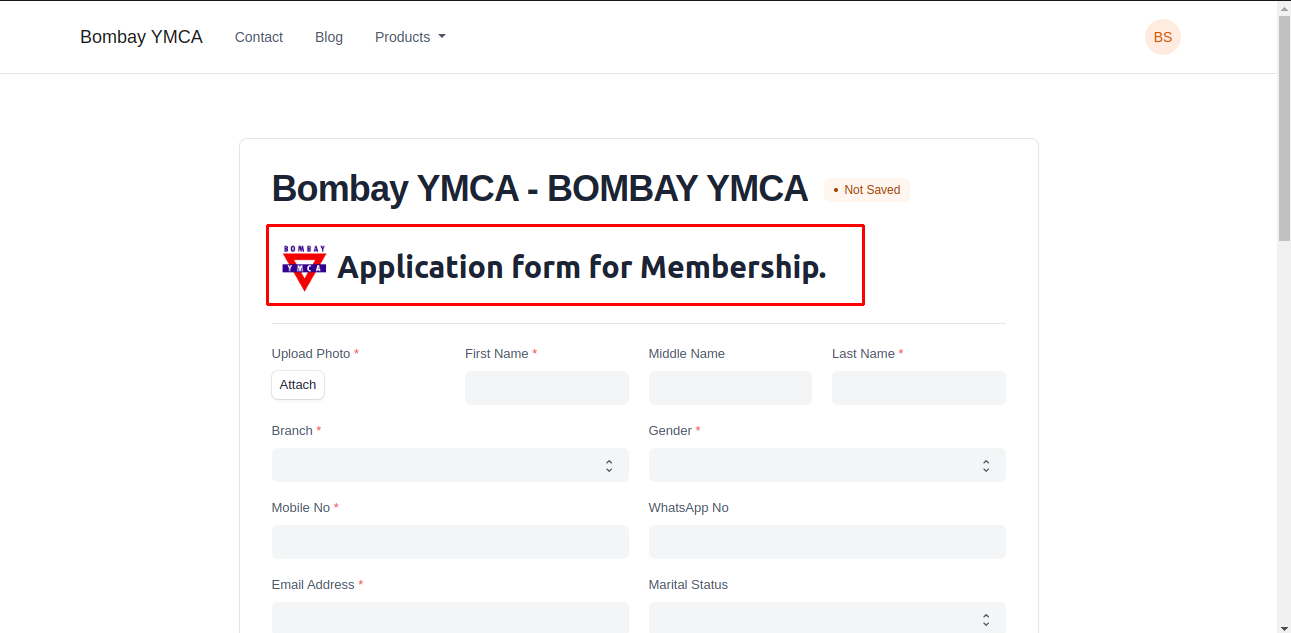
2) After application, Member will get created in the Member list. After Approve, Membership & New Customer (apart from existing customer) will get created in the system.
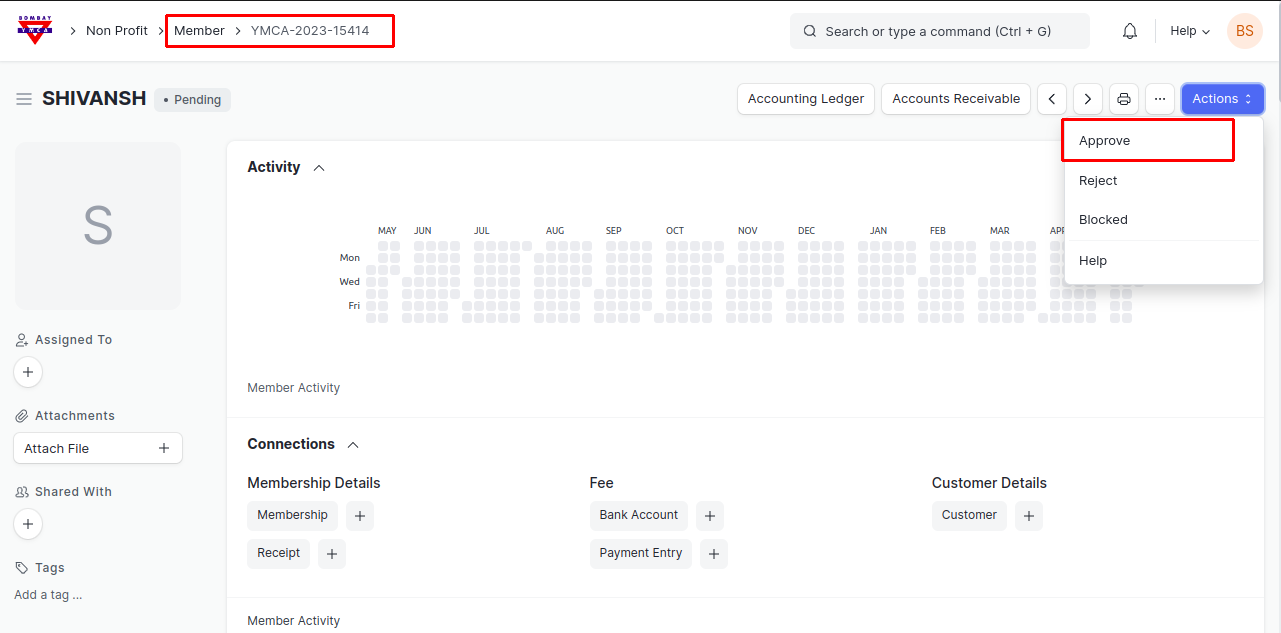
3) After Approve, Membership & New Customer (apart from existing customer) will get created in the system.
Note : If member is first Customer and later join YMCA Membership Existing customer will not get linked with the newly created member or membership, the new customer will get created here. To avoid confusion when new customer created you can disable existing customer.
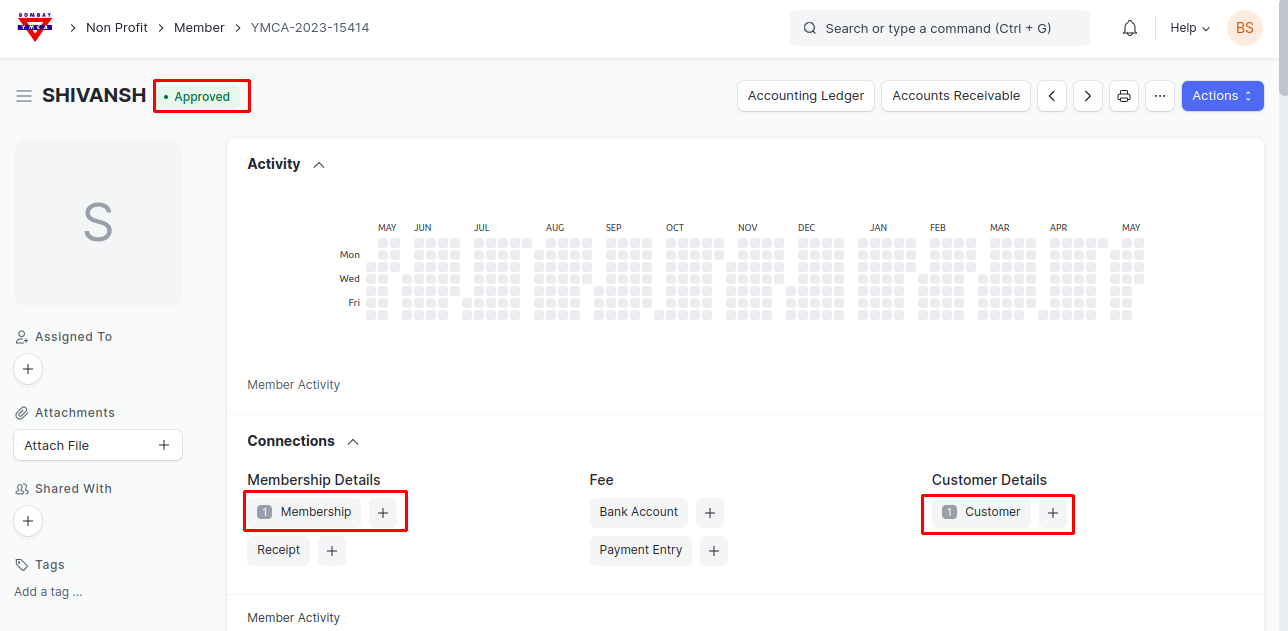
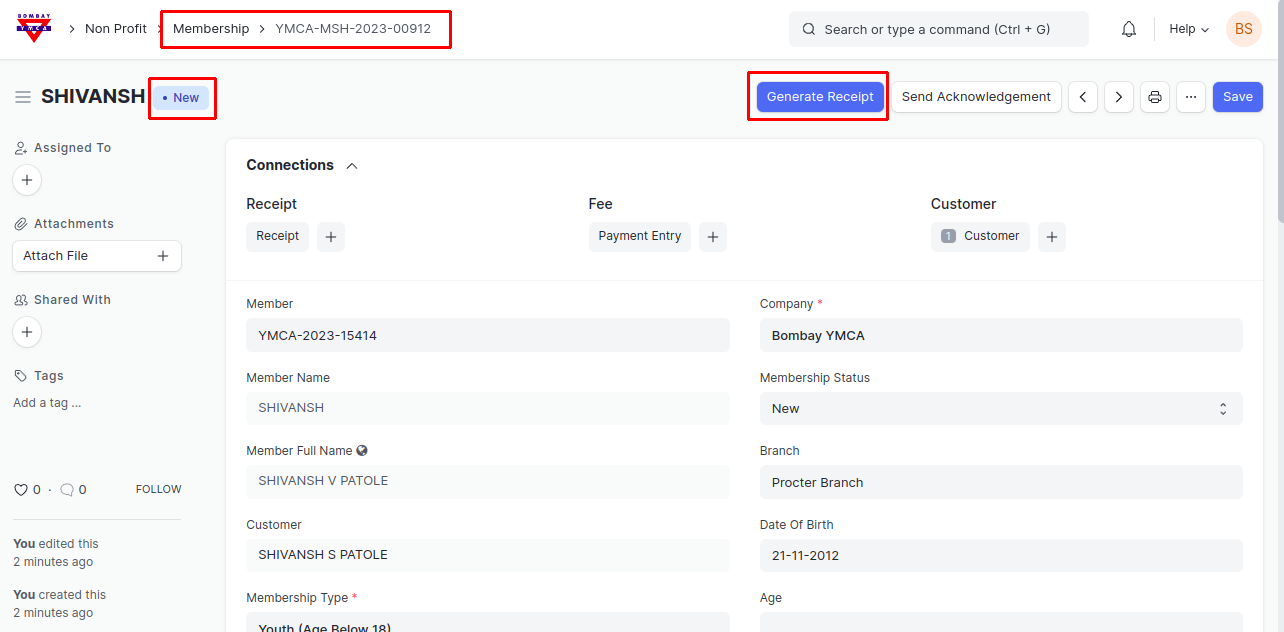
4) After Approval, membership form will get created, From here after filling necessary information you can generated Receipt for Membership.
***End Of The Document***
More articles on Member & Membership