Bombay YMCA - Create Member from Donation
By Balaji Shinde on July 24, 2023
Intermediate- To create Member from Donation.
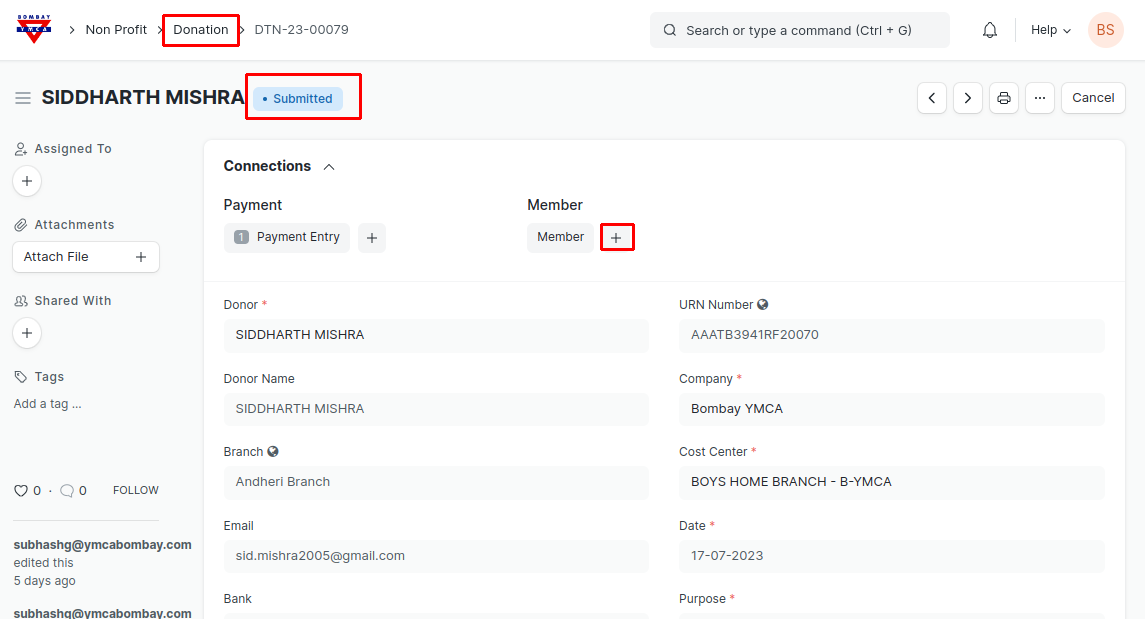
- Go to Donation. After Submission of Donation click on "+" next to Member to create Member.
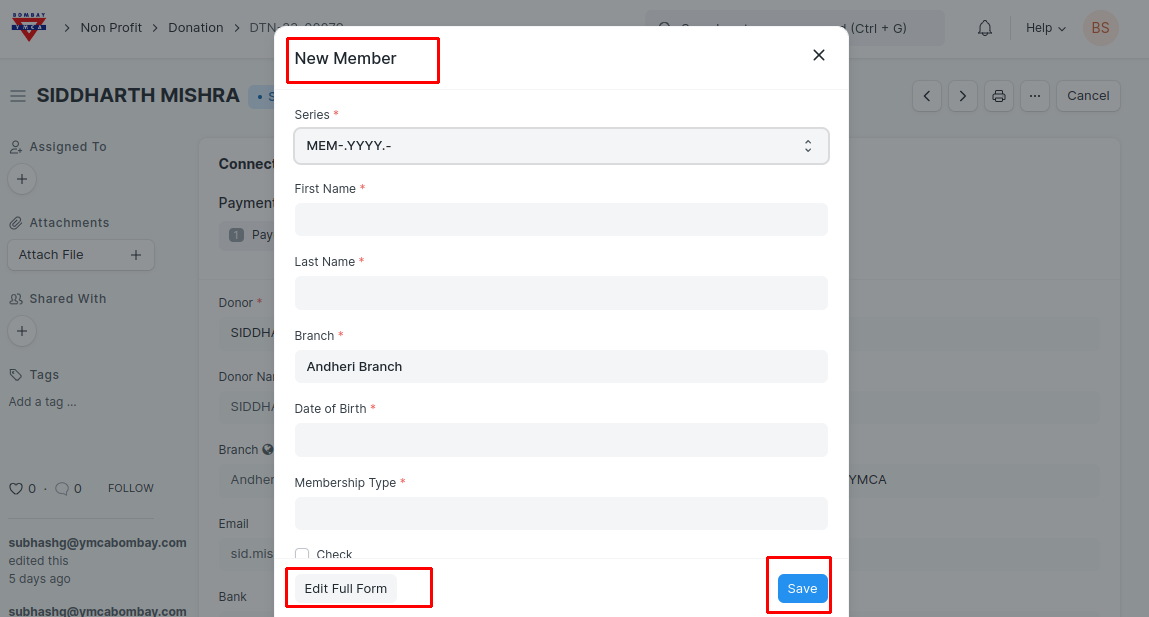
- After clicking on " Member +" pop up window will open. fill the necessary details and save. Member will get created.
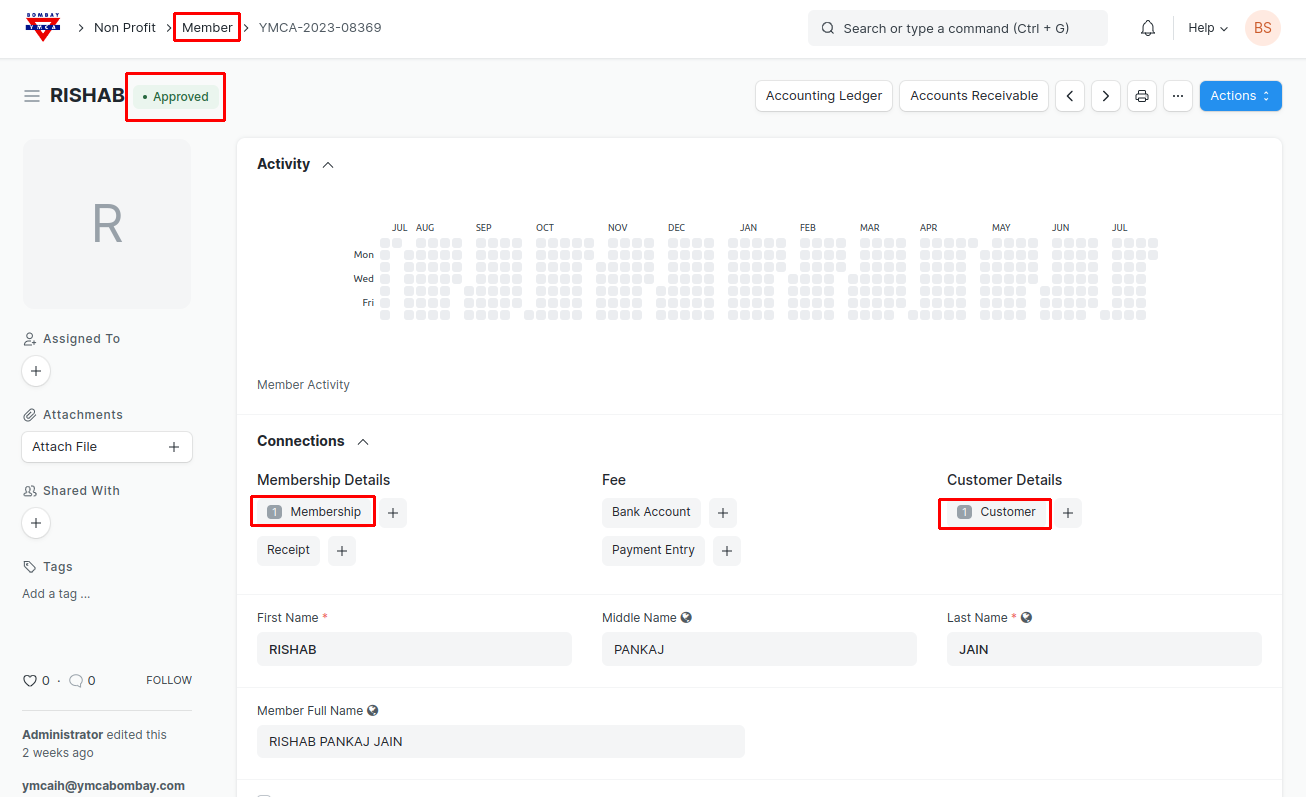
- Once Member will get Approved, Membership and Customer will be created Automatically in the background.
- Go to the Membership Record check the information and click on "Membership Already Taken" to skip the payment Details.
- For "Life Member" Payment entry created in the Donation.
- Once the Membership Updated. You can create any Activity Receipts for the Respective member.
***End of the document***
Was this article helpful?
More articles on Donor