Bombay YMCA - How to allocate the leaves
By Reshma TW on July 24, 2023
BeginnerLeave Allocation:
Leave Allocation enables you to allocate a specific number of leaves of a particular type to an Employee.
To access Leave Allocation, go to:
Home > Human Resources > Leaves > Leave Allocation
Before creating a Leave Allocation, it is advisable you create the following documents:
- Employee
- Leave Type
- Leave Period
- Leave Policy
2. How to create a Leave Allocation.
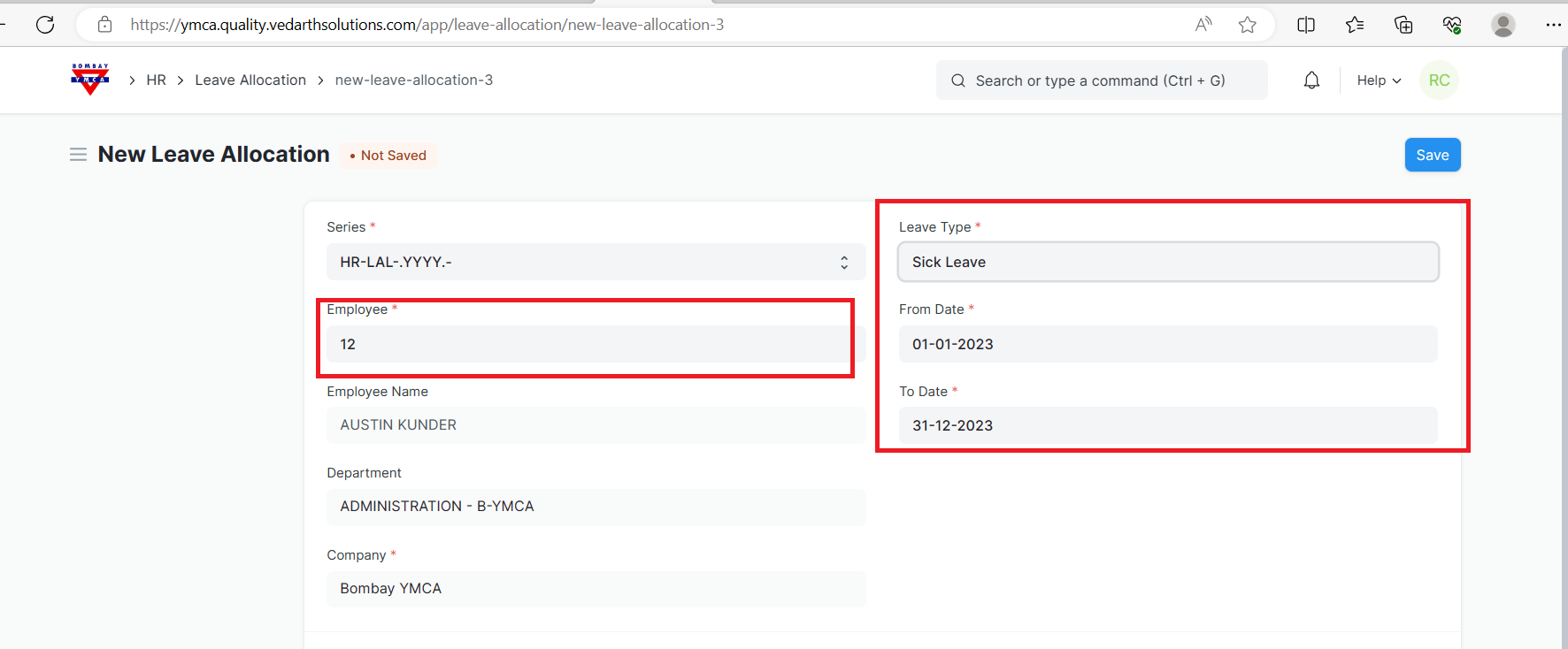
- Go to Leave Allocation list, click on New.
- Select the Employee, Leave Type, From Date and To Date.
3.Enter the number of New Leaves Allocated for that particular Leave Type.
4.Save and Submit.
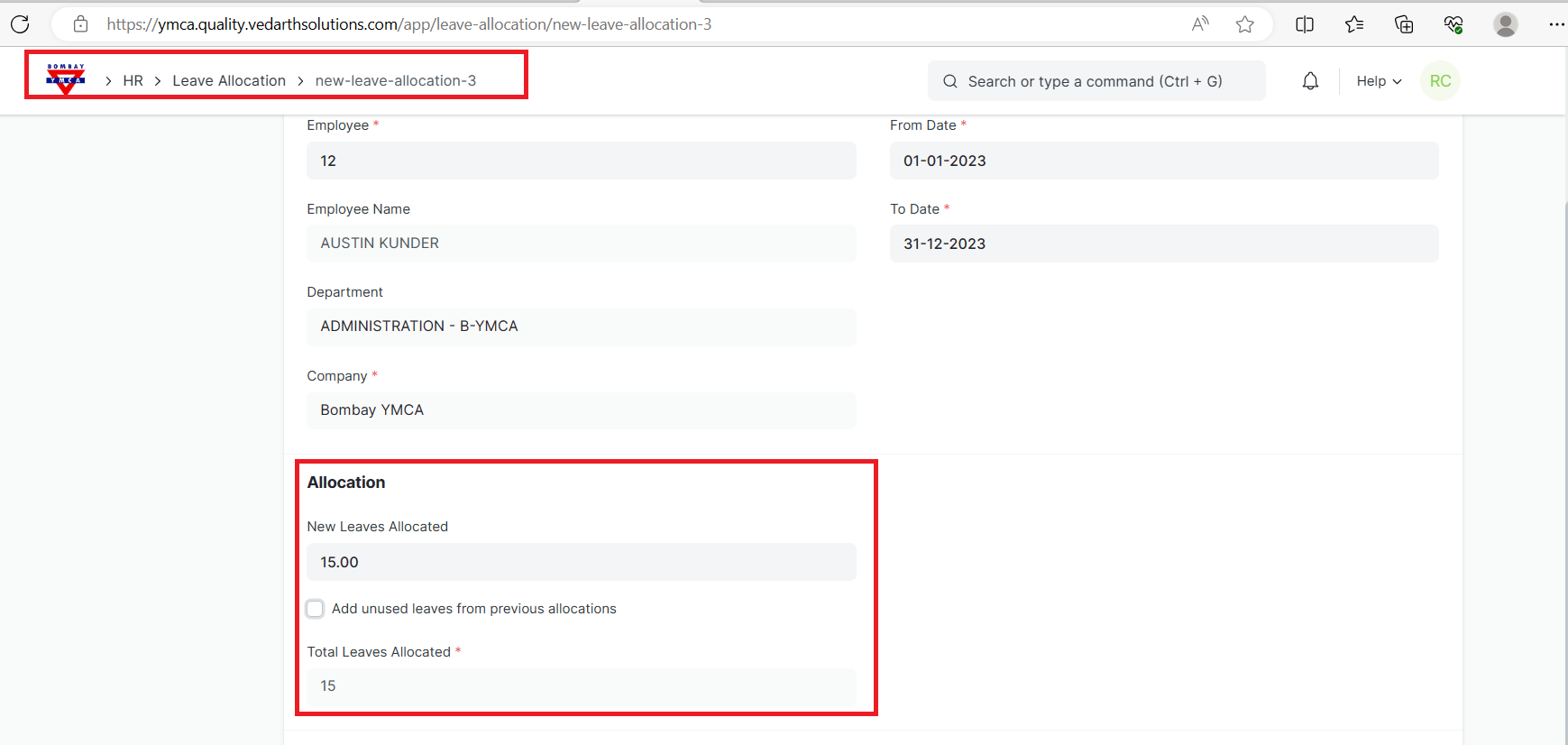
Note: Enable the 'Add unused leaves from previous allocations' option in case you want to carry forward unused leaves from the previous allocation period for this particular Leave Type.
Was this article helpful?
More articles on Leave Allocation