Bombay YMCA - Laundry Process – Help Guide (IH Front Office)
By Saloni on September 22, 2025
IntermediateLaundry Process
1. Add New Laundry
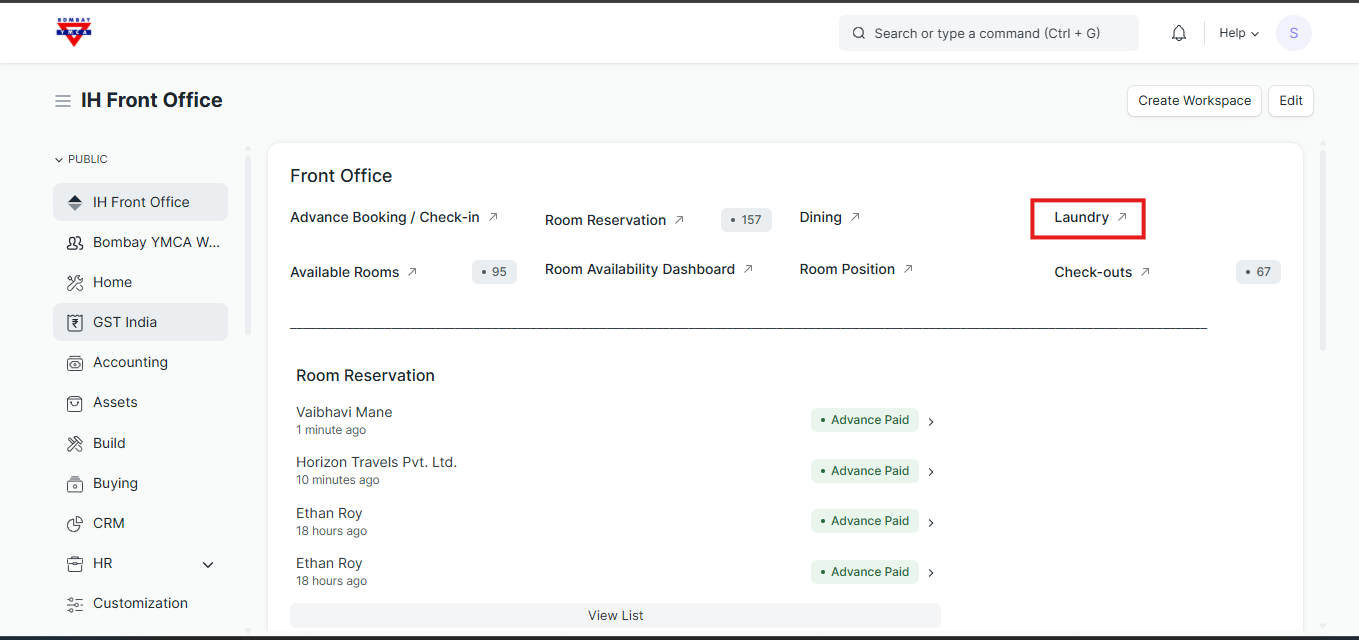
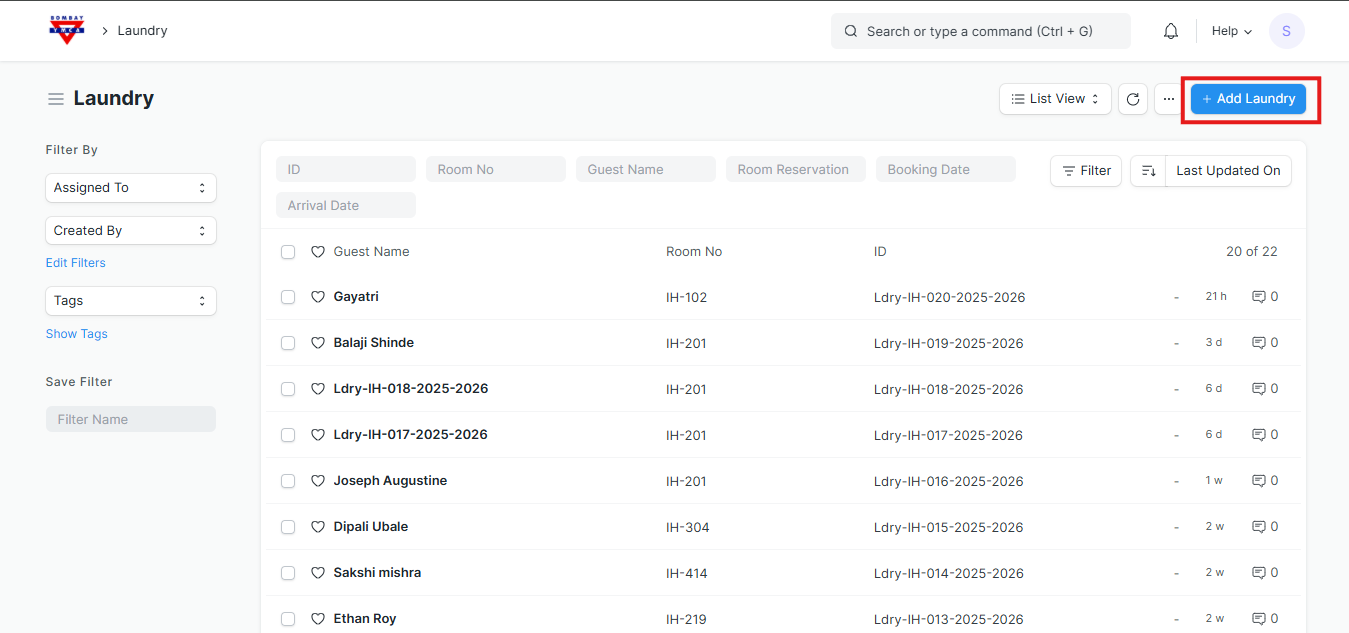
- Go to Laundry Doctype in IH Front Office.
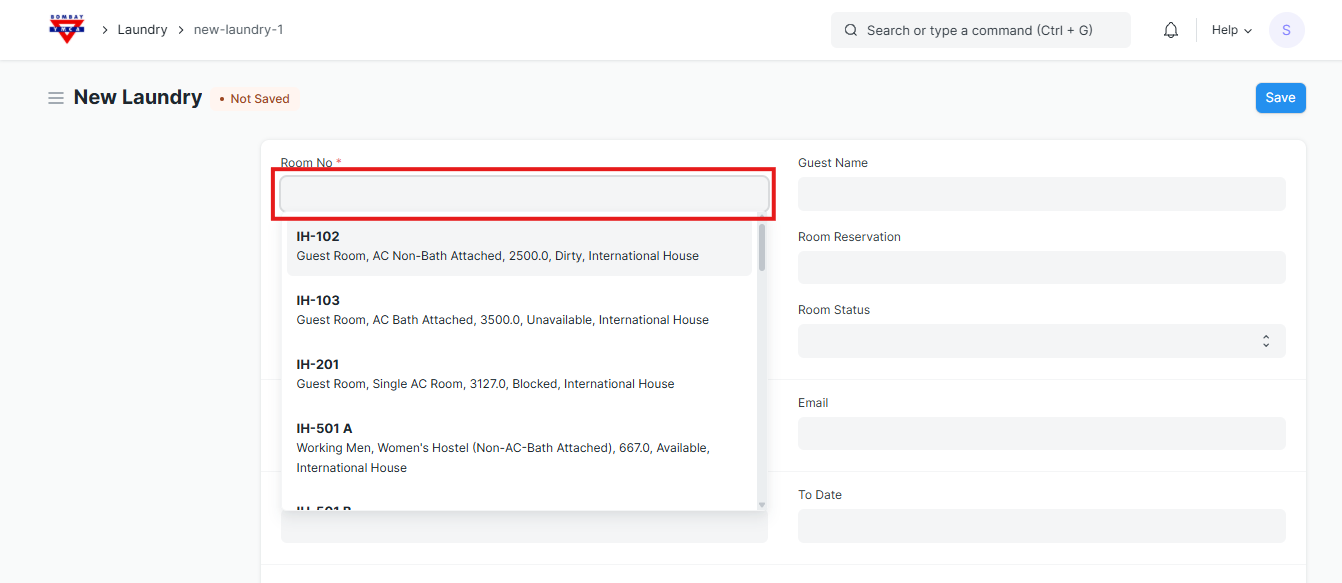
- Choose the Room No. (e.g., IH-102,IH-103).
- Once selected, the following details will auto-fetch from the Room Master:
- Guest Name
- Room Reservation
- Floor
- Room Status
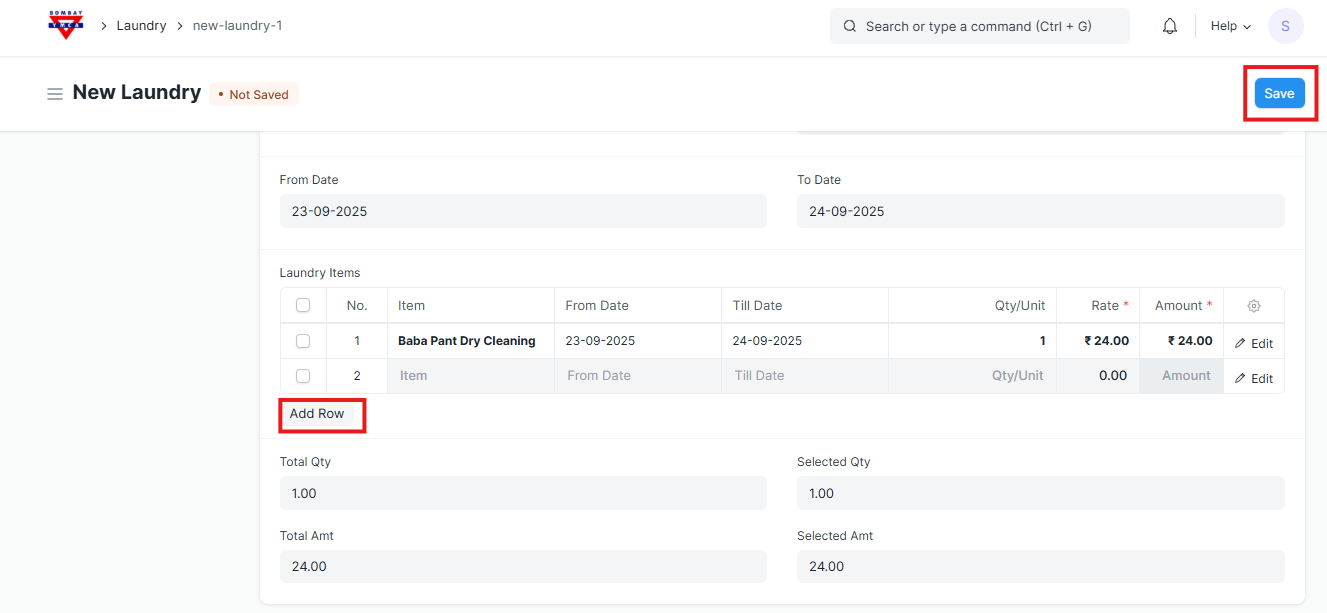
- Item (e.g., Baba Pant Dry Cleaning)
- From Date (pickup date)
- Till Date (return date, if applicable)
- Qty/Unit (manually )
- Rate (auto or manual entry)
- Amount (calculated automatically = Qty × Rate)
- After entering all items, Save the document.
2. Create Receipt
- After saving, click Create → Receipt.
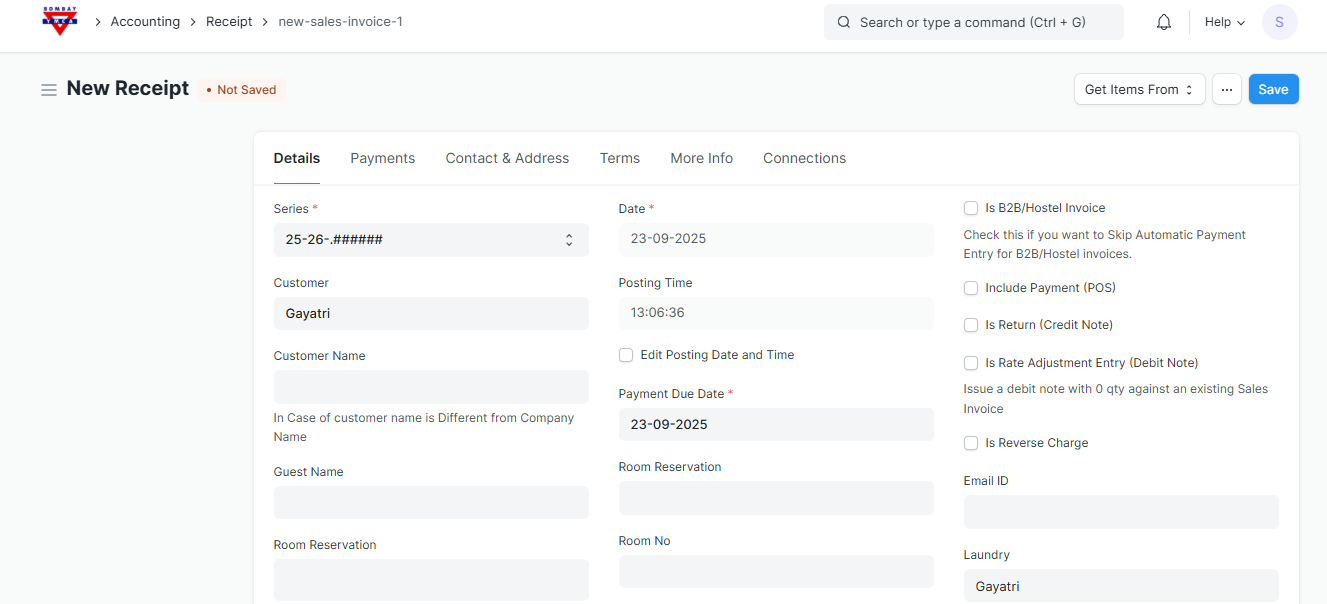
- You will be redirected to the Receipt form
- Series → Auto-generated.
- Date/Posting Time → Auto-filled (can edit if required).
- Customer → Auto-fetched (Guest Name from Laundry form).
- Payment Due Date → Auto-fetched (can adjust if required).
- Laundry → Linked automatically.
- If needed, add Email ID / Room No / Reservation details.
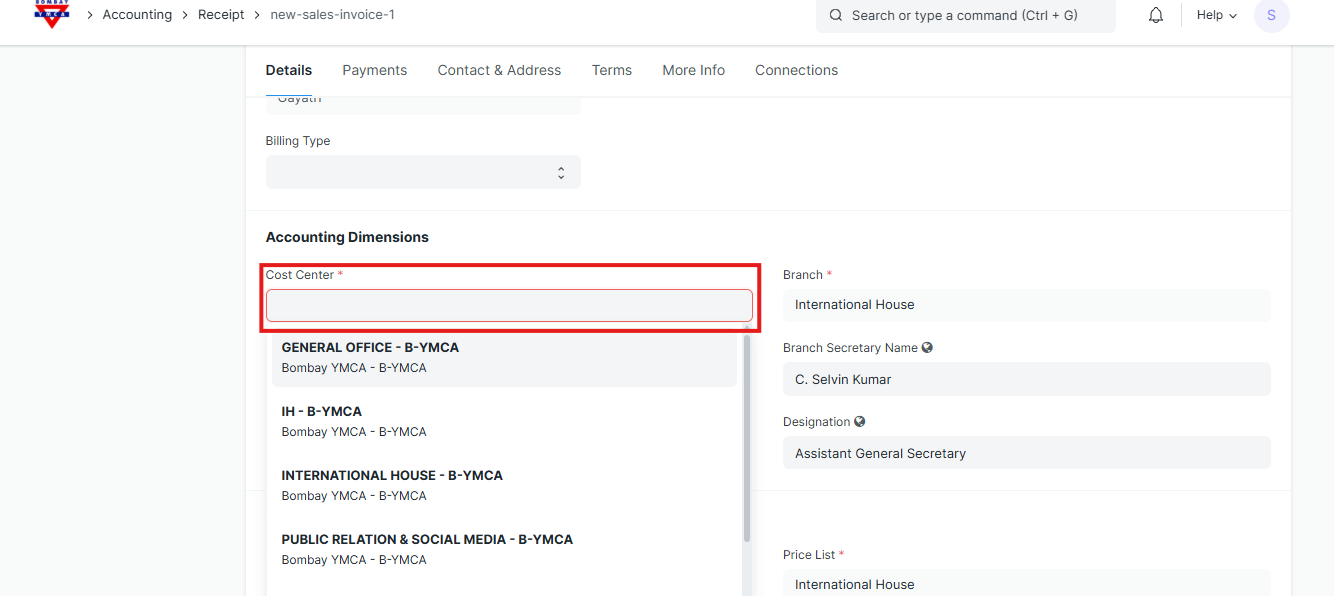
Select the Cost Center from dropdown list as (INTERNATIONAL HOUSE - B-YMCA)
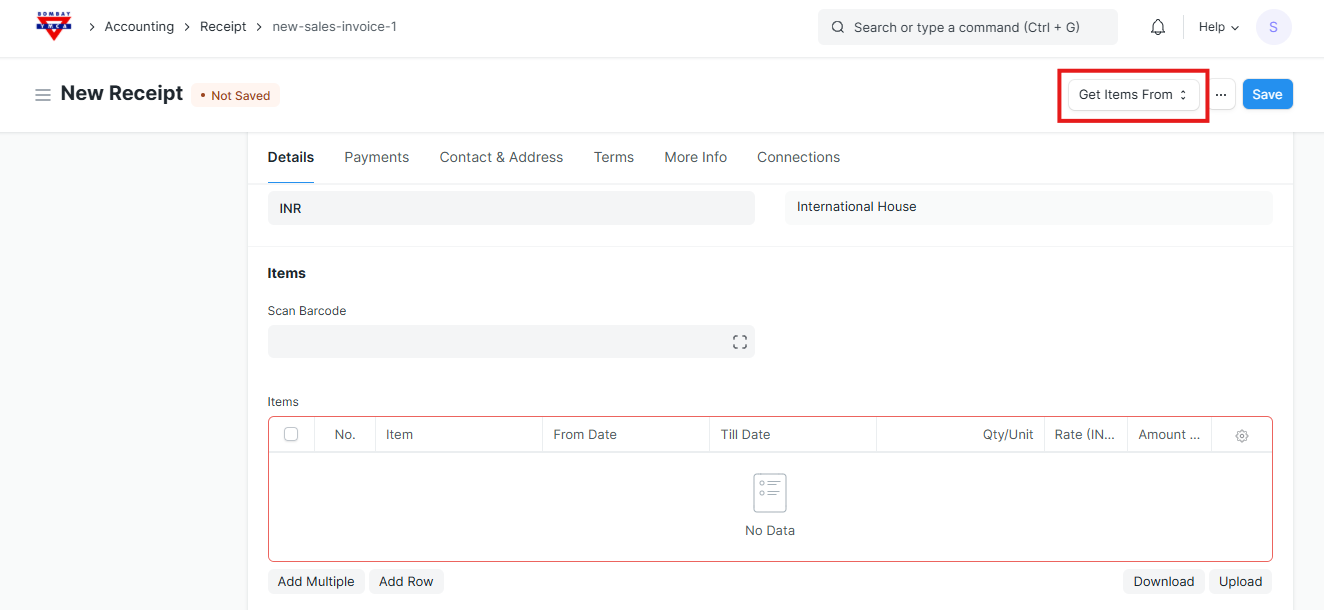
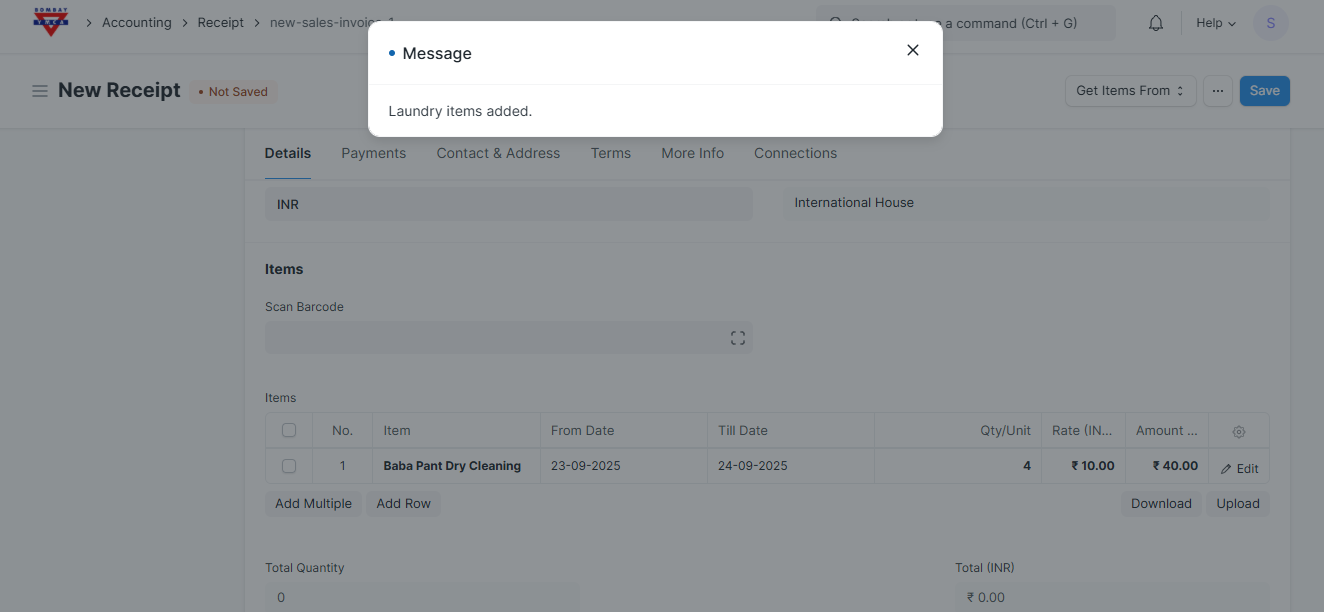
Click on Get Items From → Laundry.
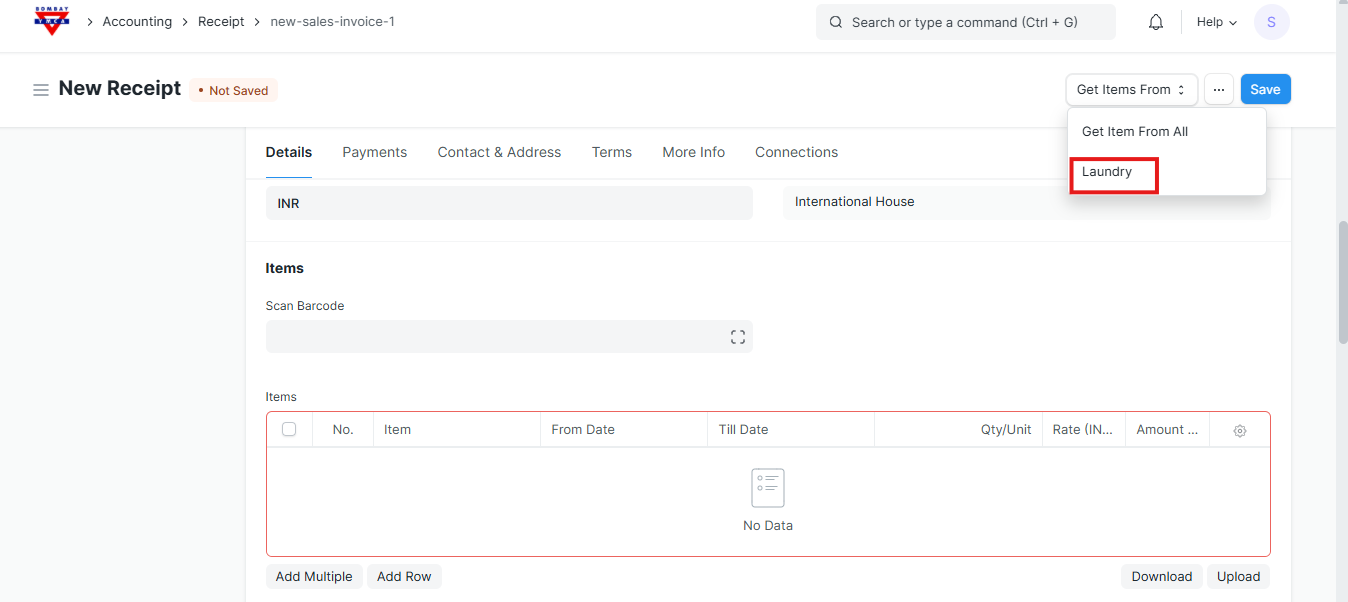
- System will fetch items from the Laundry entry.
- A message will appear: “Laundry items added”.
Verify all fetched items.
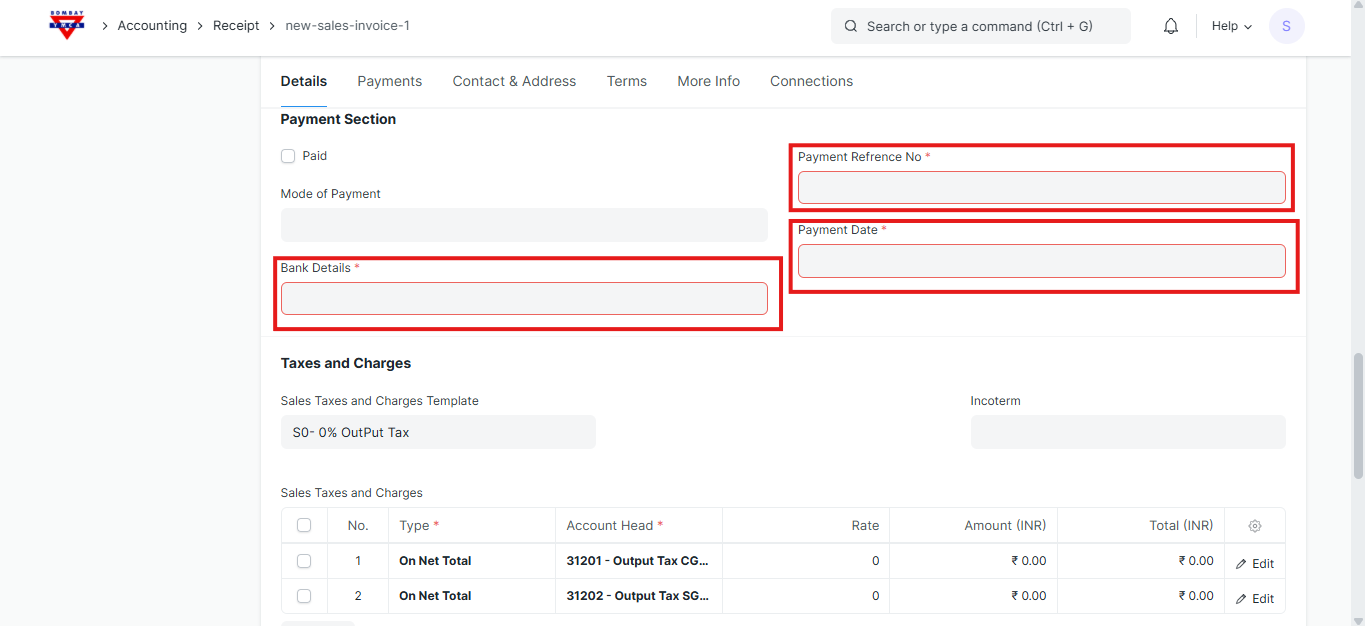
Bank Details (select from dropdown- HDFC BANK, SBI BANK).
Payment Reference No..
Payment Date.
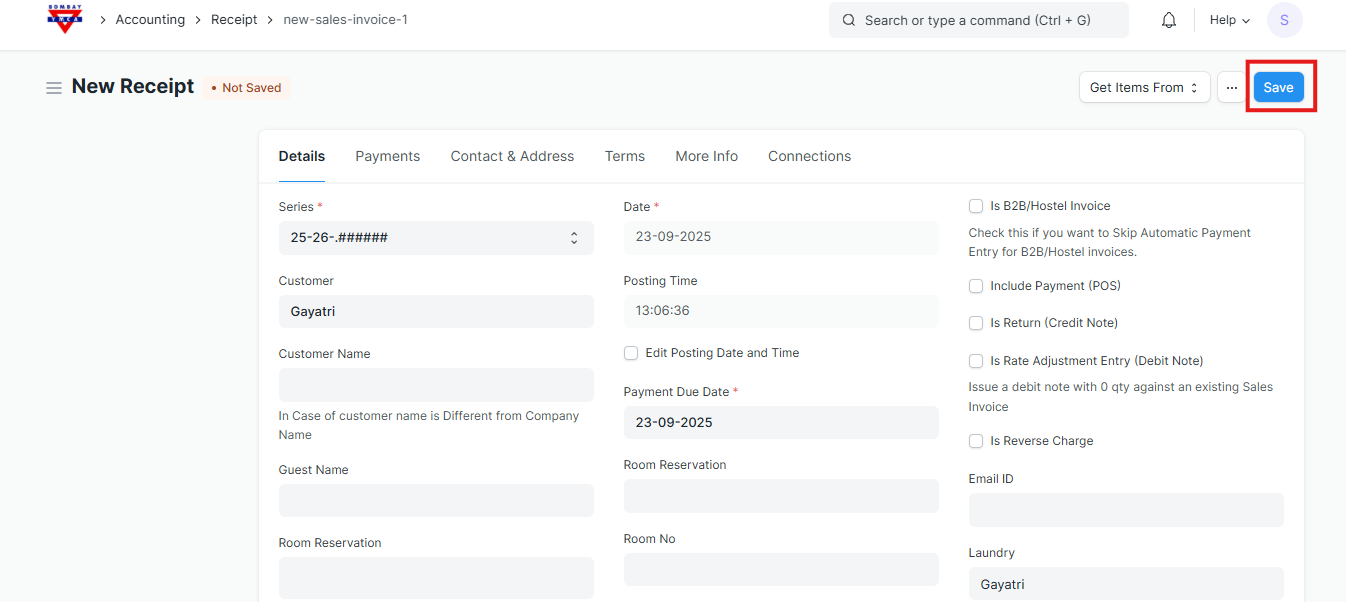
Click Save.
Review details → If correct, click Submit.
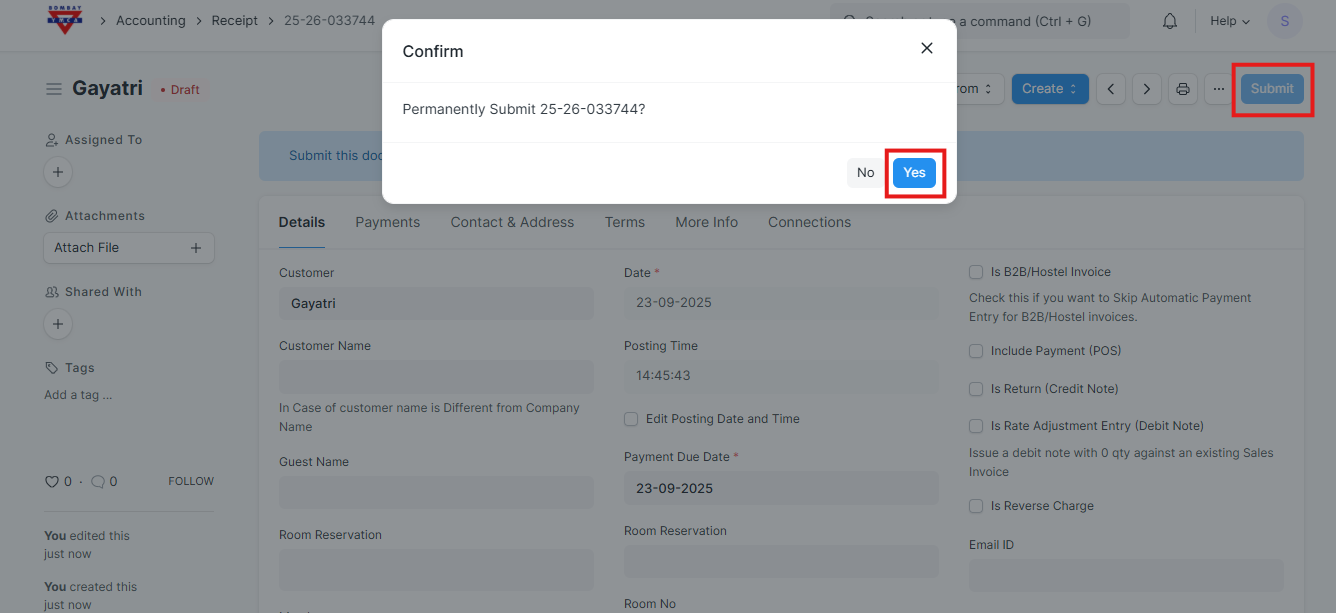
Receipt is now finalized, and payment is recorded.
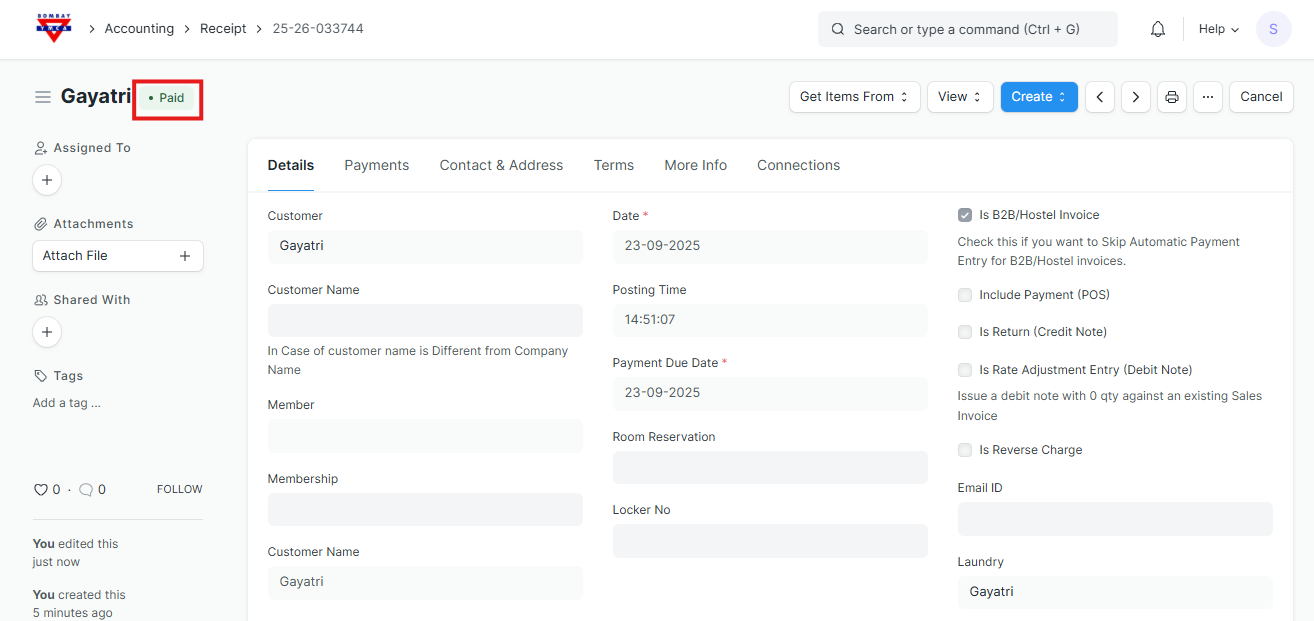
3. Cancelling a Payment Entry in the Laundry Process
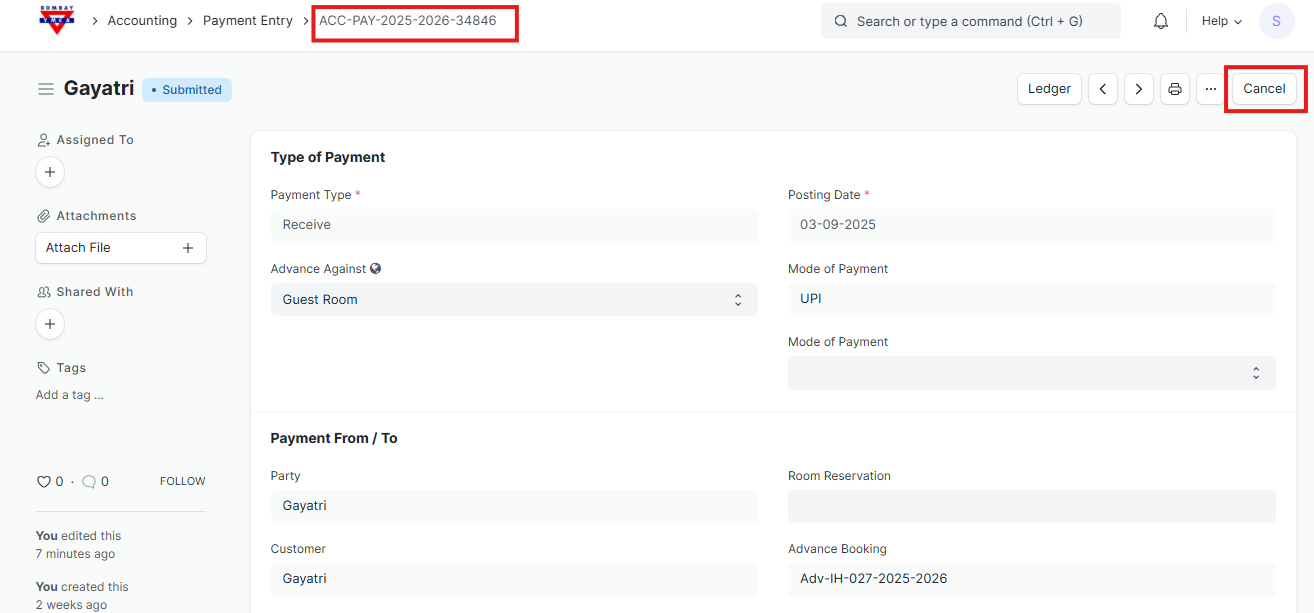
- Once you complete the laundry process and create the receipt, a Payment Entry is automatically generated in the system.
- Click on Cancel (usually a button at the top).
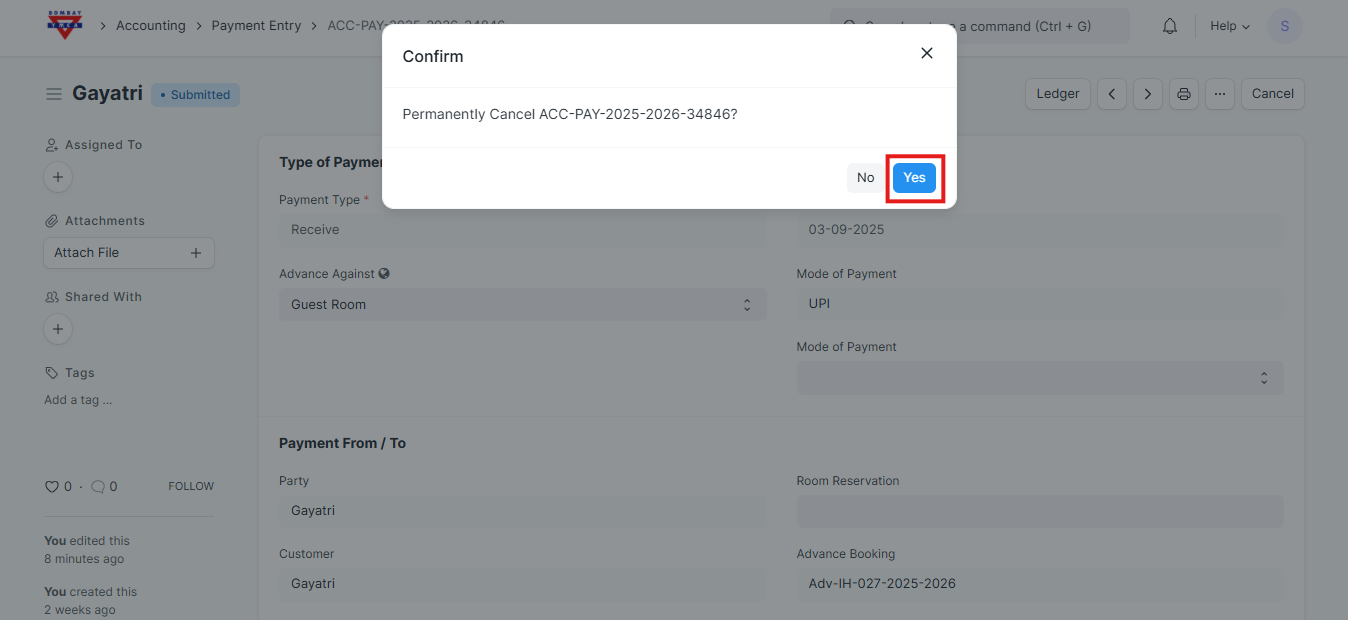
Click Yes / Confirm.
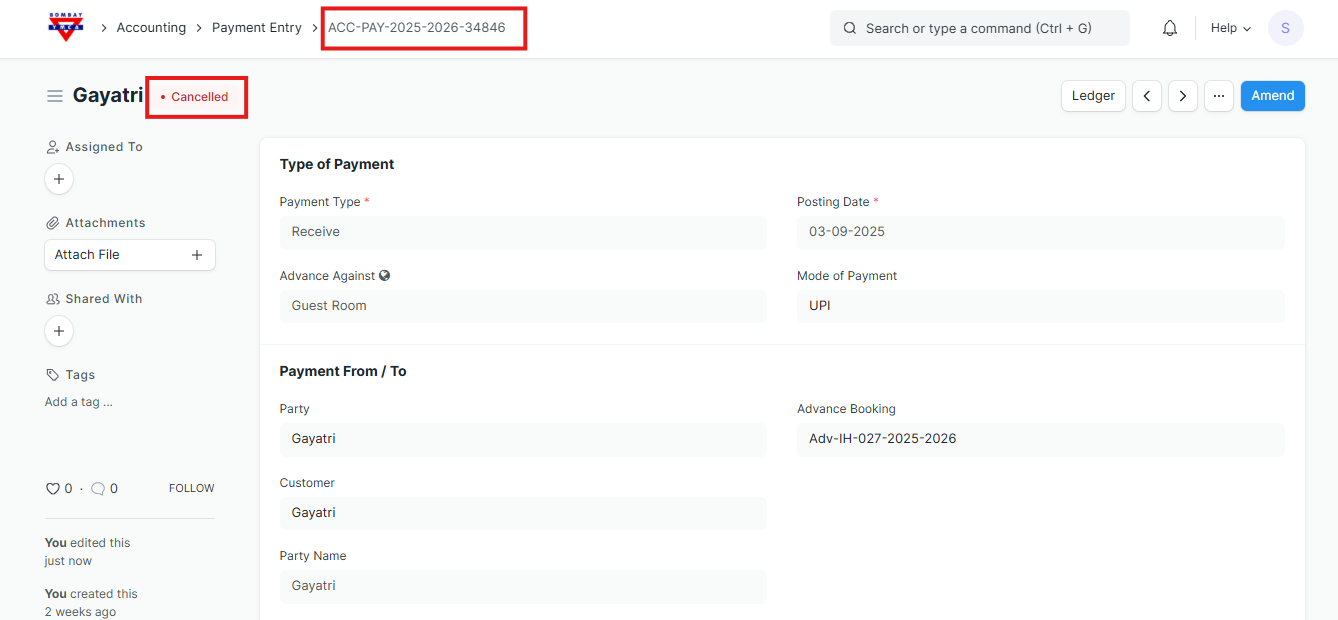
The payment entry will be marked as cancelled.
Any accounting or ledger updates related to that payment will be reversed.
The corresponding receipt or transaction will reflect that the payment has been cancelled.
****************************End of the process*******************************
Was this article helpful?
More articles on IH Guest Booking