Bombay YMCA - Validate period for hostel
By Reshma TW on June 12, 2023
BeginnerFUNCTIONAL IMPACT:
Home>CRM >ROOM RESERVATION >
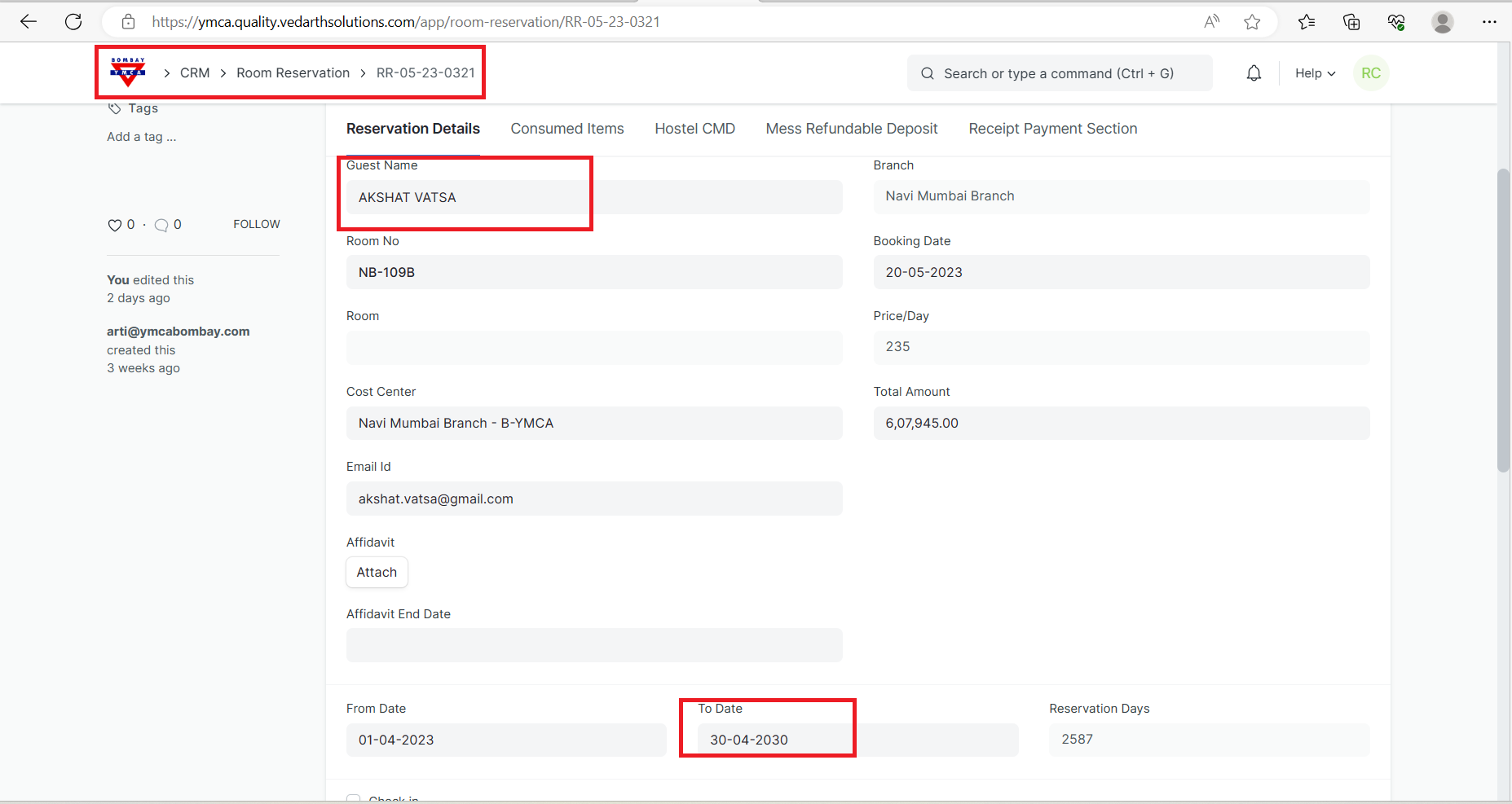
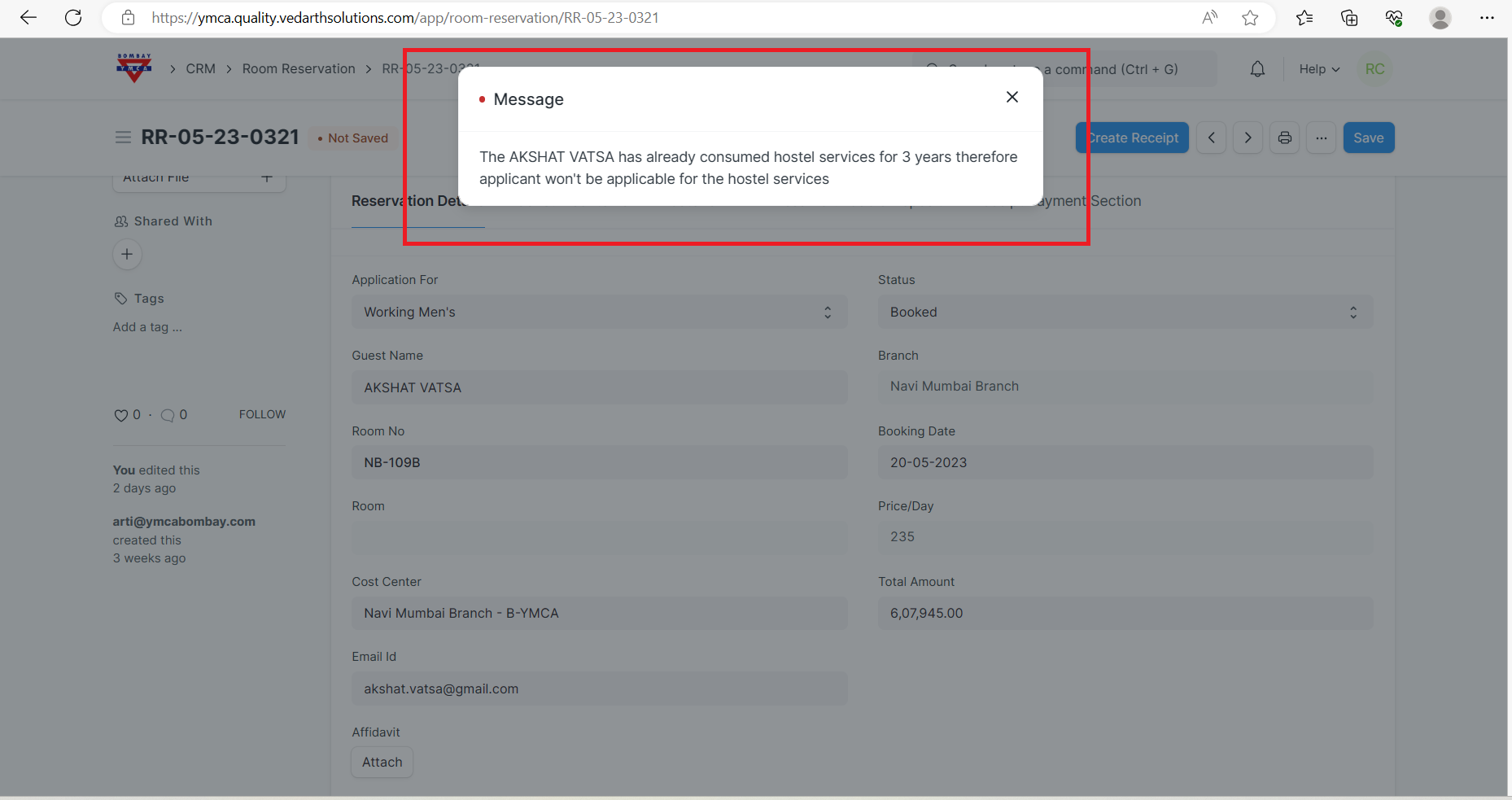
1]Go to room reservation record select the "Guest Name", set the date and mandatory information. If applicant completed his/her 3 years then system won't allow that person to stay there, so you will get the message as bellow.
TECHNICAL IMPACT:
Home>server script>Add script >
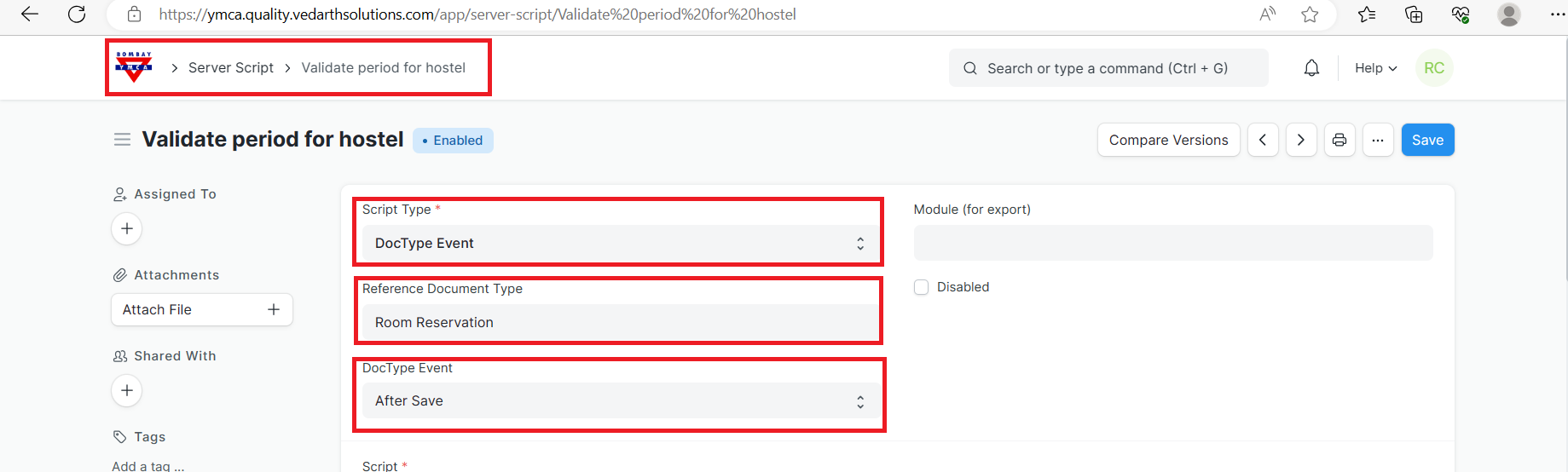
1]go to server script select the script type, Reference Document Type, DocType Event as below:
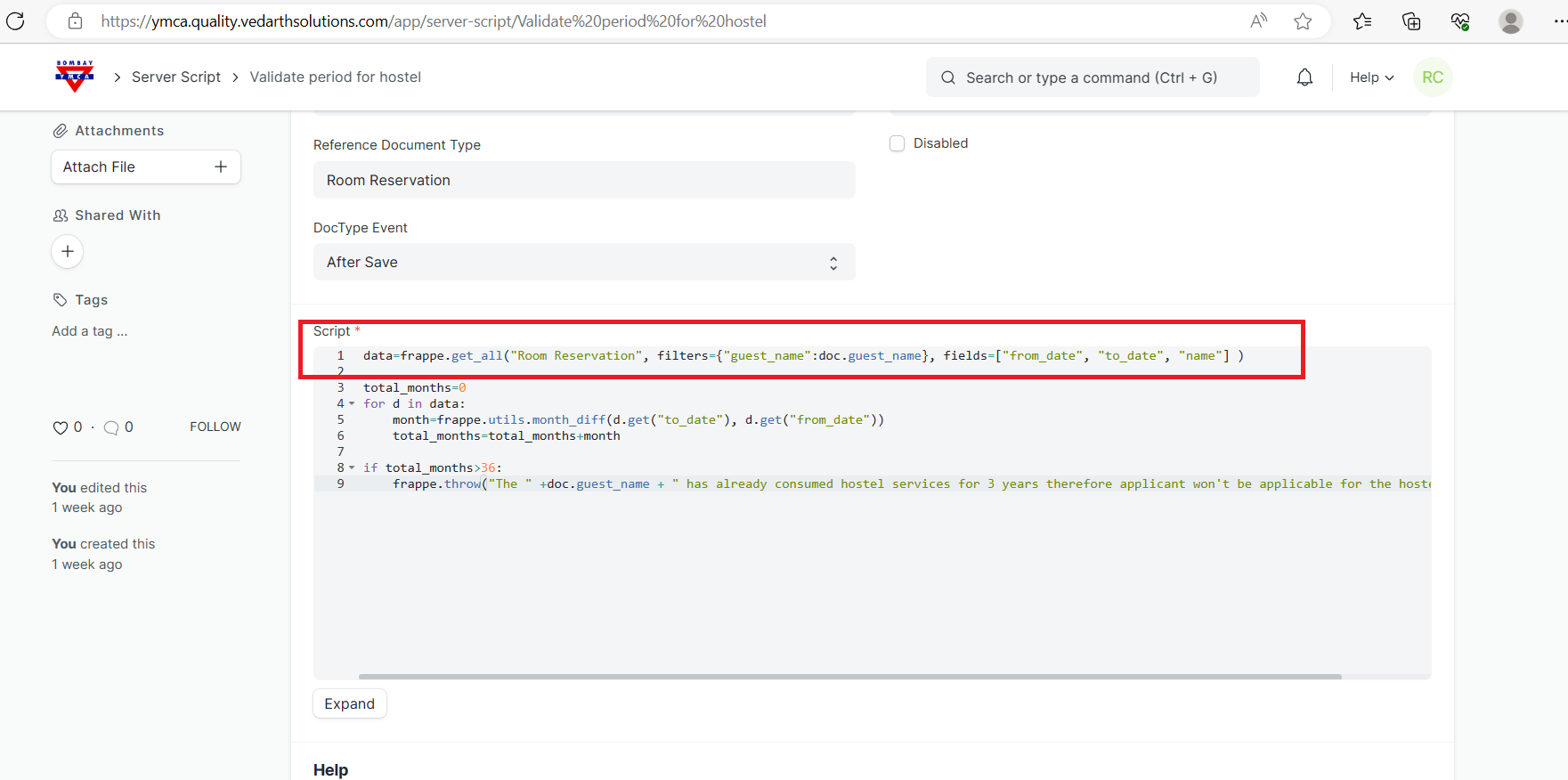
2]You can write the script and save it as below:
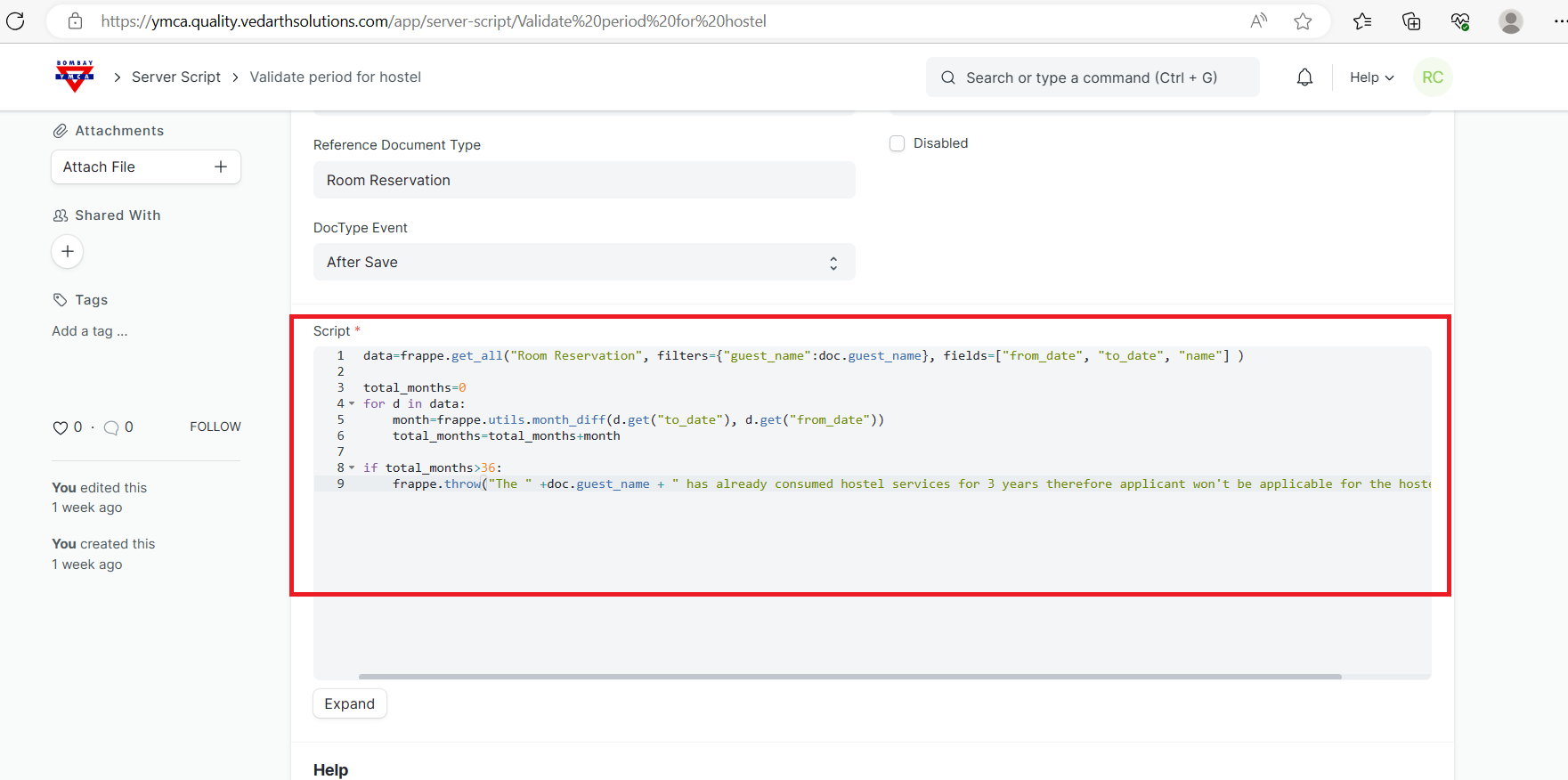
A] First system will fetch all the record of that applicant by using below script:
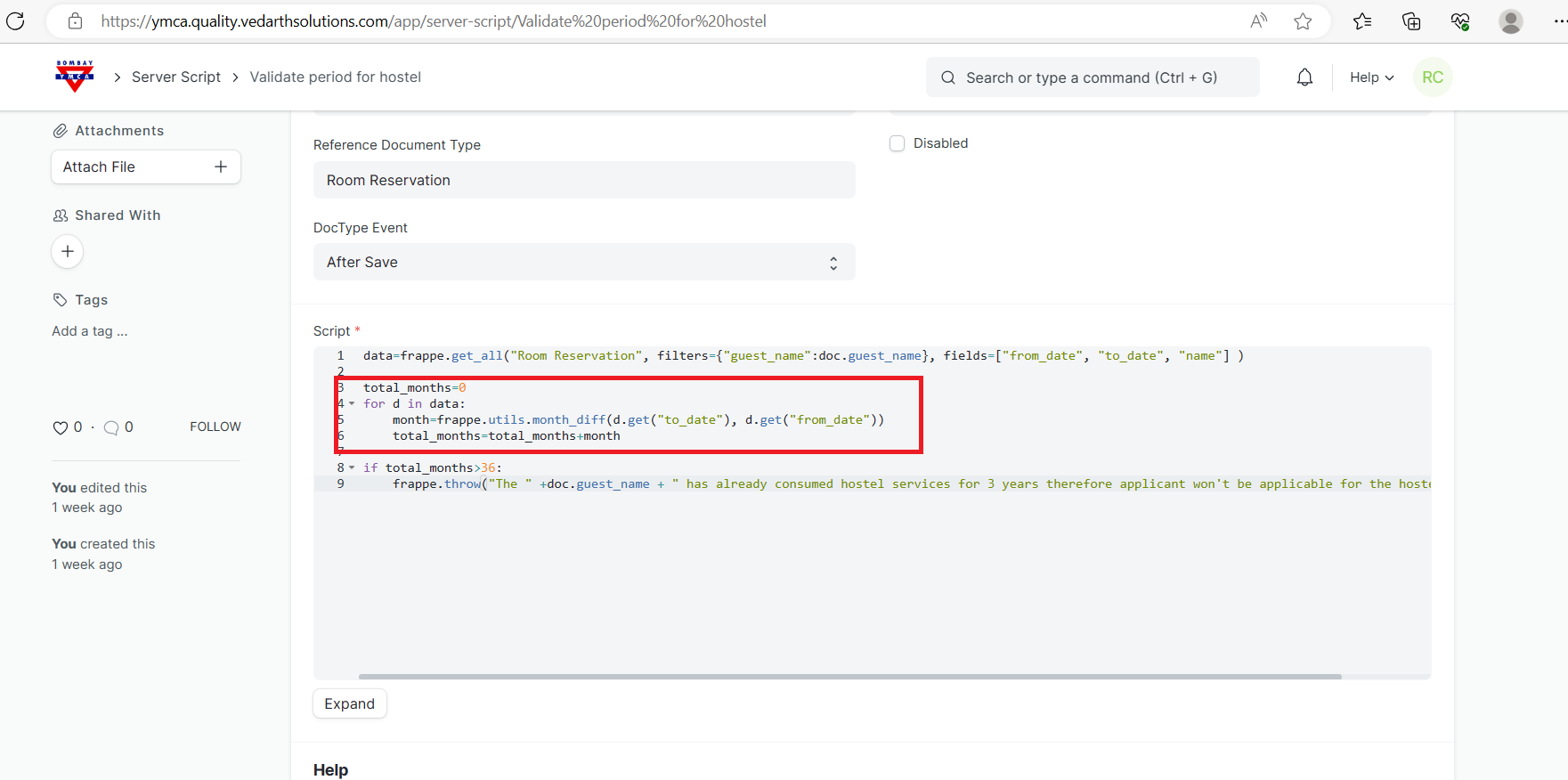
B] Subsequently, to calculate the difference between the months (From date to To date) used below code:
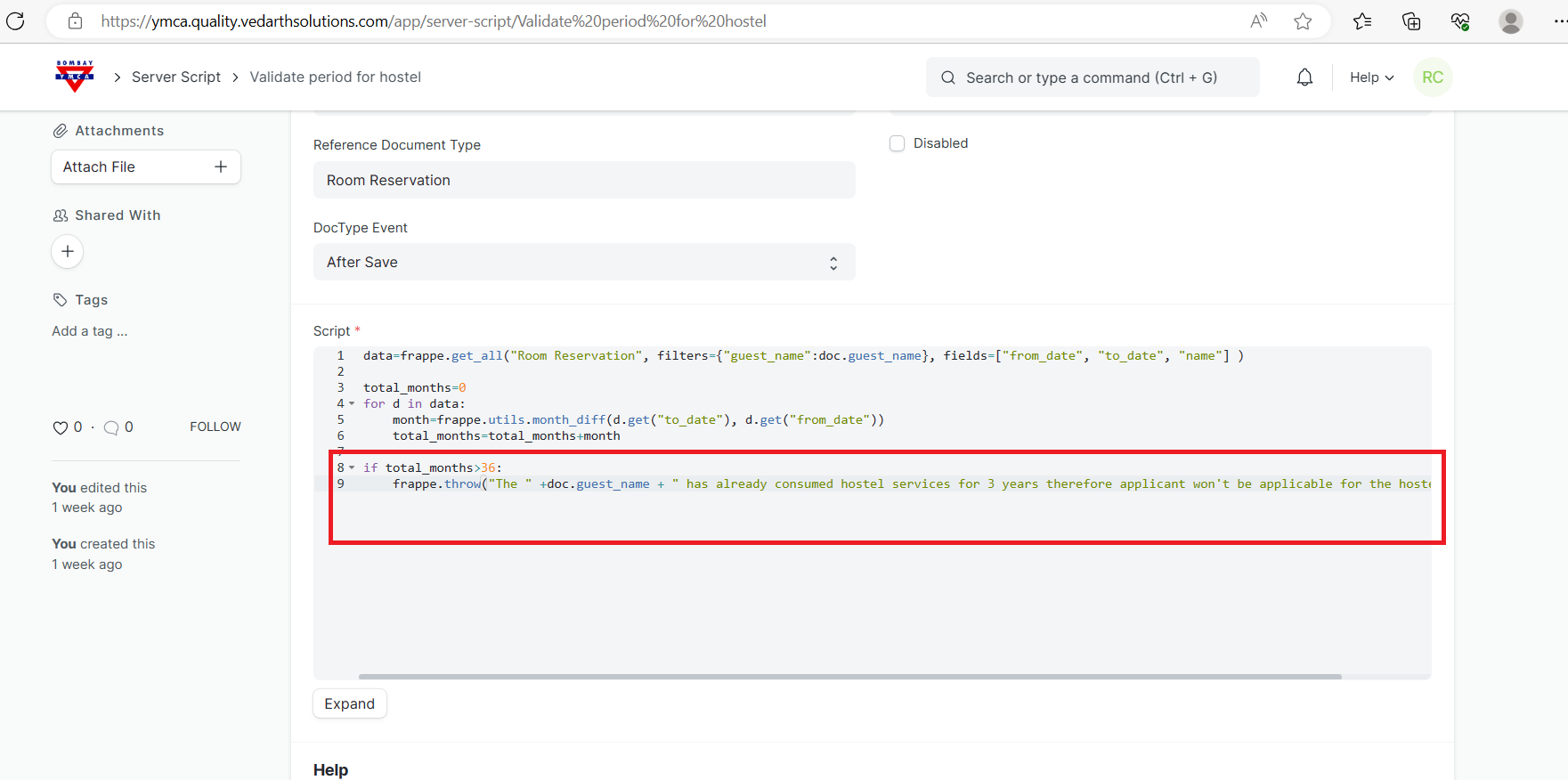
C] The total months should not be more than 36 (12 * 3 years = 36 ) months, if it's more than 36 months (3 years) then system won't allow to save / submit the record
***End of the Document***
More articles on Functional & Technical Document