Bombay YMCA - New Membership Registration
By Satish Aralkar on January 3, 2023
IntermediateNew membership registration process will be as below.
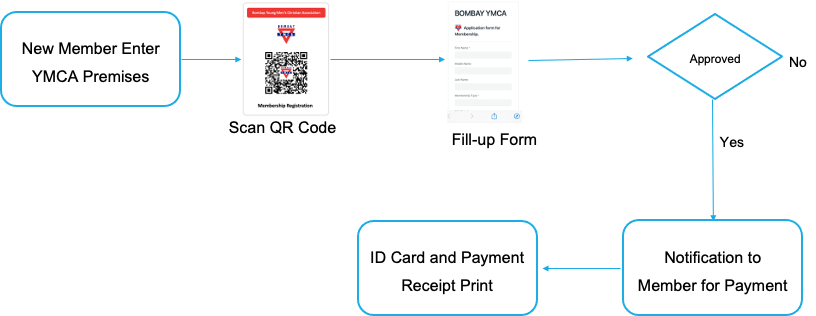
- New member will come to YMCA branch and scan the QR code on mobile phone for "New Membership Registration". After scanning of QR code, new form will open on mobile. New member will fill-up all required information in the form and submit the form.
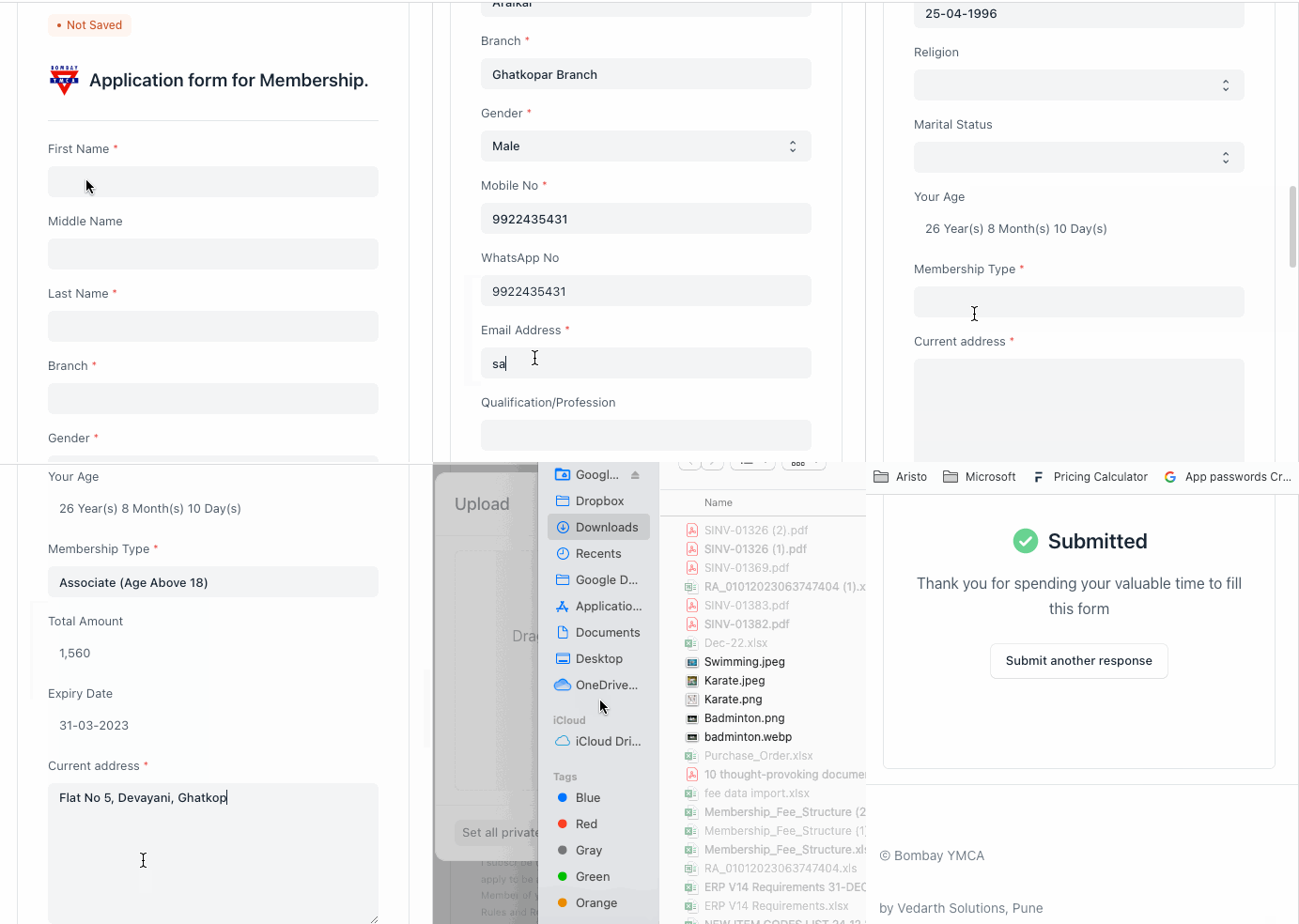
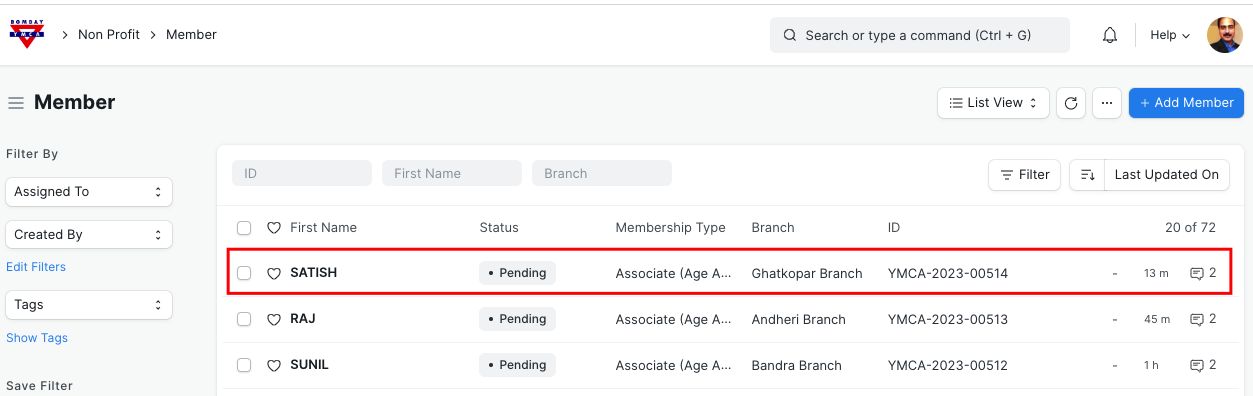
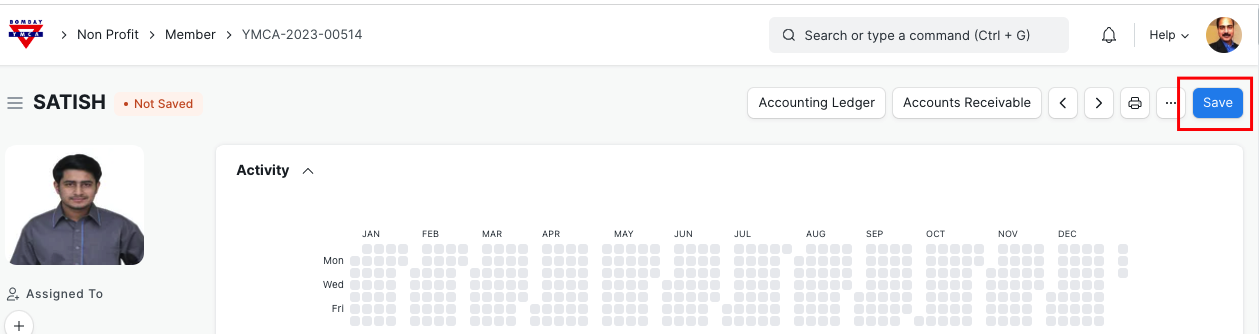
- After successful submission, form will go to respective Branch and saved as new member entry under "Member" document. Branch staff who is having approval authorisation will "Approve" the Member.
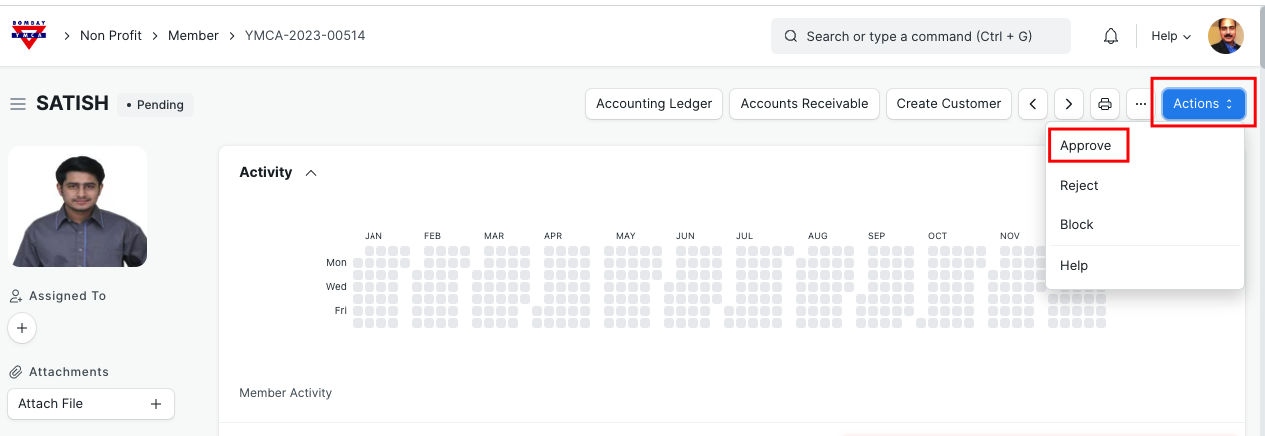
Once Clicked on "Approval" Save the record.
- After Member approval, "membership" record will be created in the background and it will be available for payment entry.
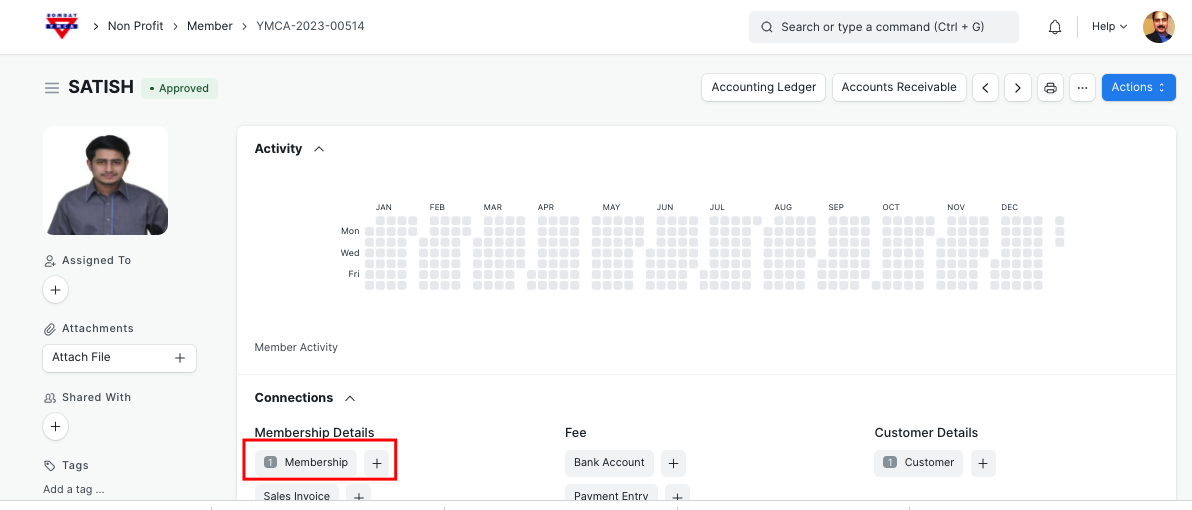
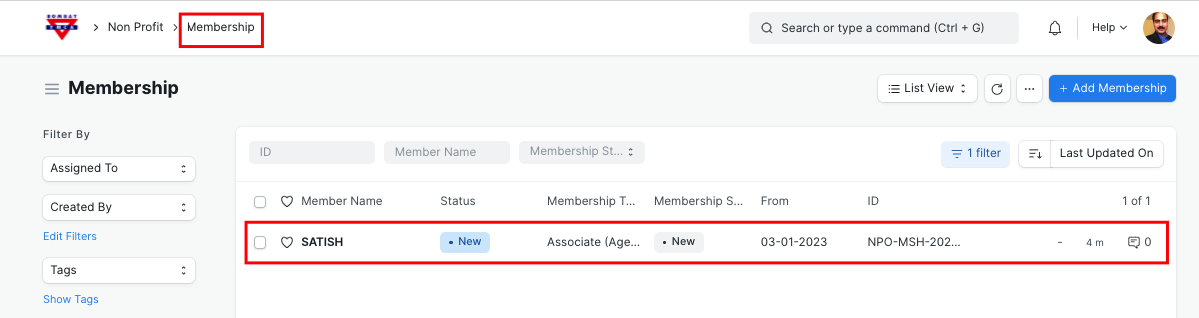
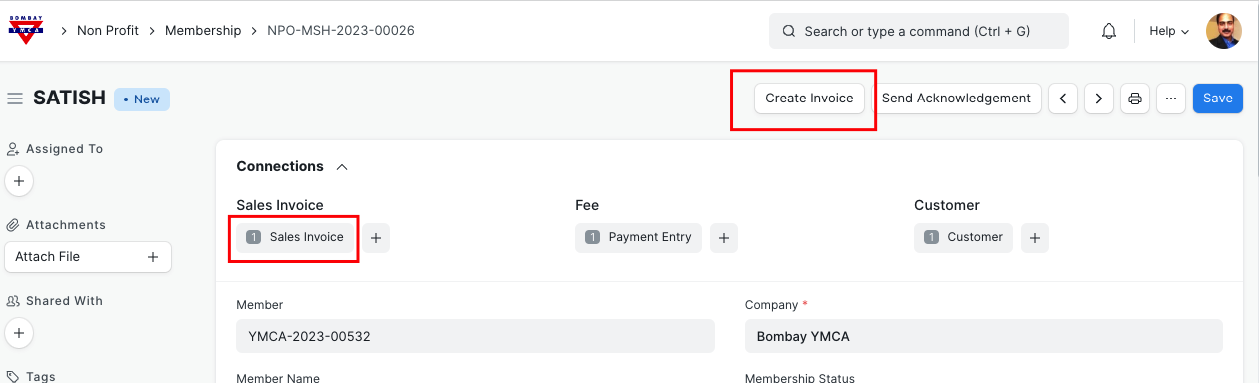
- New member will pay the amount and Branch staff will update the payment details in "Membership" document and will create "Sales Invoice".
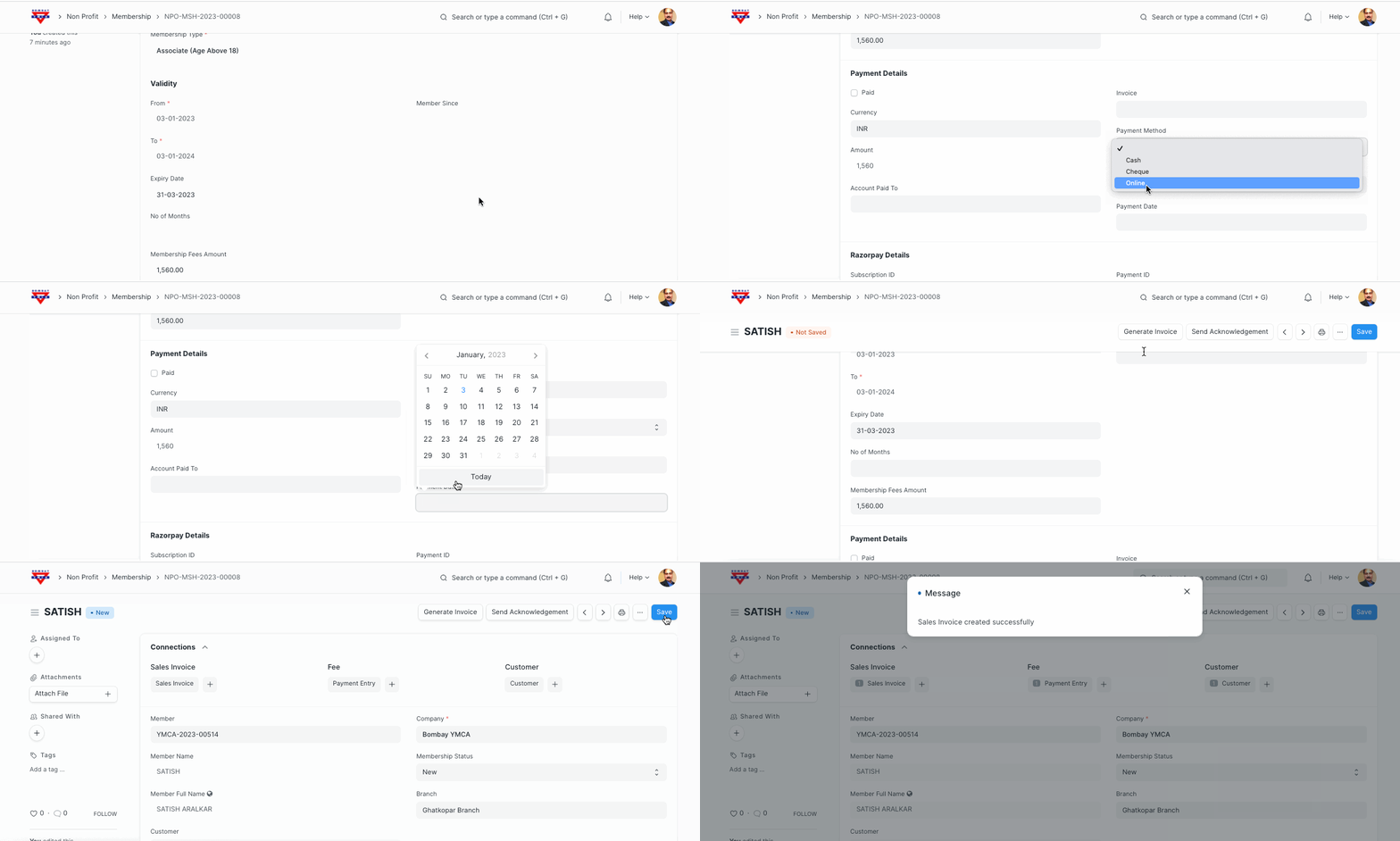
- Click on Sales invoice button to create Invoice
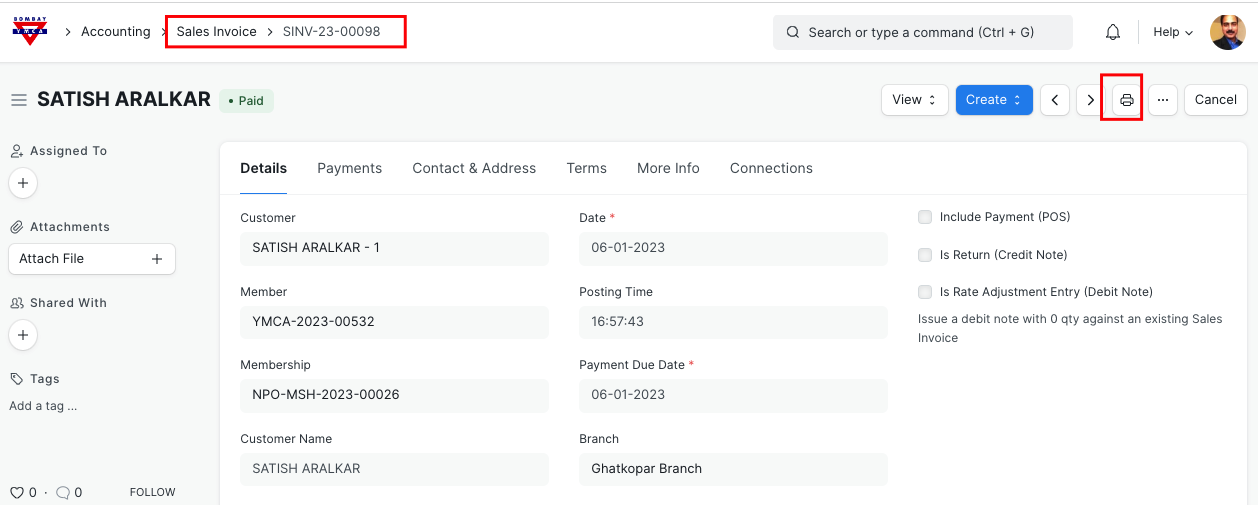
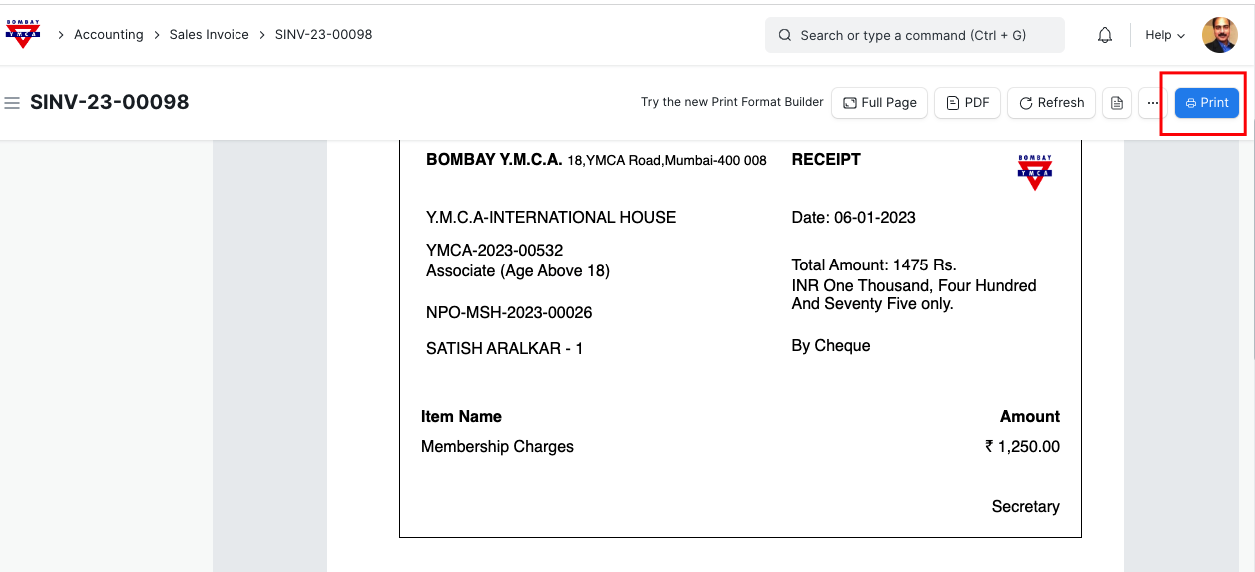
- Go to Sales invoice as shown above and take Payment receipt Print.
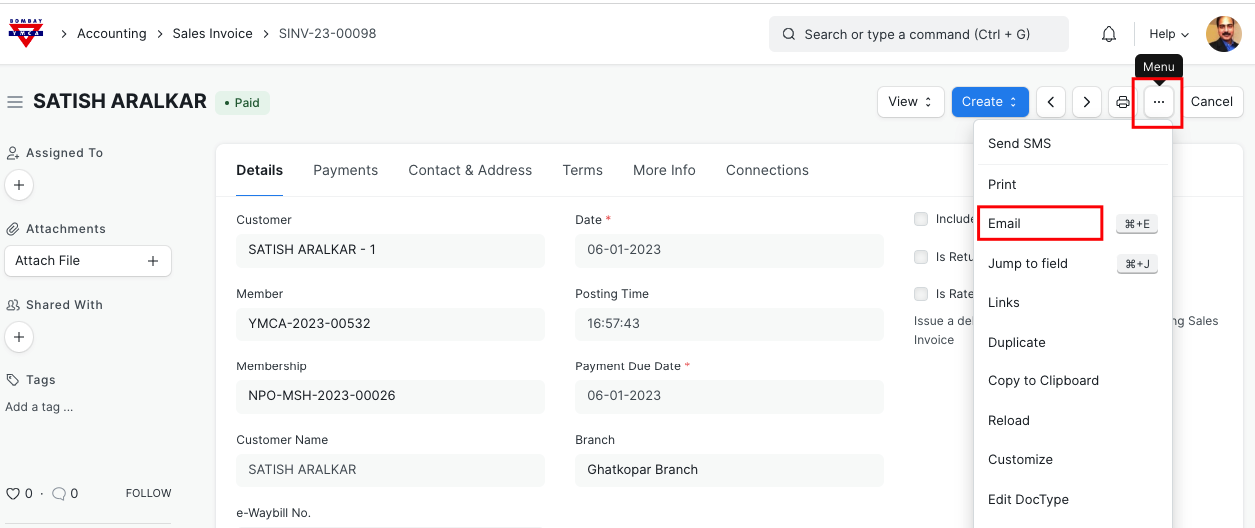
- Also you can send Payment receipt through Email. Go to Invoice and click on Email option.
*** End of Process ***
Was this article helpful?
More articles on Member & Membership