Bombay YMCA - Locker Reservation
By Aditya Das on May 16, 2023
IntermediateLocker Reservation :
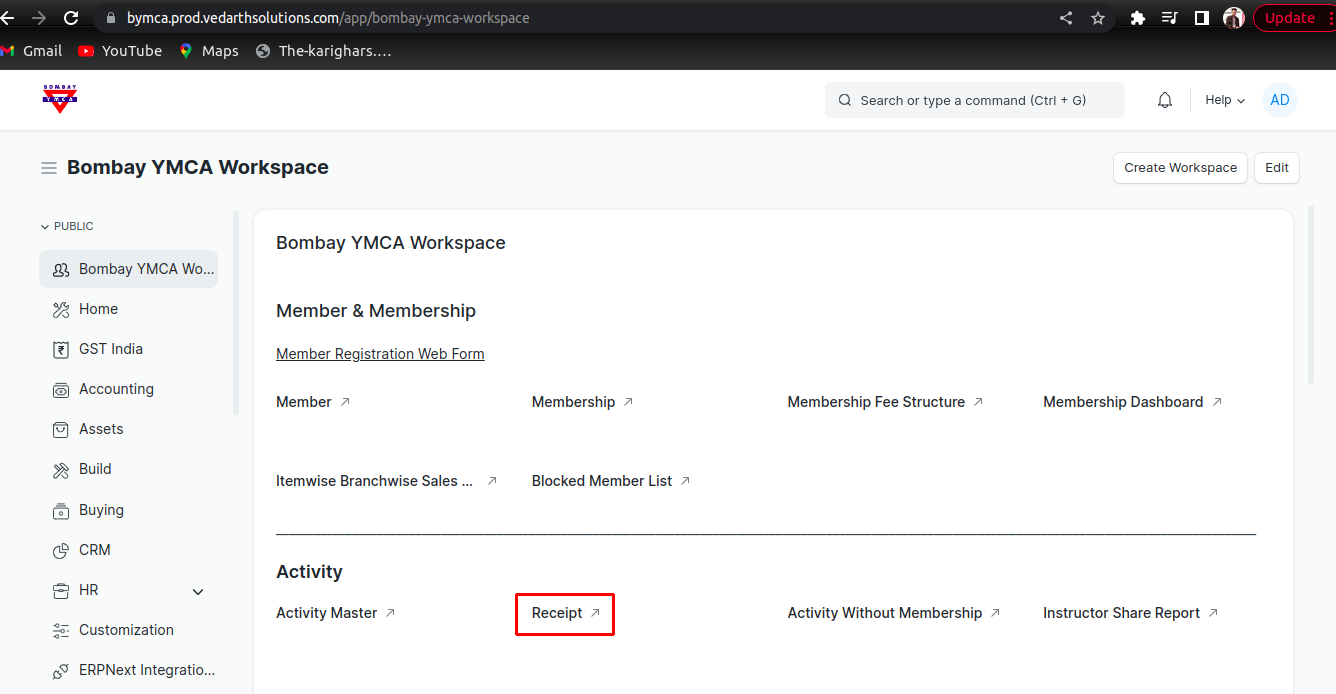
1)Go to Receipt List -
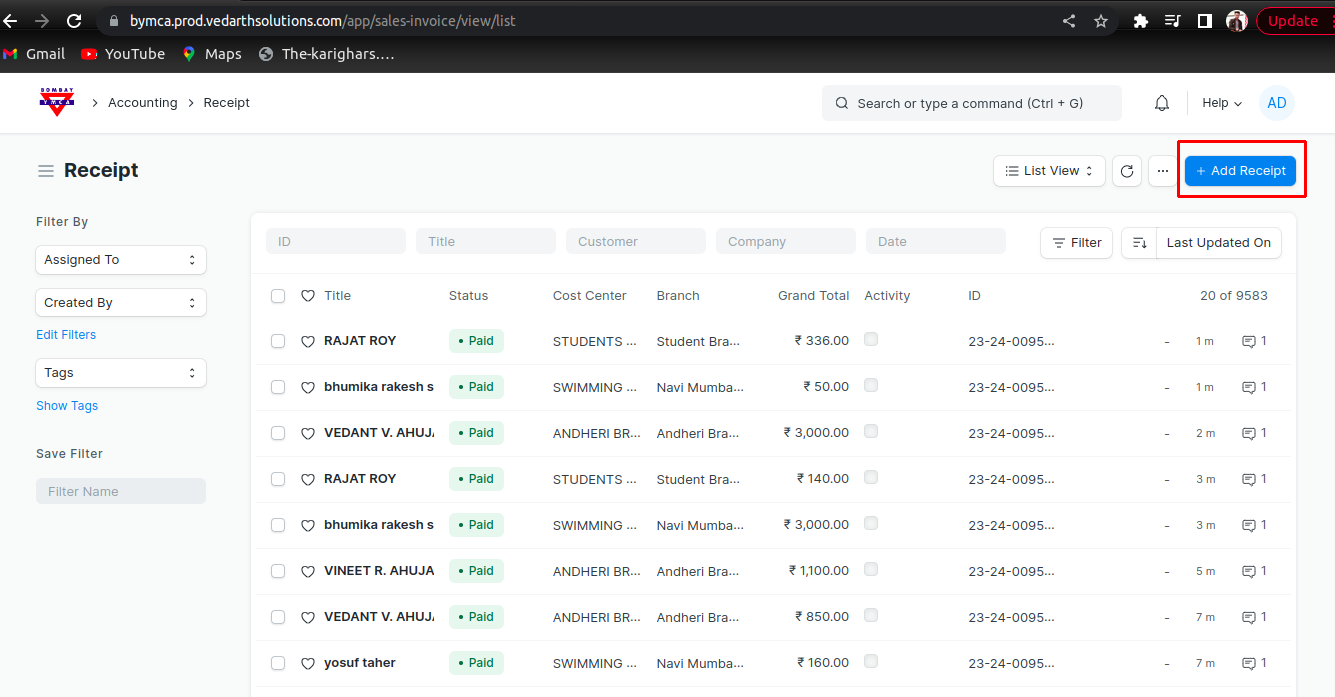
2) Add a New Receipt -
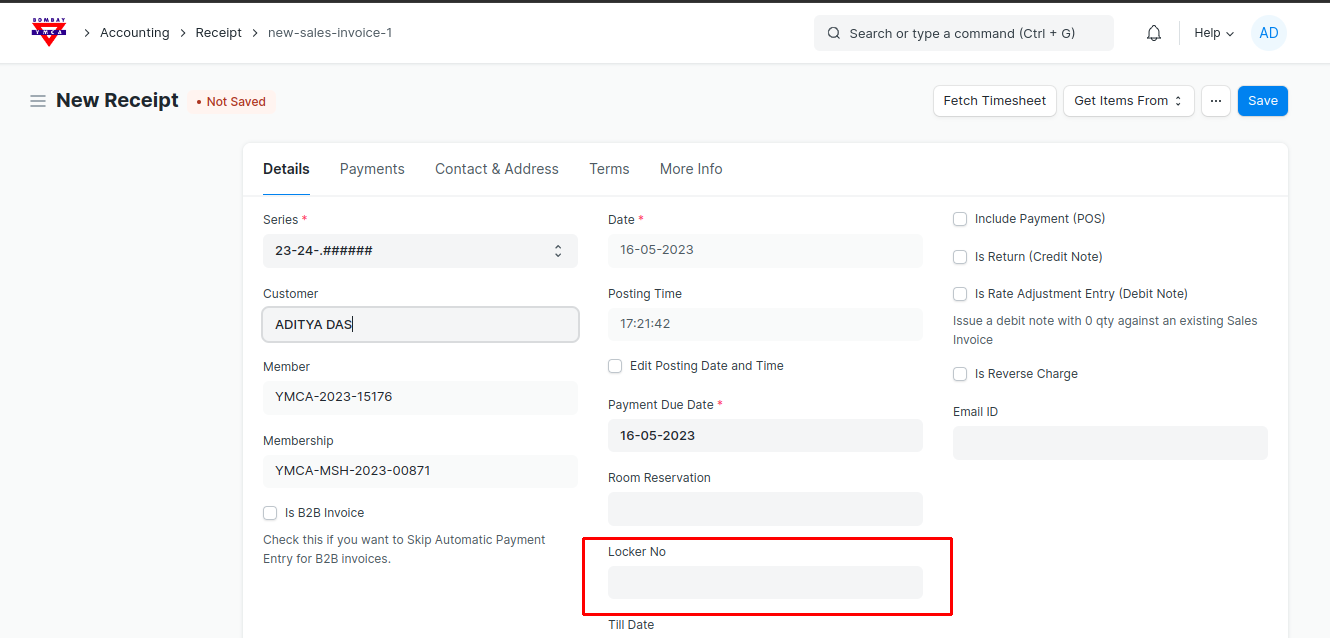
3) Select all Information in receipt and Locker No Field. and then save and submit the receipt.-
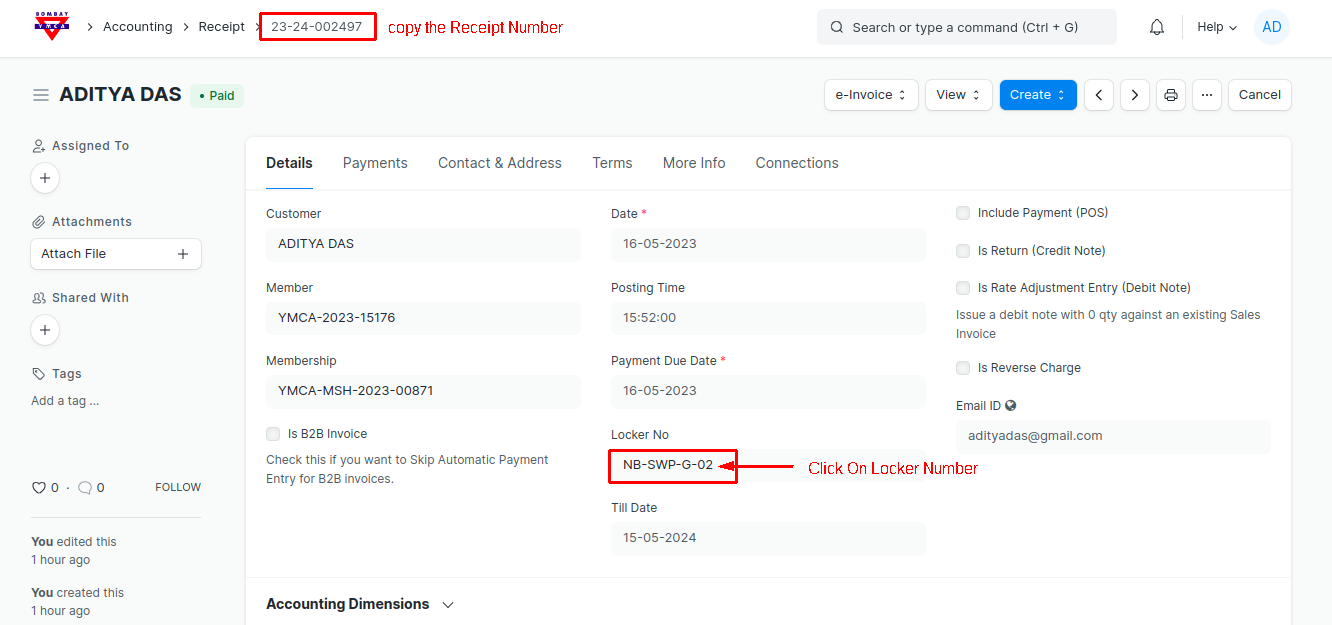
4) After Submit First Copy the receipt Number and then click on Locker No -
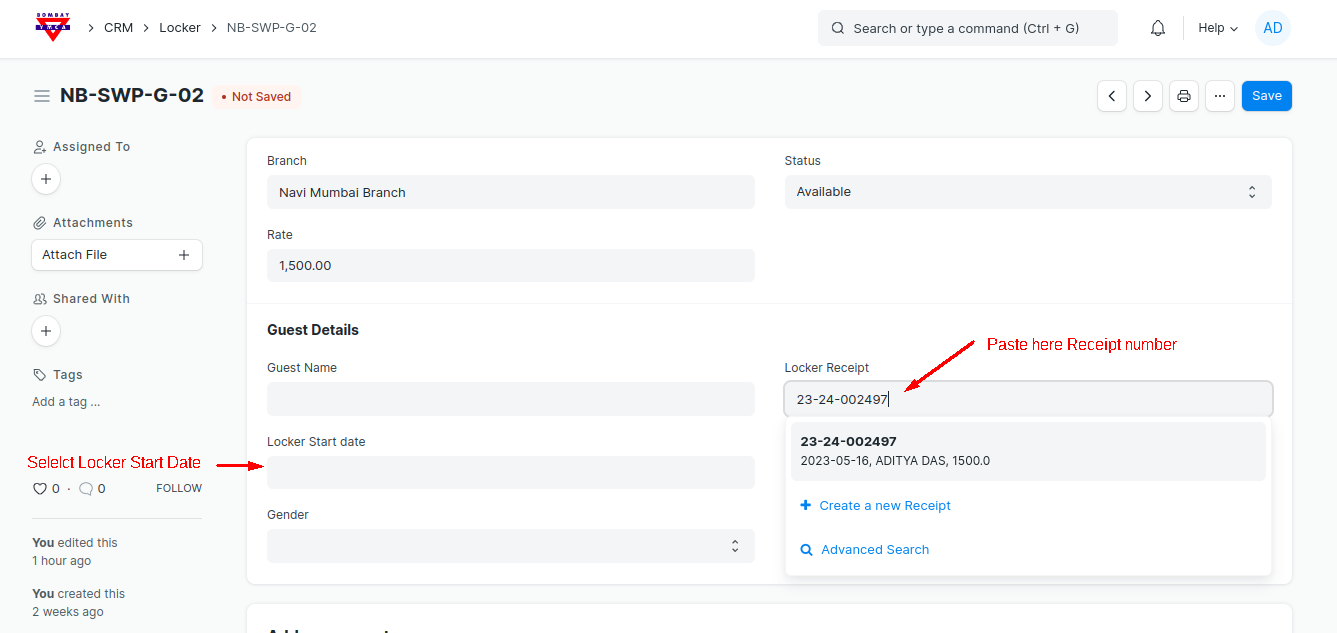
5) In Locker Doctype Paste receipt number in Locker Receipt field and select all the information about guest and Save the document -
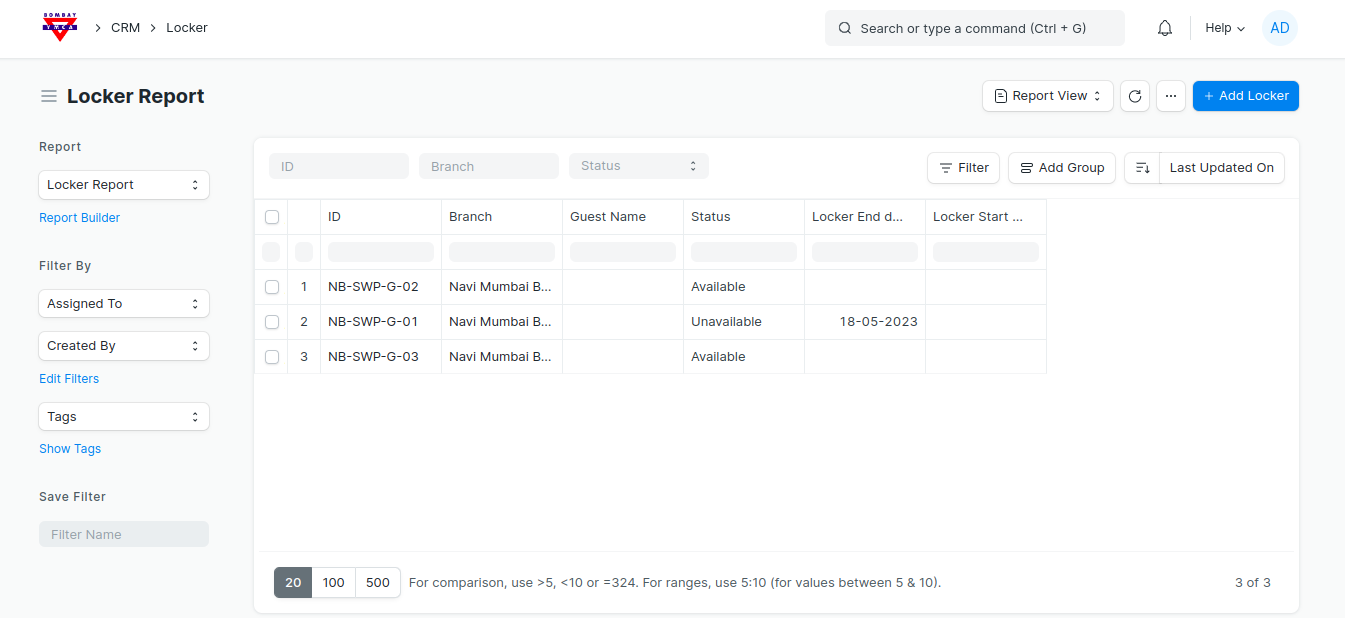
6) Click on Report View to check the Status of locker -
*** End Of The Document ***
Was this article helpful?
More articles on Locker Reservation