Bombay YMCA - How to Make Dashboard
By Aditya Das on July 17, 2023
IntermediateHow to Make Dashboard :
Please go to the doctype for which you want to create a dashboard. We will make a Membership Dashboard for testing purposes.
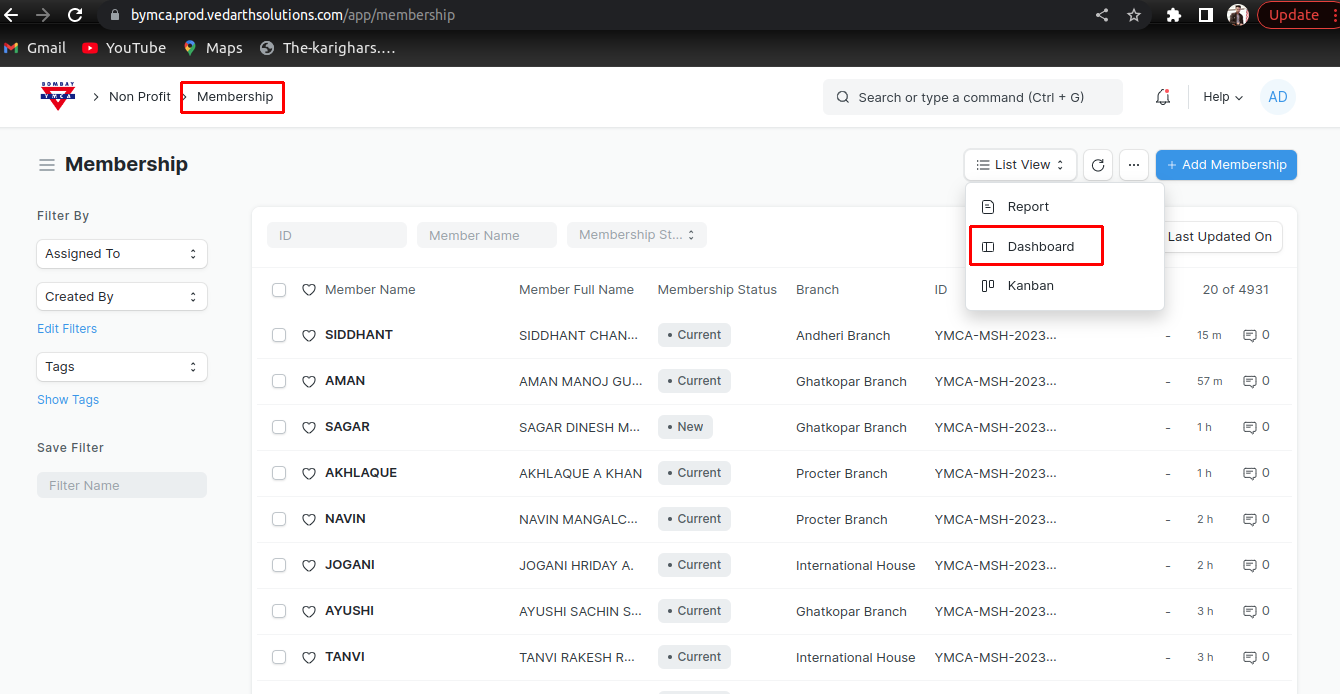
1) Go to Membership doctype and click on Dashboard View.
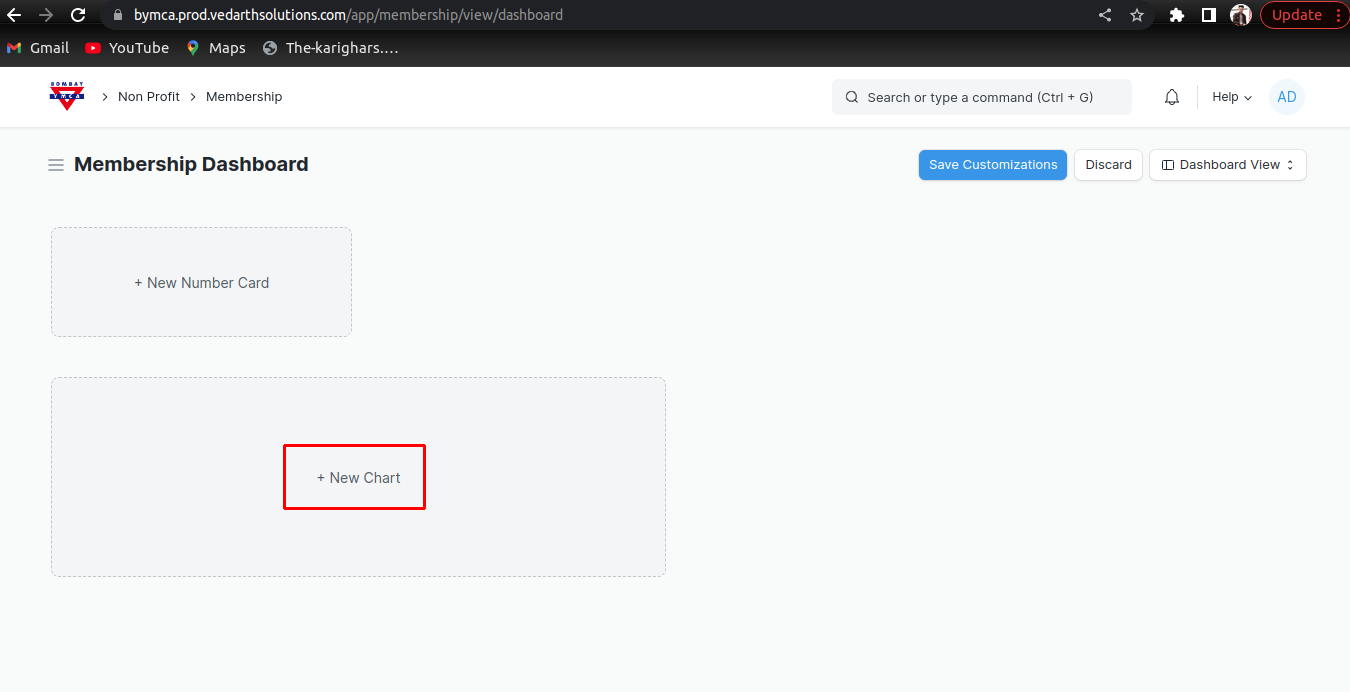
2) In Dashboard click on new chart to make graphical representation of Membership Count.
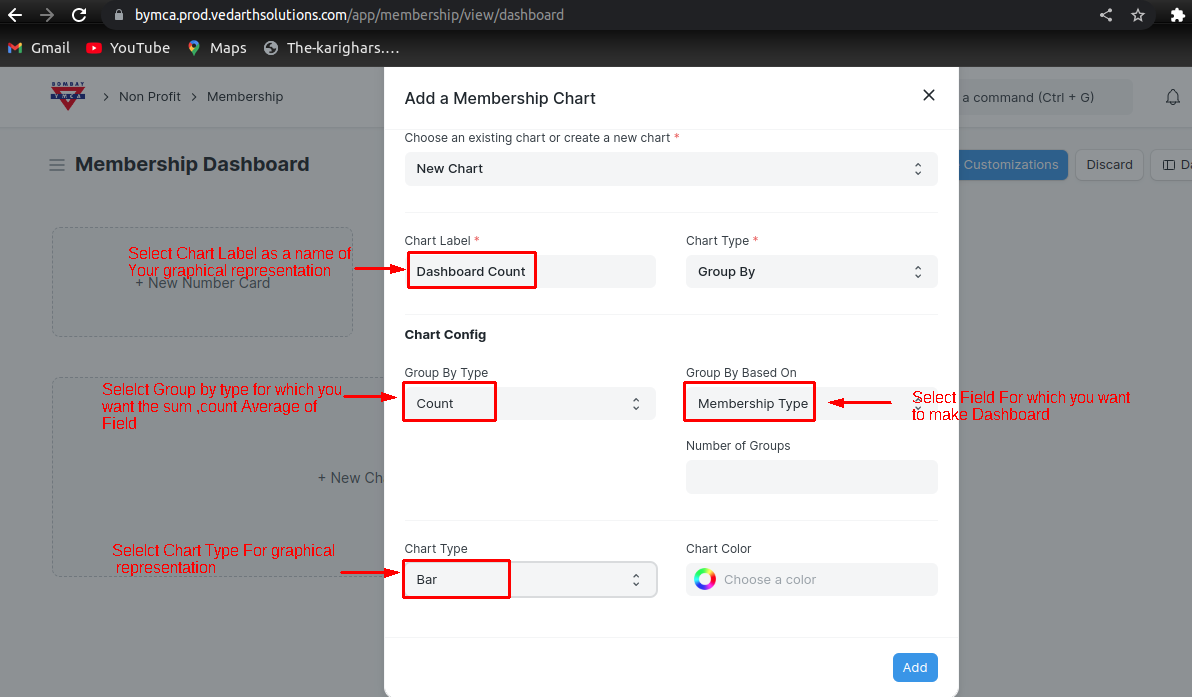
3) Select all the information in Chart for graphical representation
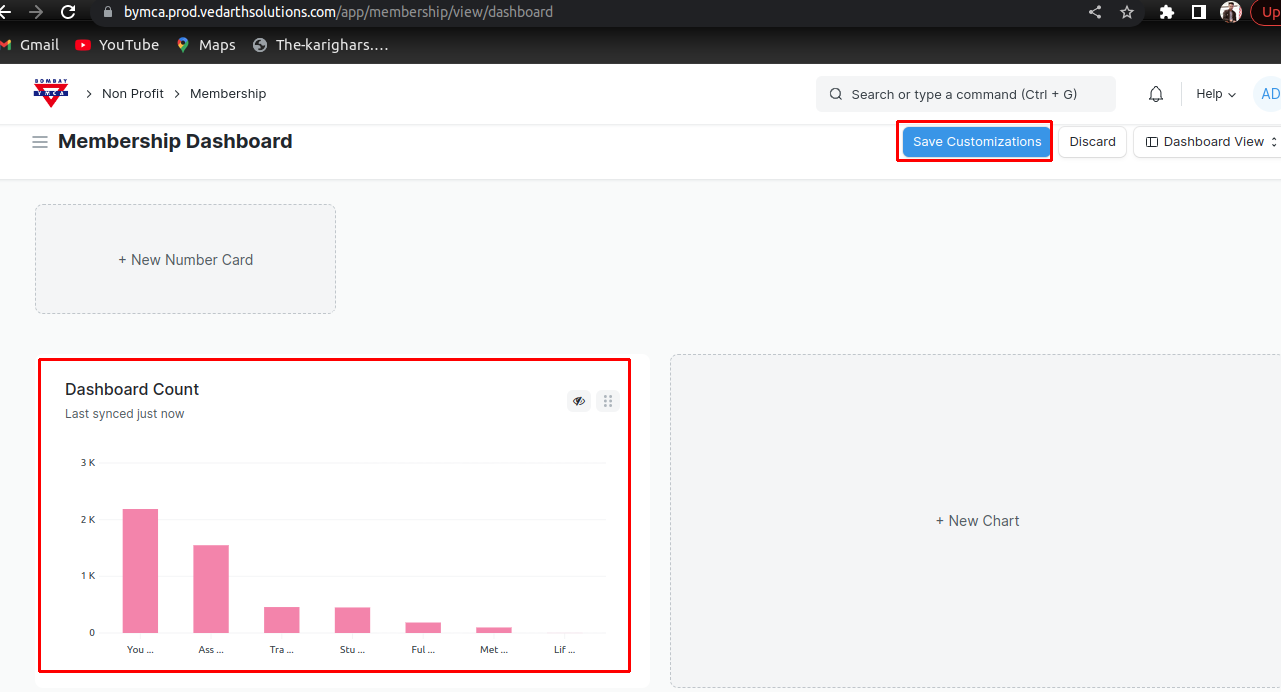
4) Then Add a chart and save Customizations
*** End Of the Document ***
Was this article helpful?
More articles on ERP Documentation