Bombay YMCA - How to create New User
By Satish Aralkar on January 9, 2023
IntermediateLogin to ERP
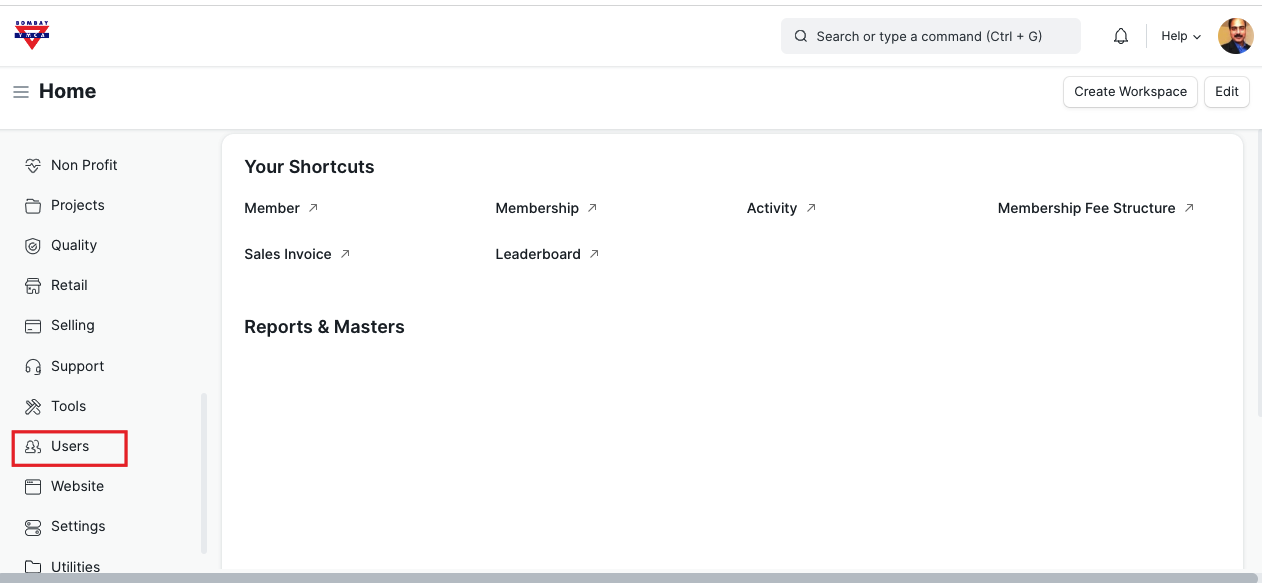
Go to Users tab.
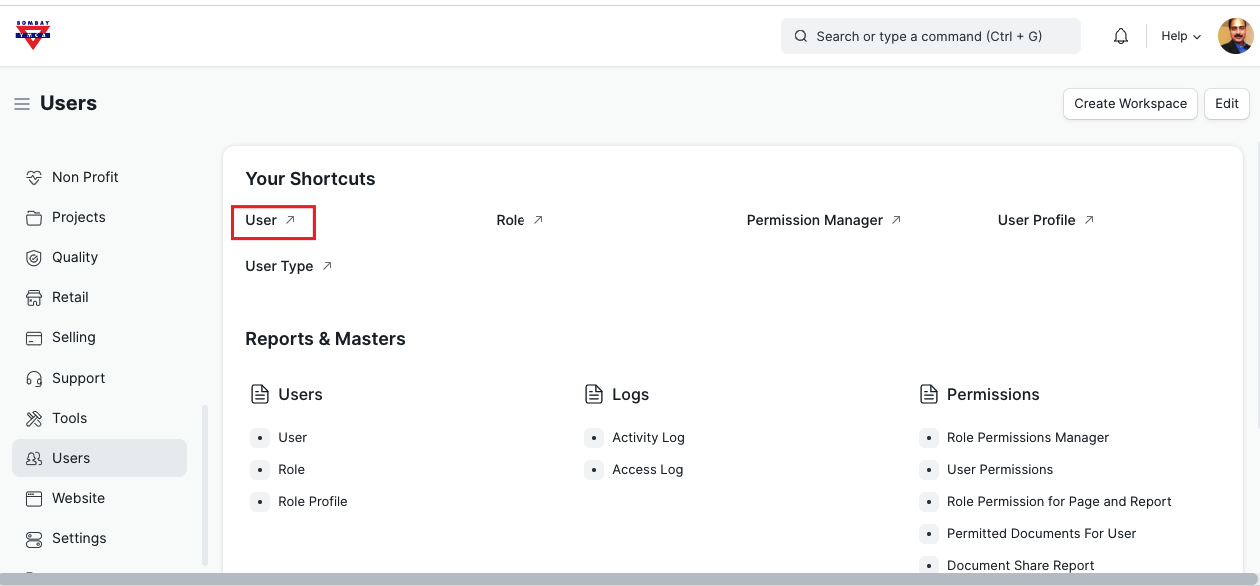
Click on User
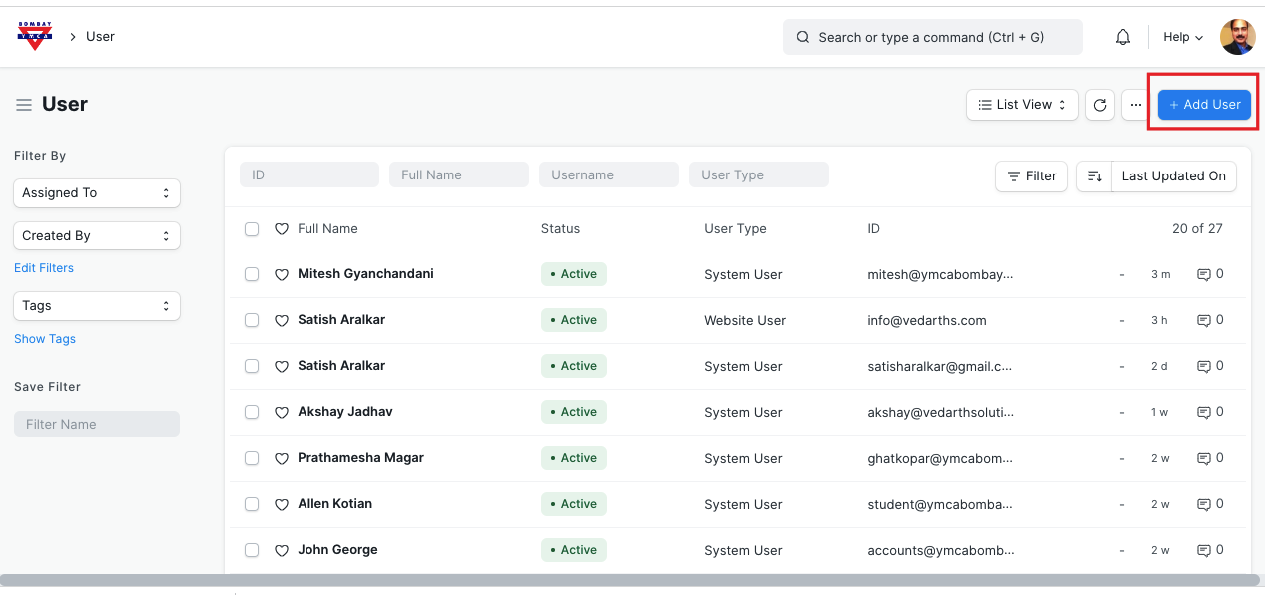
Click on "New User"
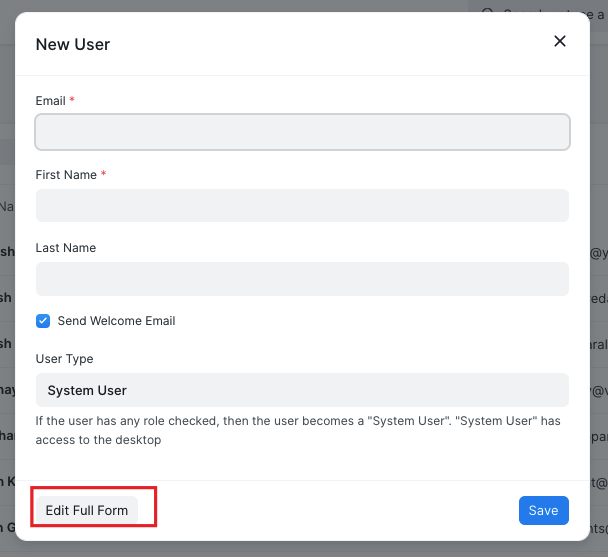
Enter email ID and name details.
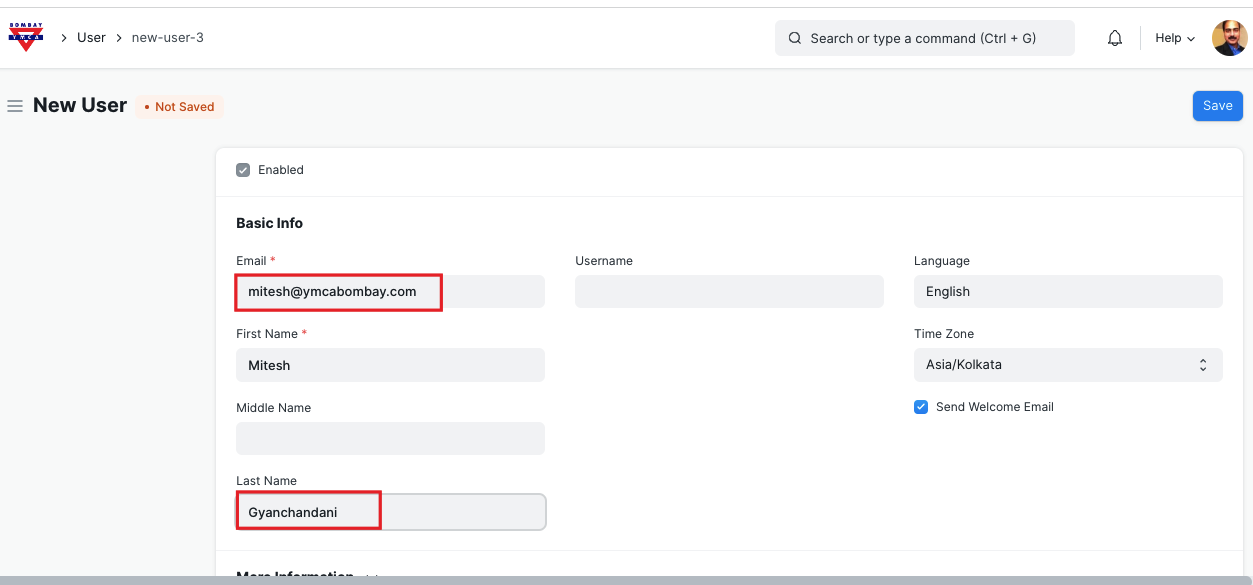
Click on Save.
Give the Roles as below
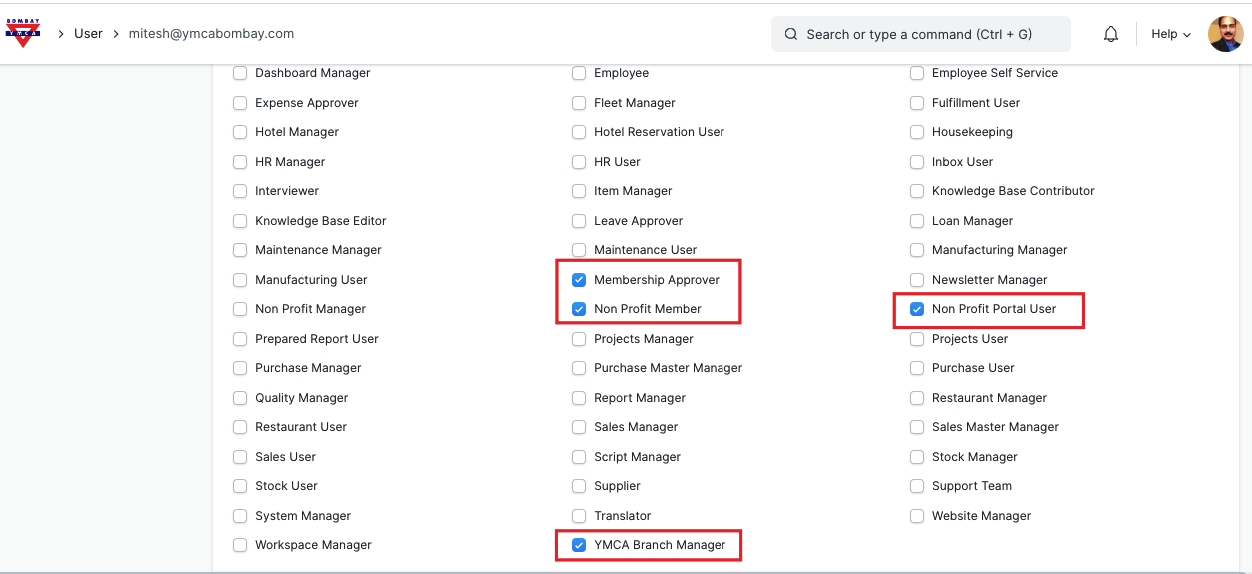
Click on Save.
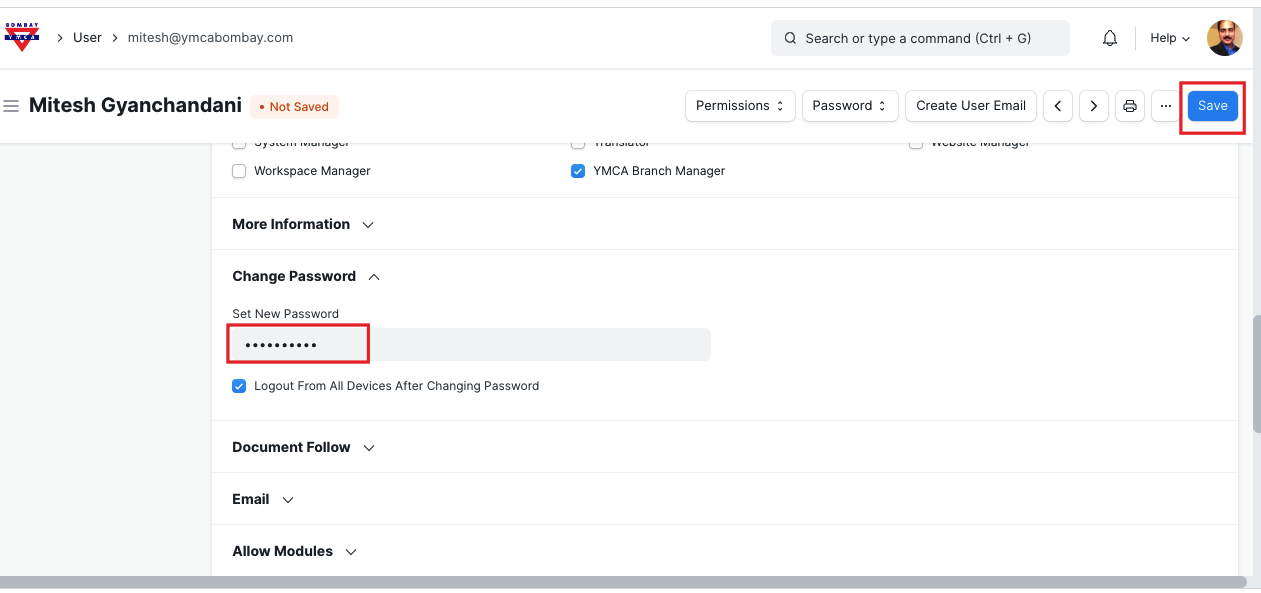
Set the new password and Save.
Now you need to assign this user to Branch.
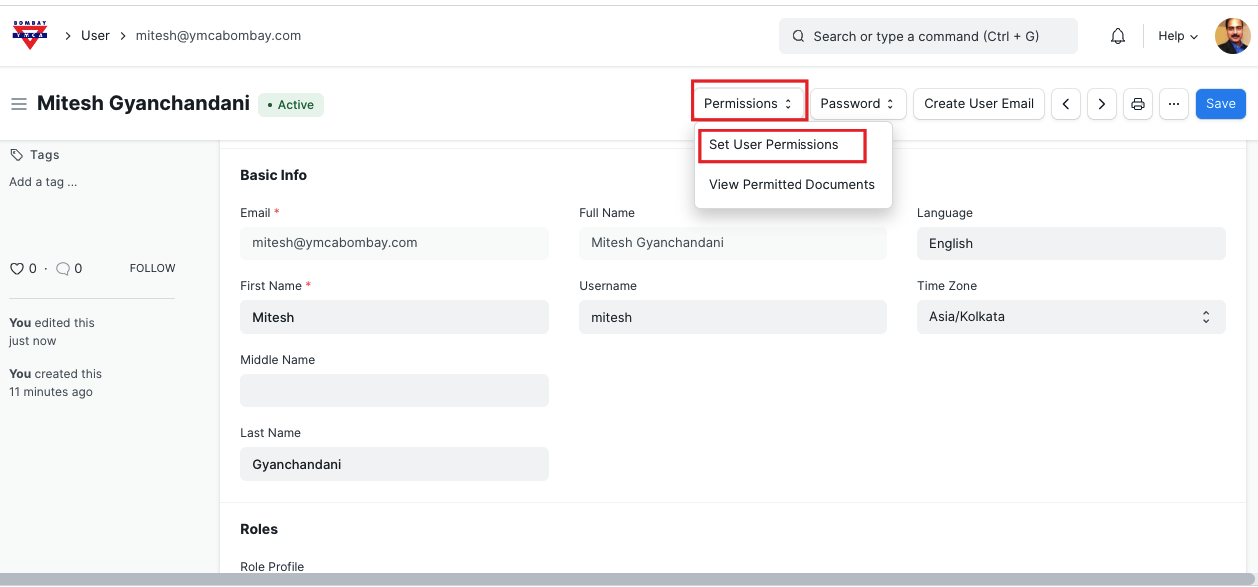
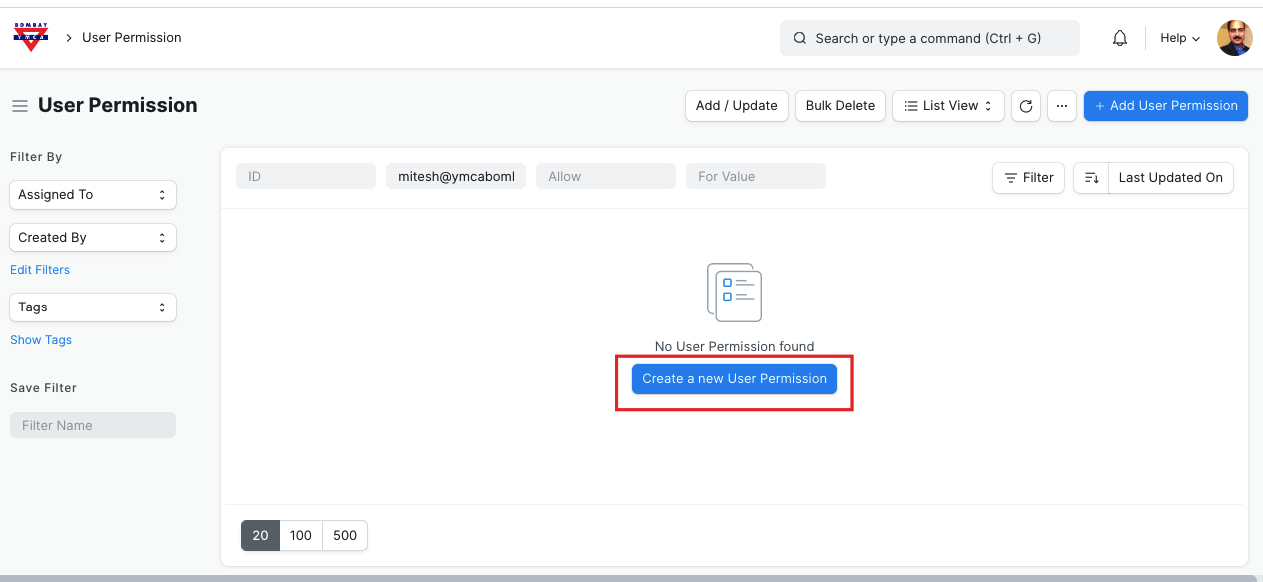
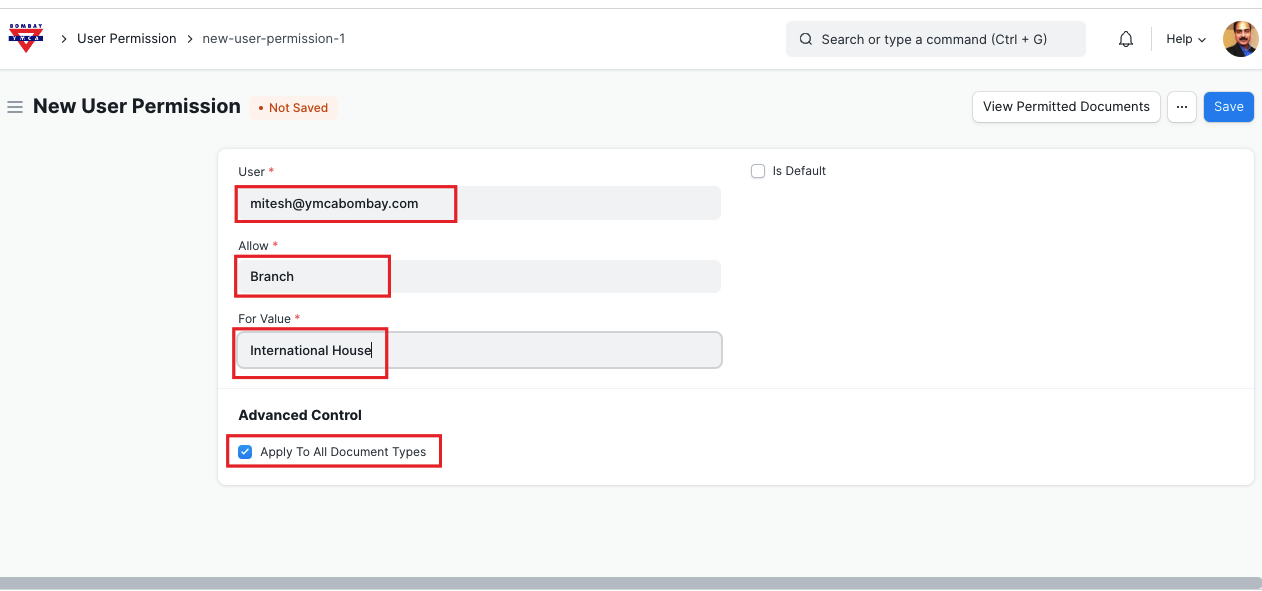
Save.
*** End of Document ***
Was this article helpful?
More articles on ERP Documentation