Bombay YMCA - How to create monthly Rent Receipt on 1st day of each month
By Satish Aralkar on May 29, 2023
BeginnerPre-Requisite
- Ensure that all Item heads are created for the Branch.
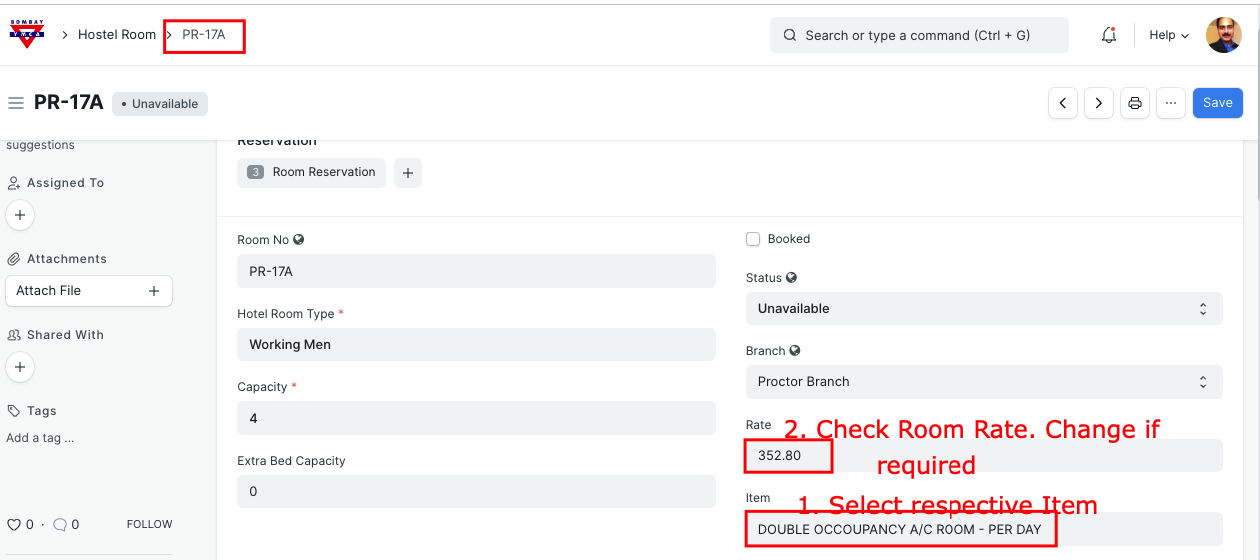
Open Hostel Room which has to be assigned.
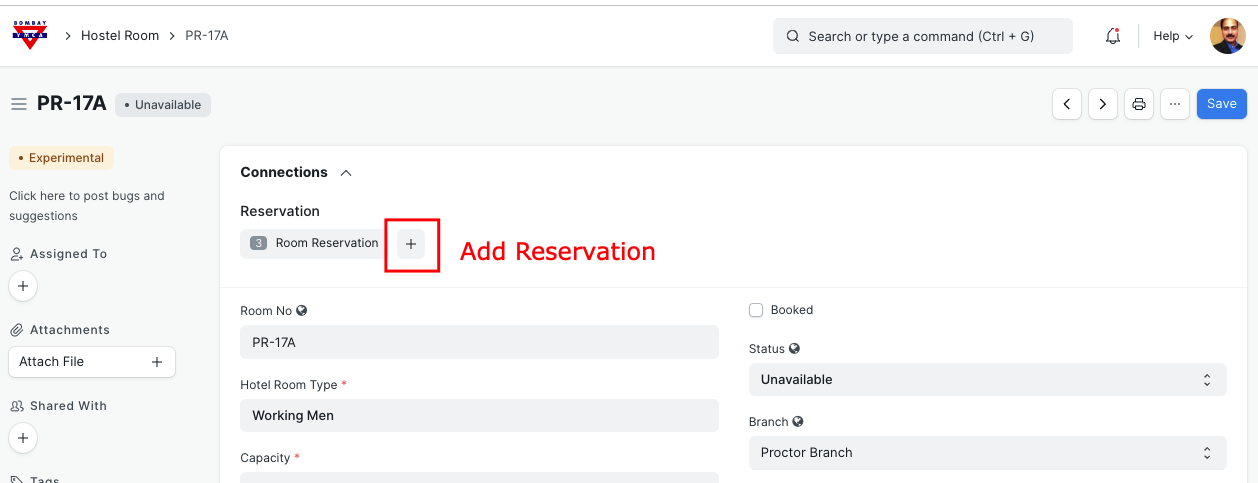
Click on "+" to add reservation
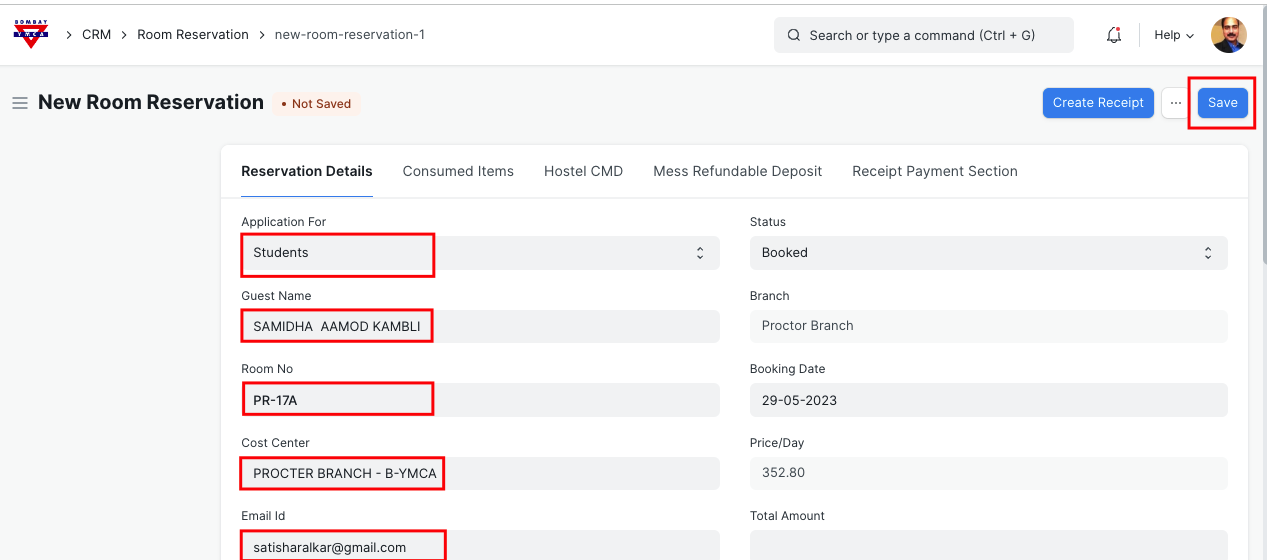
Update all the information as below
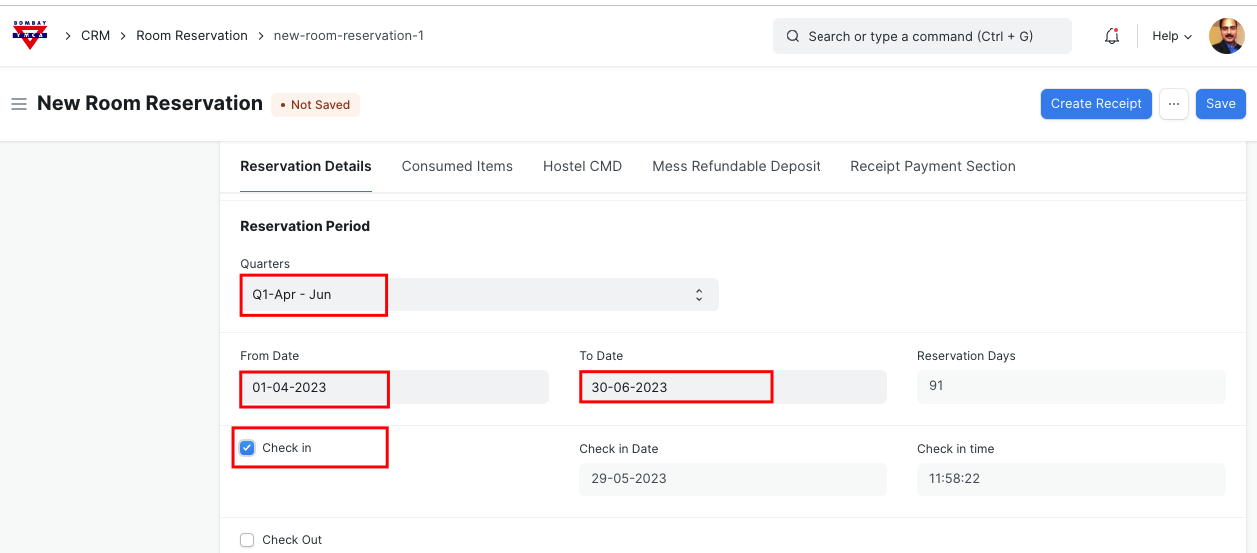
If you want to add any more items then add into " Consumed Items"
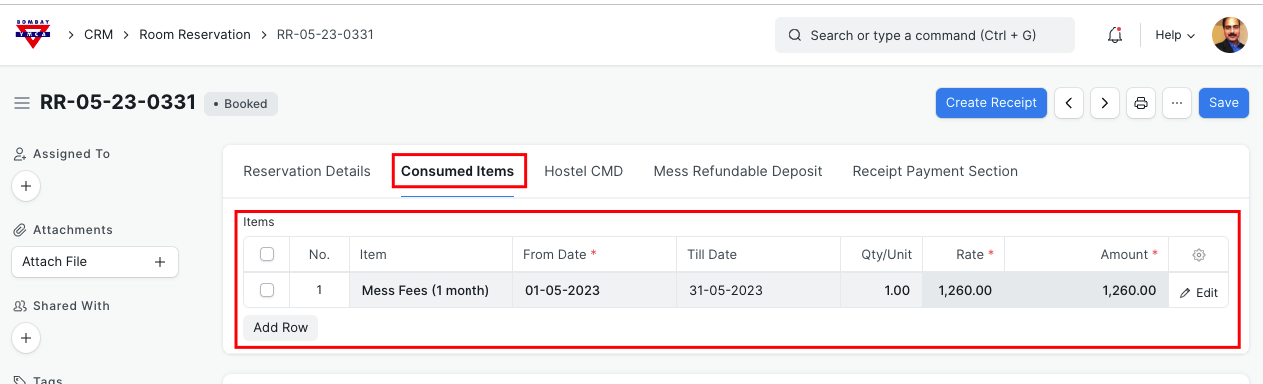
Click on Create Receipt
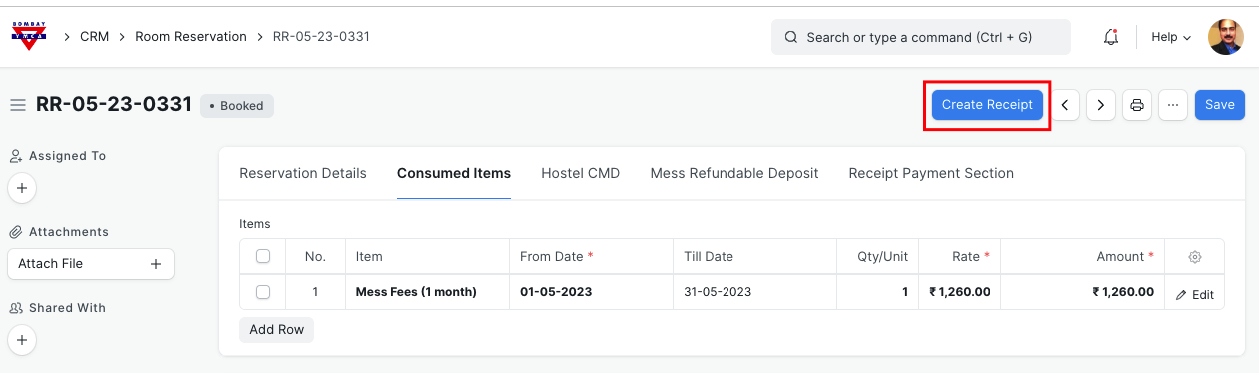
In Receipt, bring all chargeable items.
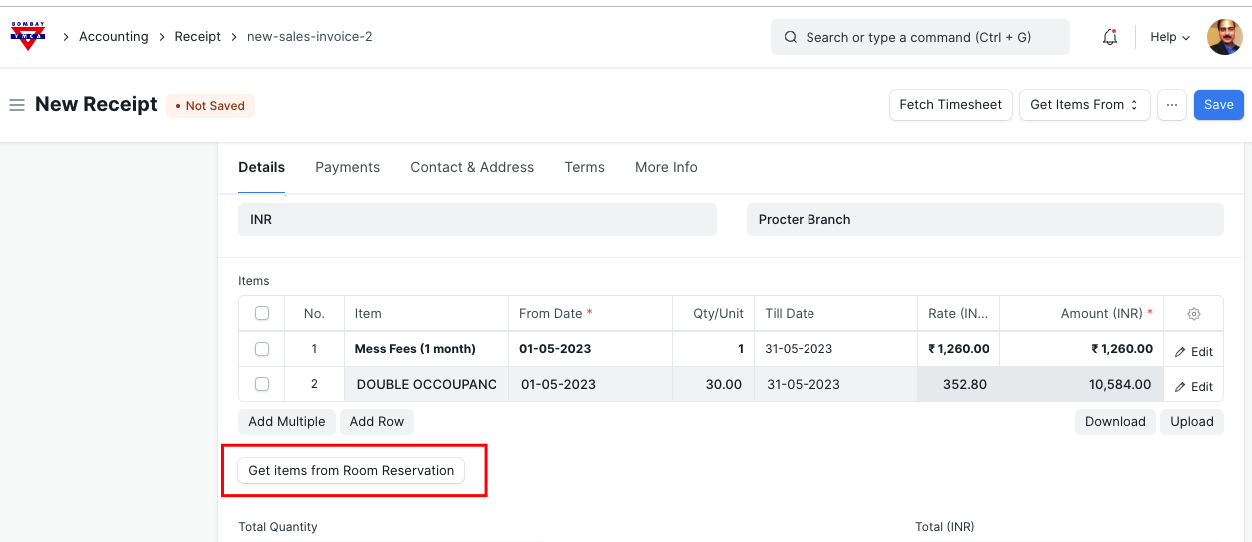
Verify the data which is fetched by system. You can add any missing items here for the month.
If you want to issue advance receipt for Hostel and get the payment later then click on check box as shown below to skip payment information.
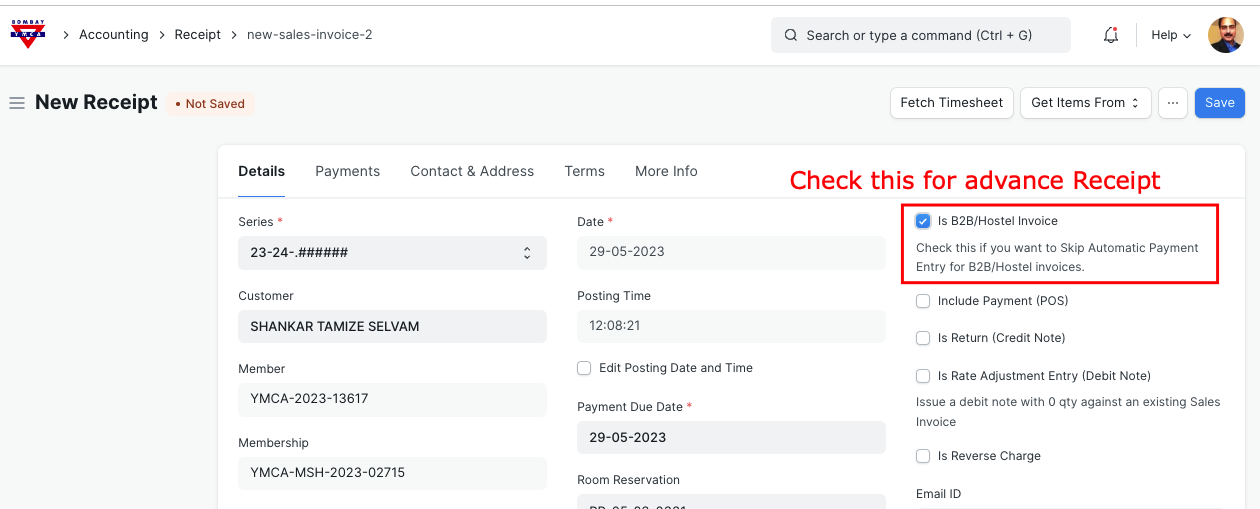
This will skip payment information required to fill and also it will not generate Payment entry.
In this case you need to make the payment entry once payment is received against "Receipt"
Submit Receipt
Receipt is submitted and it is showing in "unpaid Status"
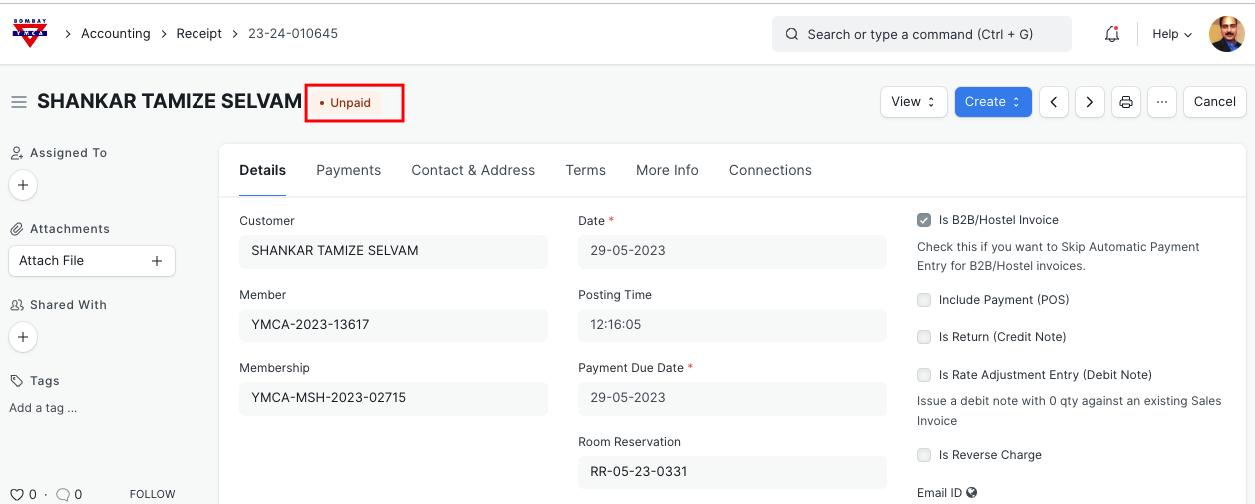
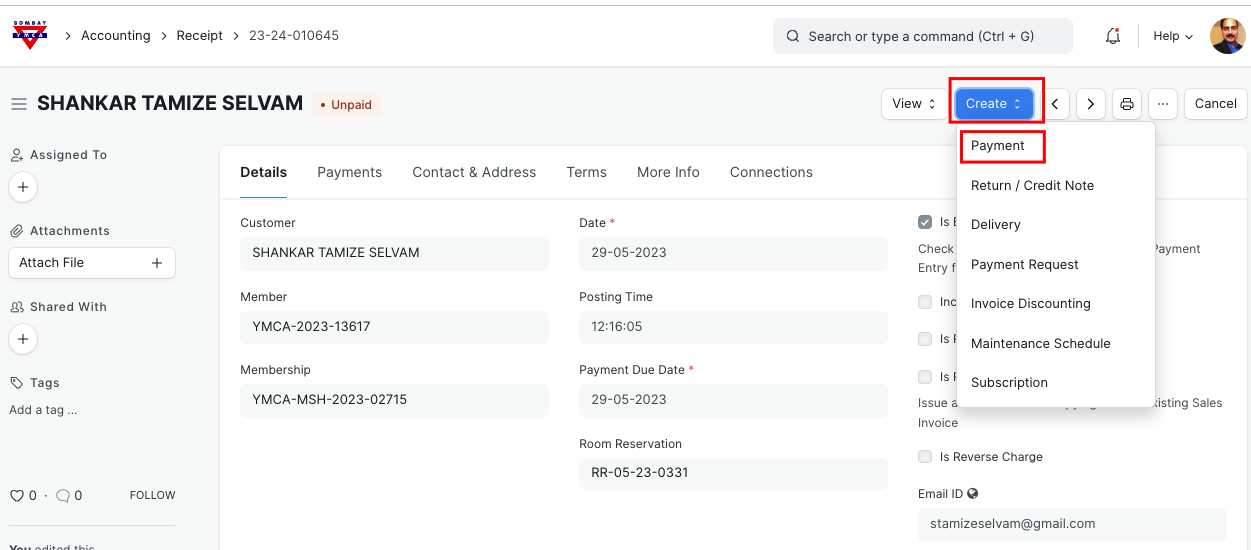
Once you receive the payment, you can make the payment entry as below.
Go to receipt and click on Payment as shown
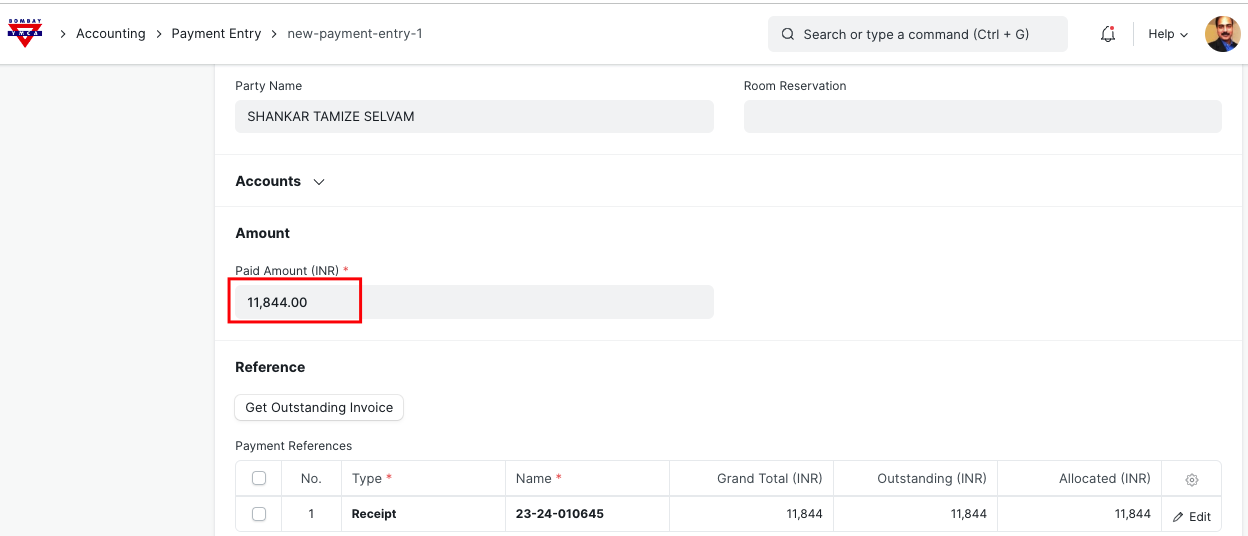
Enter paid amount in Payment Entry.
Save and Submit
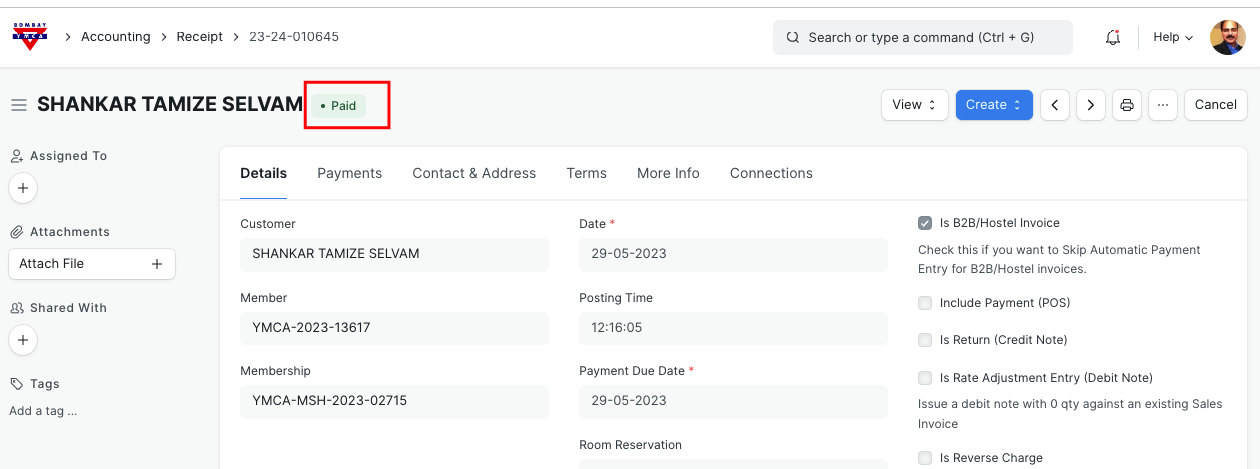
Once payment entry is submitted successfully, check for the Receipt Status. It will update as "Paid"
*** End of Document ***
More articles on ERP Documentation