Bombay YMCA - Capture Refund bank account for Student/Guest
By Balaji Shinde on July 6, 2023
IntermediateTo Capture bank account for Student/Guest/Customer.
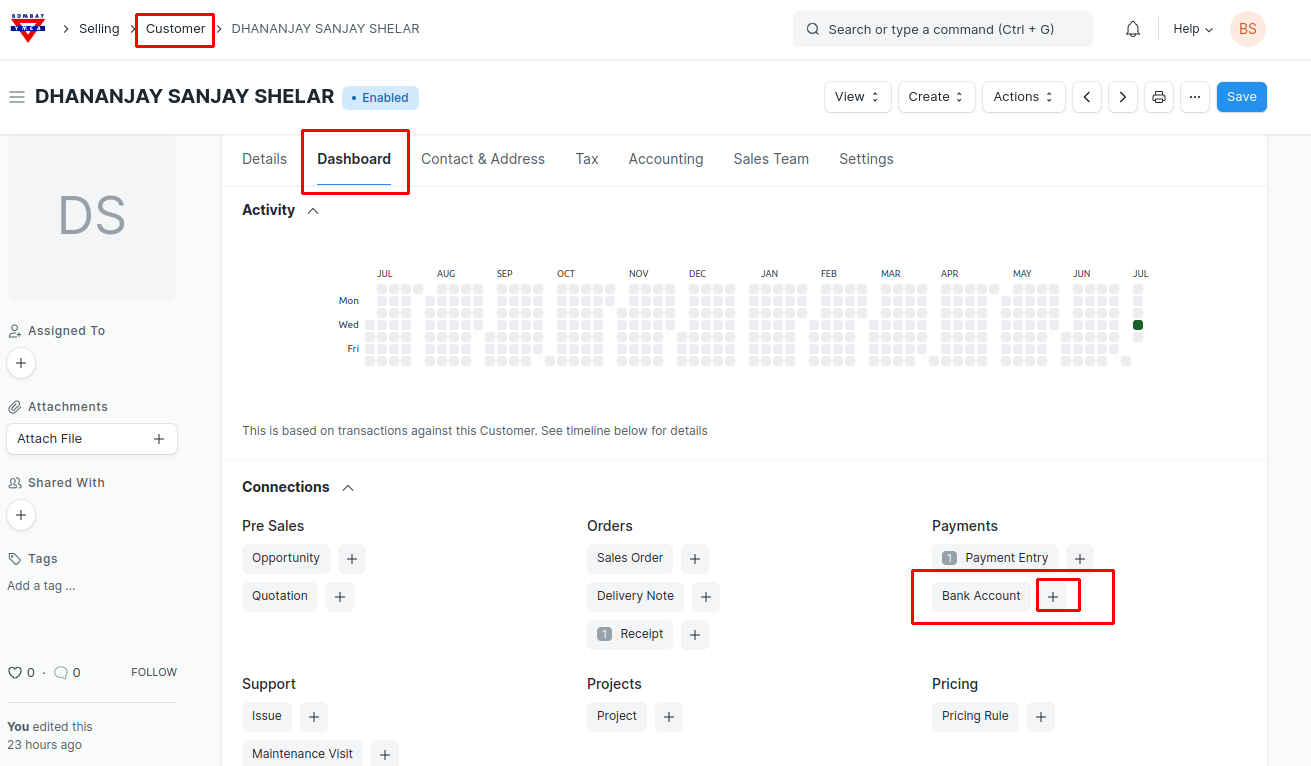
1. Go to Customer to whom the bank account to be add in the Customer Master.
- In the Customer form go to Dashboard tab and click on "+" next to the bank Account. You will get redirected to the Bank account form.
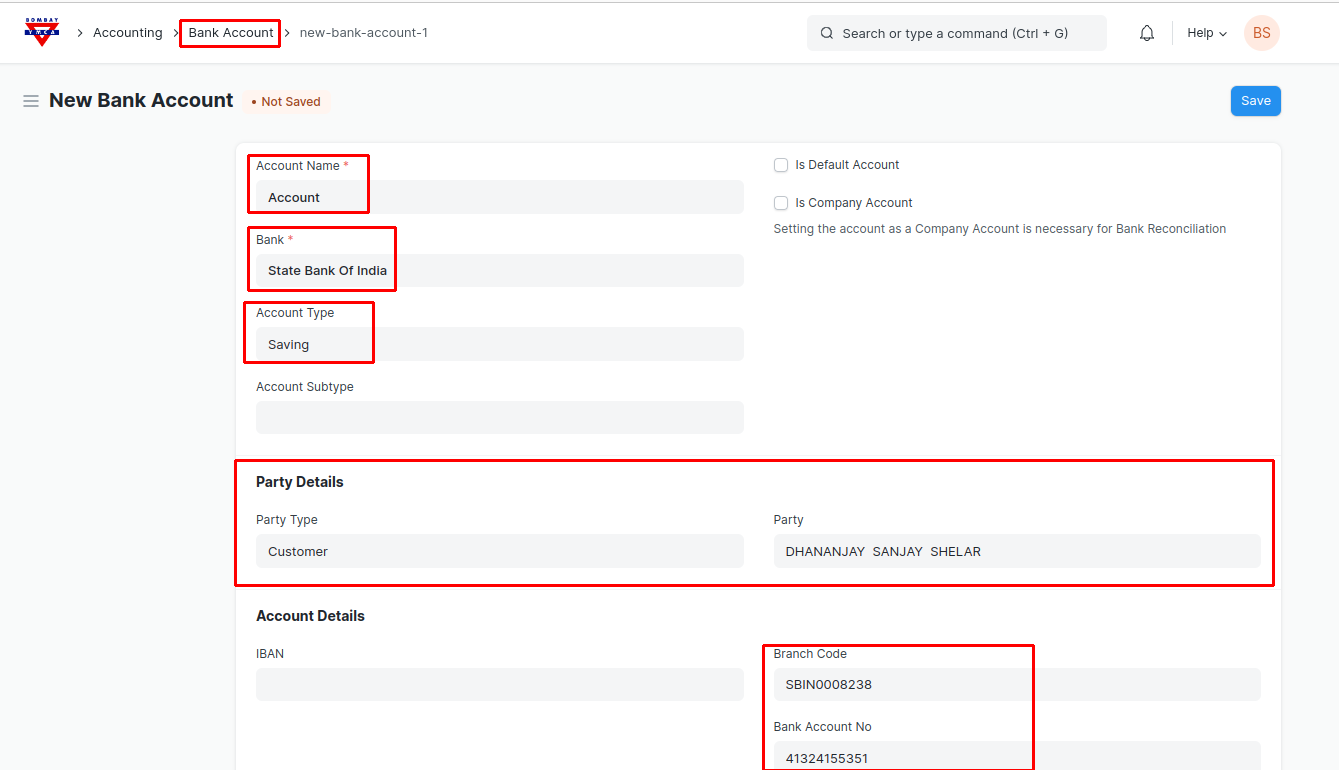
2) In the Bank Account form fill the required details of the customer and save. Bank Account will get attached to the customer.
***End of the Document***
Was this article helpful?
More articles on ERP Documentation