Bombay YMCA - Activity Creation, Activity Pricing and Activity Receipts
By Satish Aralkar on January 6, 2023
Intermediate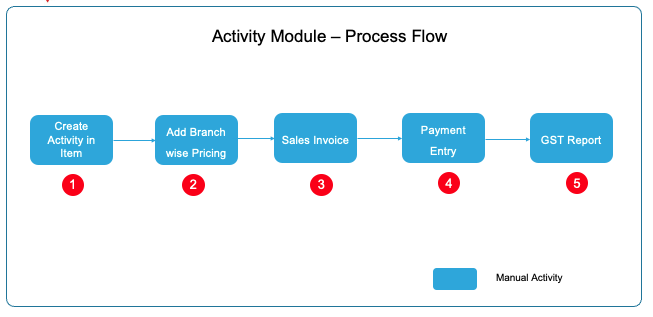
Create Activity Master
- Go to Item Master and create new item
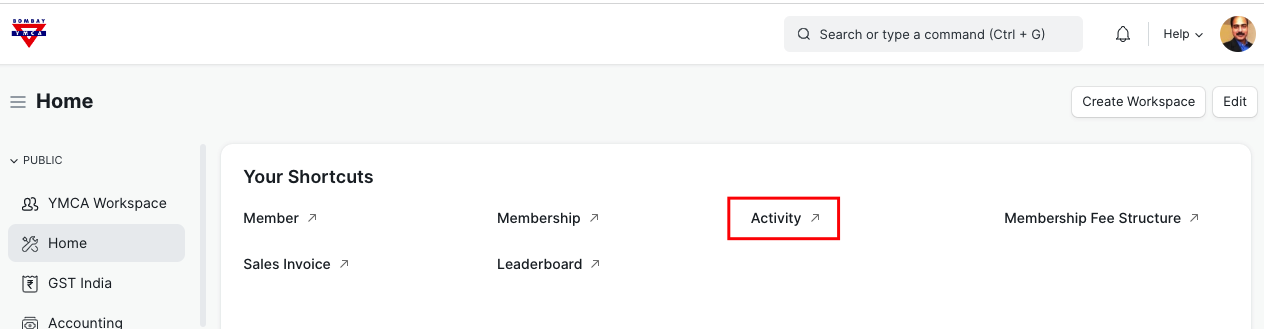
New screen will open.
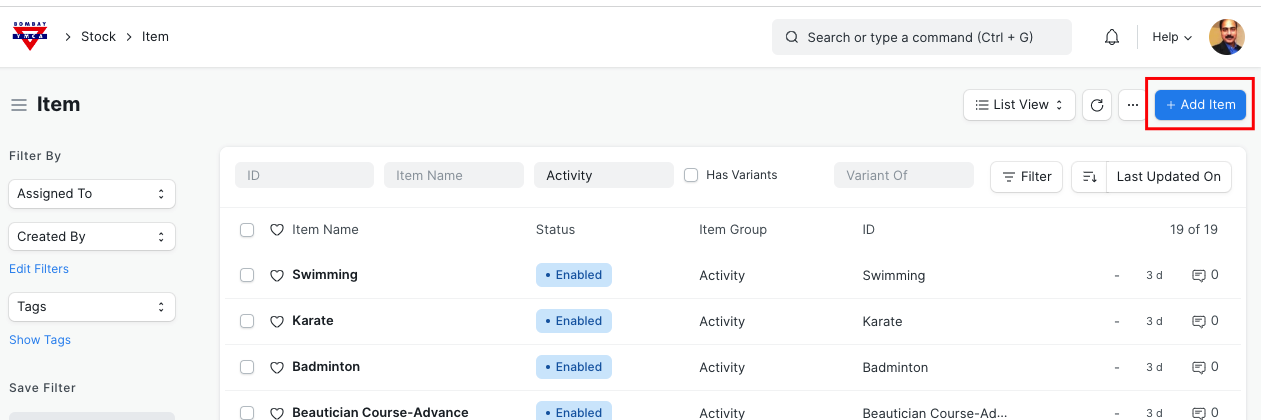
Click on "Add Item"
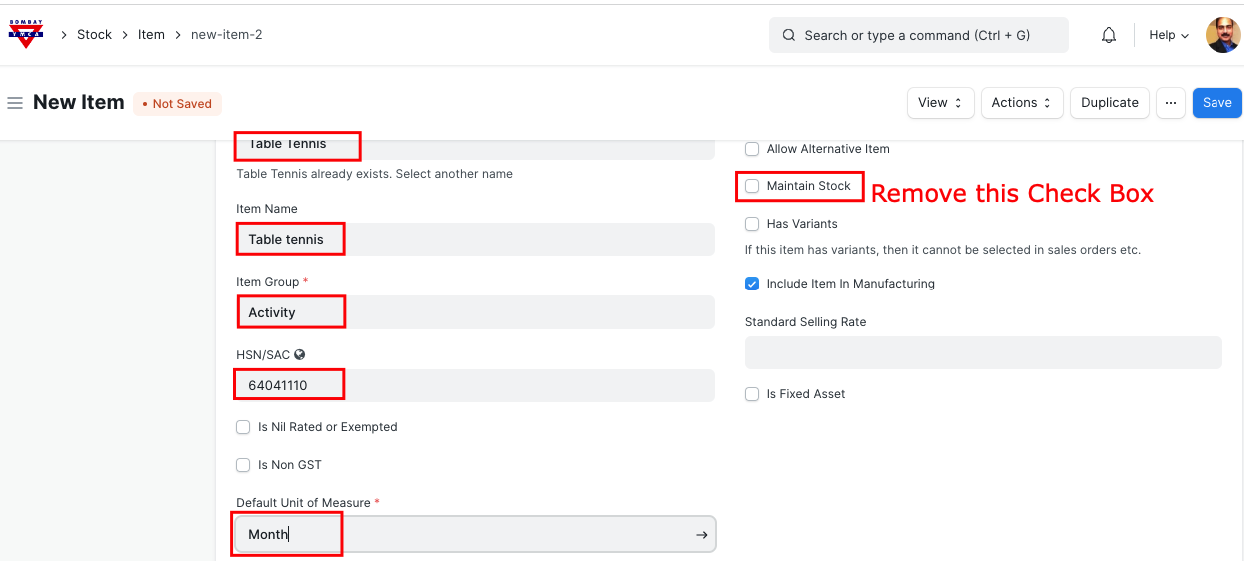
Click on Save
Now you have created an Activity.
Update Branch-wise Activity Price
Go to Item Dashboard and click on "Item Pricing" and create New entry +
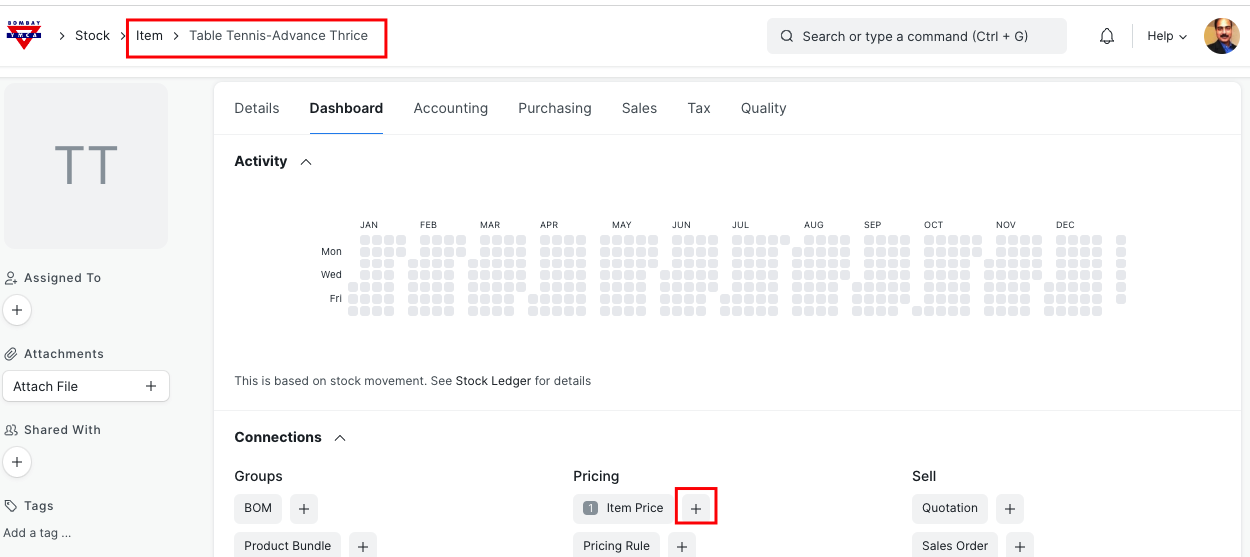
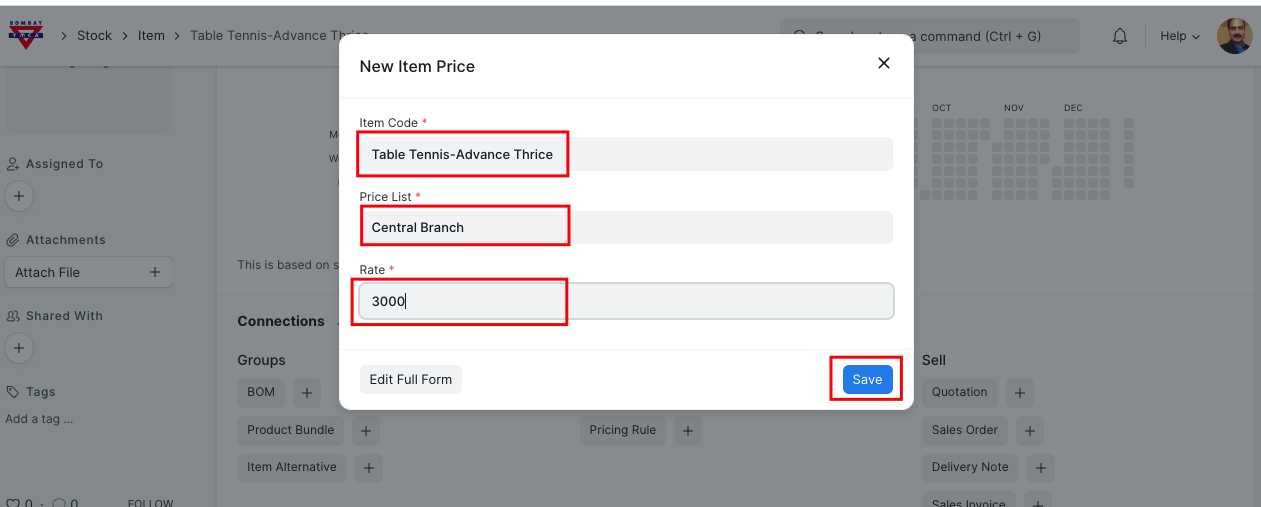
This price will be applicable for respective branch.
Create Activity Invoice
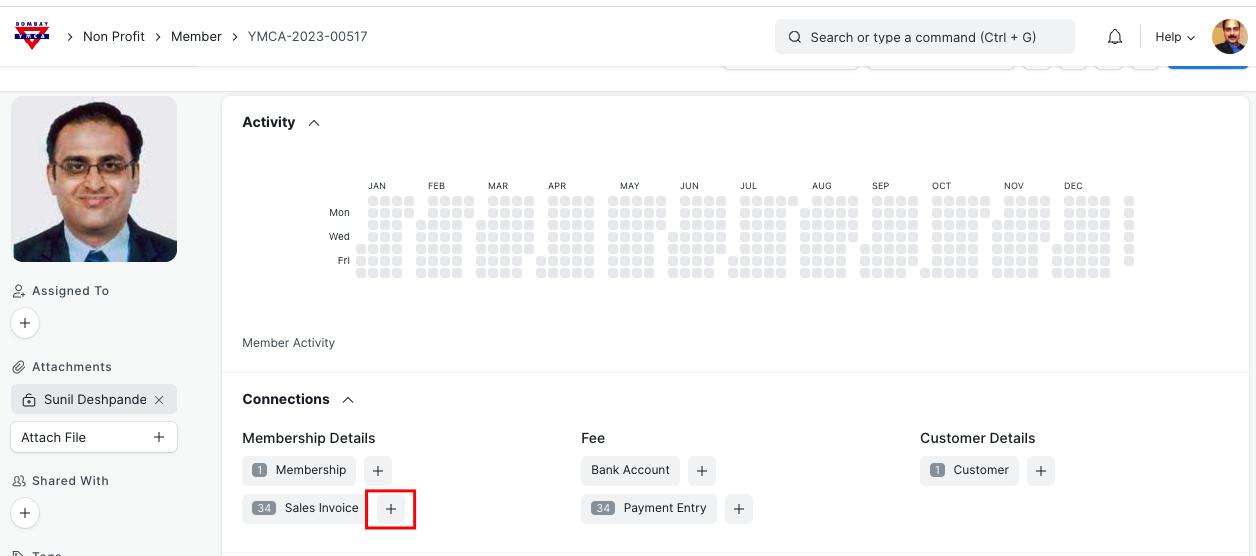
Search for the member in member' master list, open Member's record and click on new Sales Invoice.
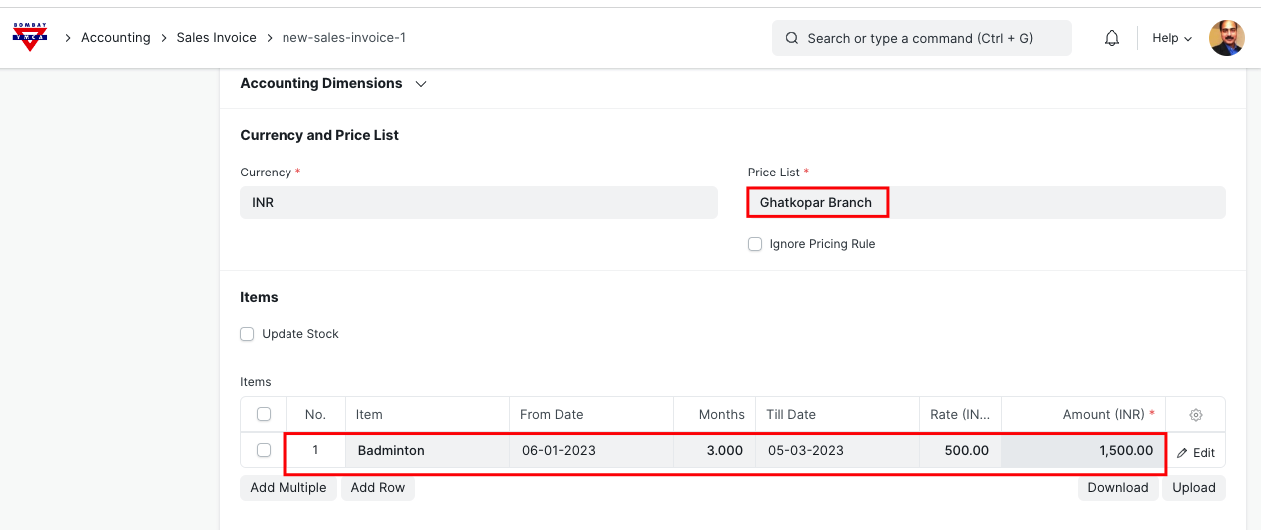
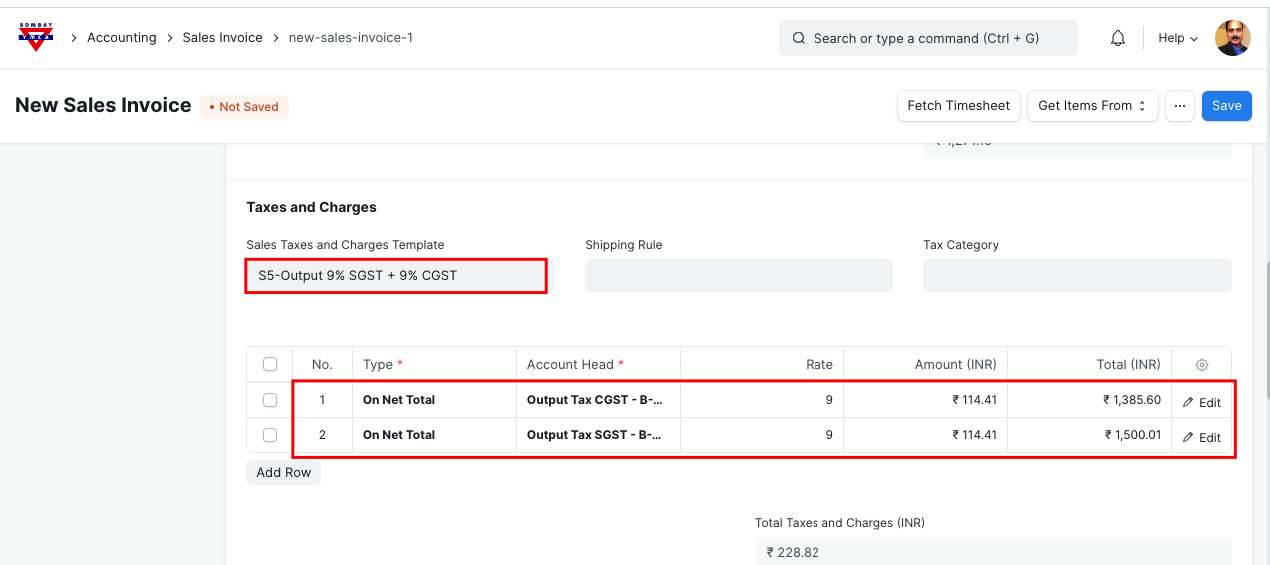
Select Branch, select Activity and enter No. of Months
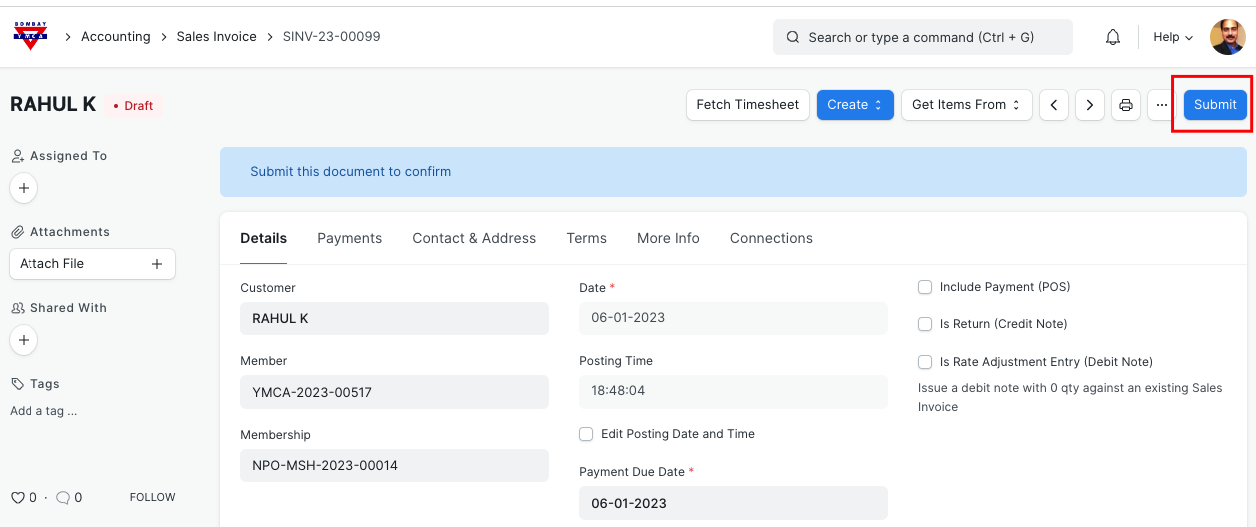
Click on Submit
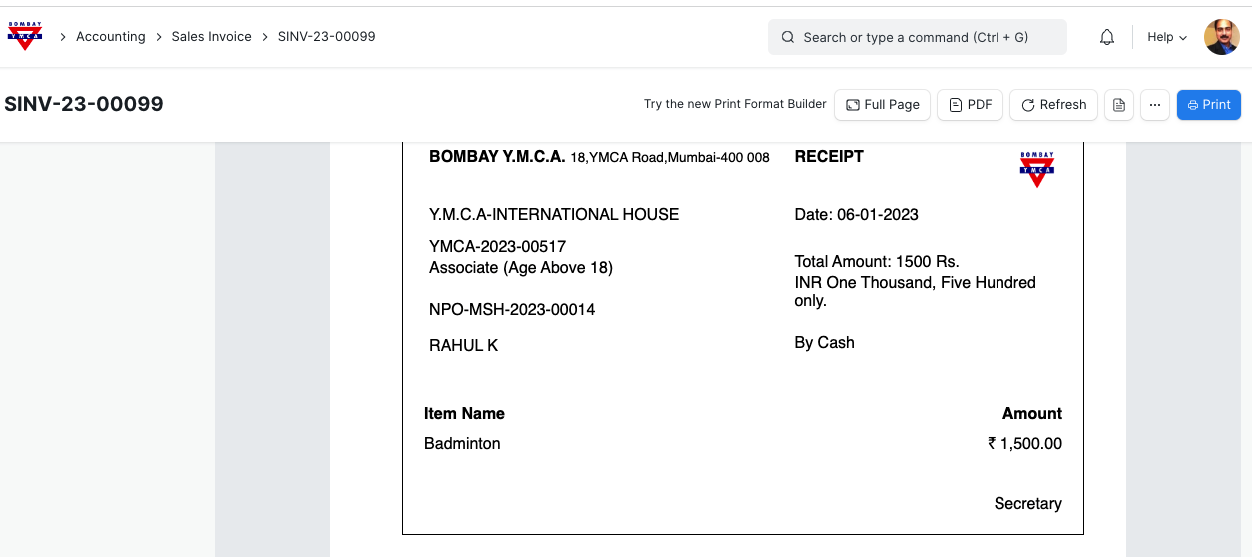
Print the Receipt
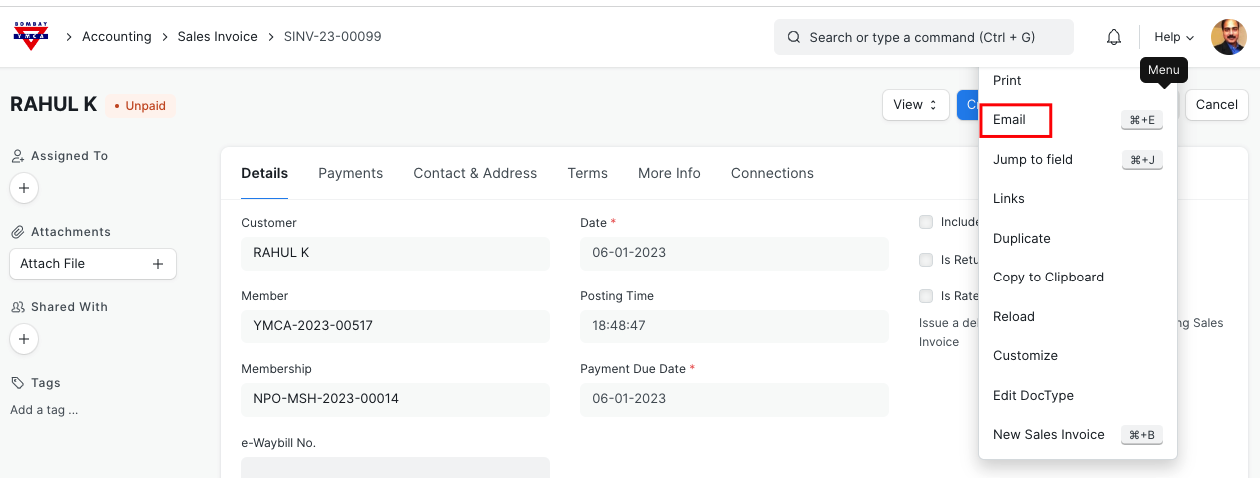
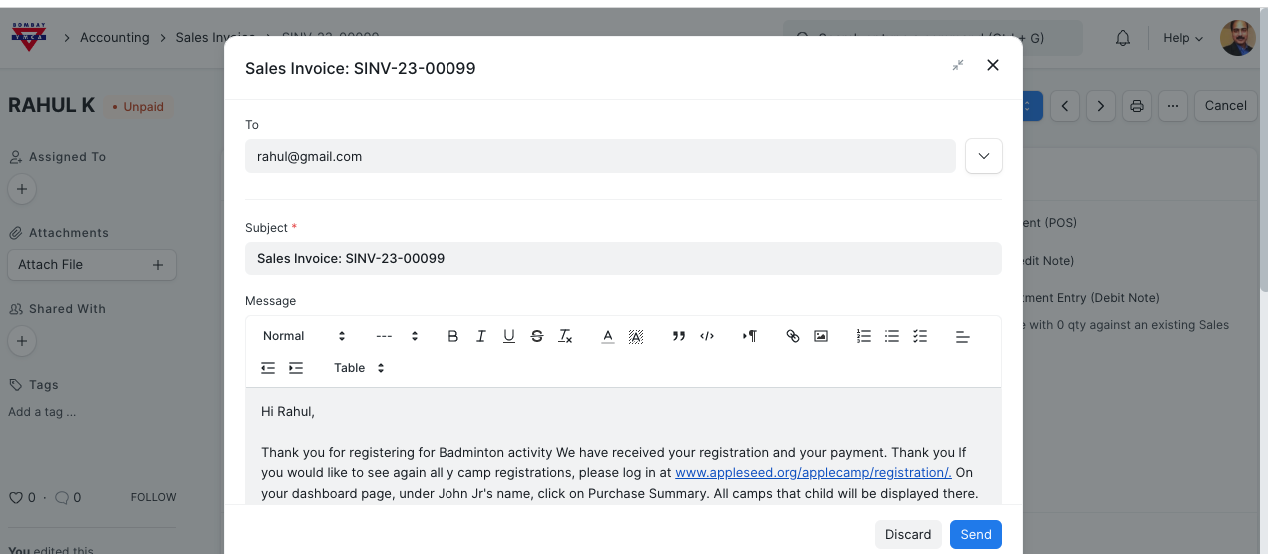
You can also send it through email
*** End of Process ***
Was this article helpful?
More articles on Activity